 Citerank
Agent Orders: revenue from AI surfaces, confirmed and inferred
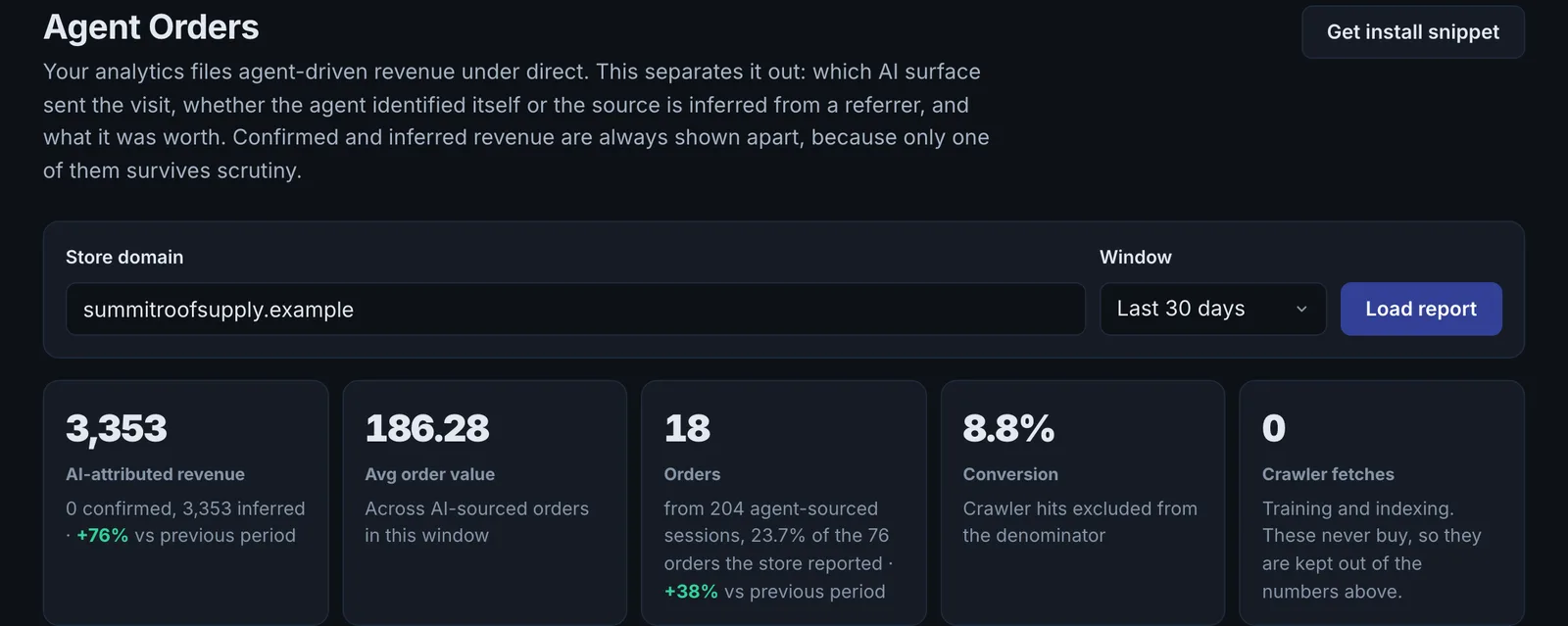
Agent Orders shows which AI surfaces send your store orders and revenue. A small snippet records AI-referred visits and orders; the report keeps confirmed attribution (the agent identified itself) separate from inferred attribution, and never adds them together.
Step by step
- Open Agent Orders #
Find it under Agents & Commerce, Commerce, in the left sidebar, and enter your store domain.
- Get the install snippet #
One script tag for every page and one line for the order confirmation page.
- Install it #
Add both to your store. The report starts empty until the snippet records data.
- Pick a window #
Choose the reporting window.
- Read revenue by surface #
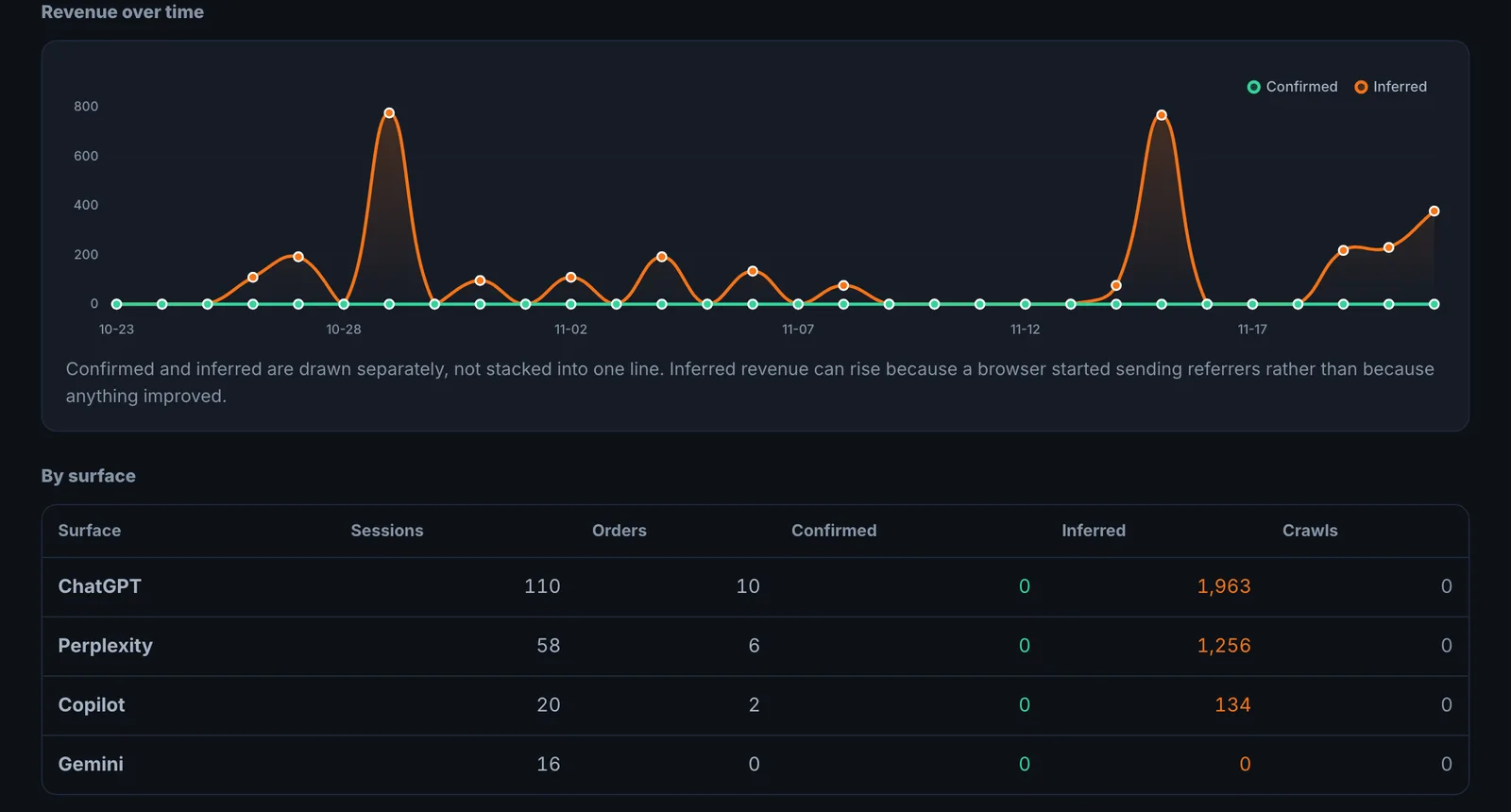
See orders and revenue per AI surface, confirmed and inferred separately.
Why it matters#
Agent-readiness work needs a business case. Agent Orders provides it: revenue from AI surfaces, with an honest split between what is proven and what is inferred.
What it checks#
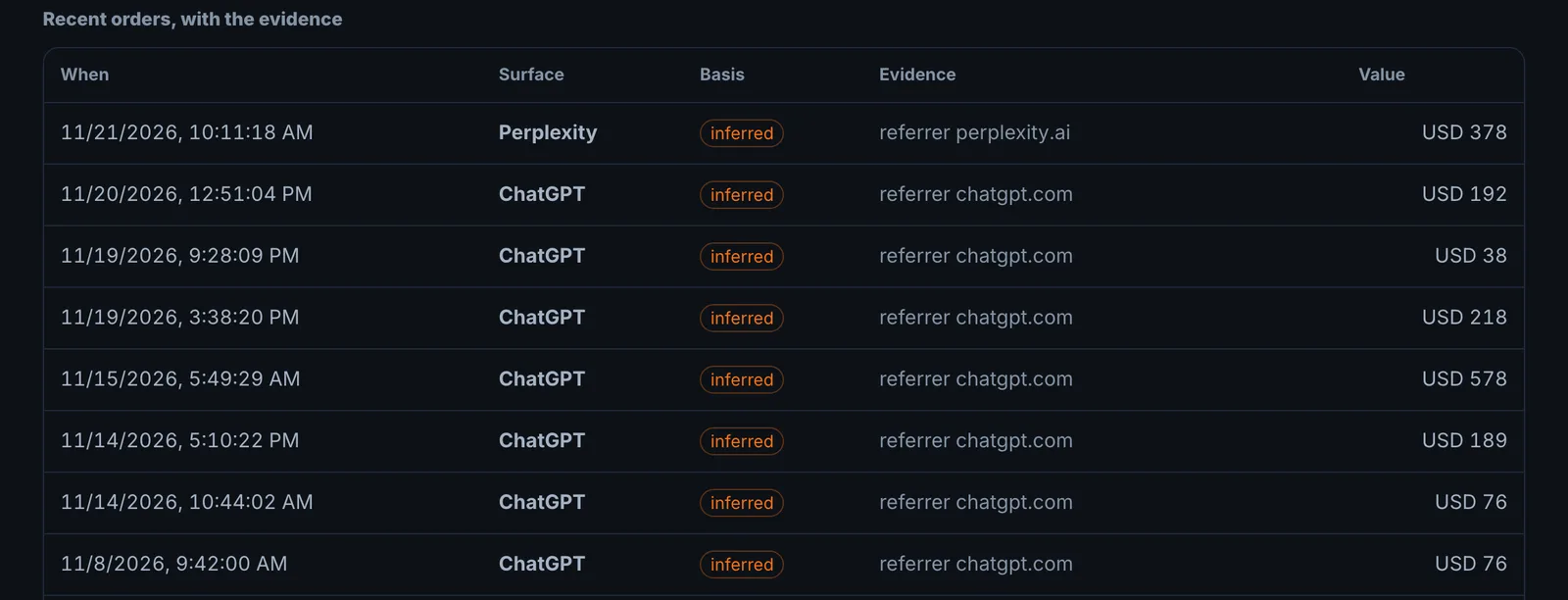
From the snippet on your store: visits arriving from AI surfaces, the orders they place and their value, attributed by surface and labelled confirmed or inferred.
Reading the results#
- Confirmed revenue is the number to defend in a report.
- Inferred revenue is directional.
- By surface shows which AI channel to invest in.
- Share of orders: the Orders card shows AI-sourced orders as a share of every order the store reported. Orders with no AI signal are kept only for that share; they never count as AI revenue.
Implementing the fixes#
Put effort into the surfaces that already convert: improve the products and pages they send traffic to, and the feeds that put you there (ChatGPT Shopping, Product Feed Audit).
Worked example#
A homewares store installs the snippet.
After a month: 410 visits from AI surfaces, 23 orders worth $2,180. Confirmed: 9 orders ($930) where the visit identified its AI source. Inferred: 14 orders ($1,250) matched by pattern. By surface: ChatGPT 70% of revenue, Perplexity 20%.
In Google Analytics the same orders appear mostly as "direct", because many AI apps send no referrer. The store reports the confirmed figure as the defensible number and the inferred figure as the likely upside, and puts more product content work into the categories ChatGPT visitors buy from.
Best practice#
Install the snippet before doing agent-readiness work, so you have a before-and-after.
Troubleshooting
No visits or orders appear #
The snippet must be on every page, including the order confirmation page, and the store must be the domain in your project. Check it loads in your browser's developer tools on a product page and on the thank-you page.
Your analytics shows these visits as direct #
Many AI apps open links without passing a referrer, so analytics tools file them as direct. The snippet uses other signals to attribute them, and labels each one confirmed or inferred.
Inferred and confirmed numbers differ a lot #
That is expected. Report confirmed revenue as the firm number, and inferred as directional. Never add inferred to confirmed in a client report without saying so.
Not listed here? See Common problems for limits, checks, plans and pages that cannot be read.
Questions
Why keep confirmed and inferred apart? #
Why does my analytics show this as direct? #
Does it use checks or credits? #
Something here does not match what you see in the app? Tell us and we will fix the guide.