 Citerank
Video & YouTube Intel: video citation signals for AI search
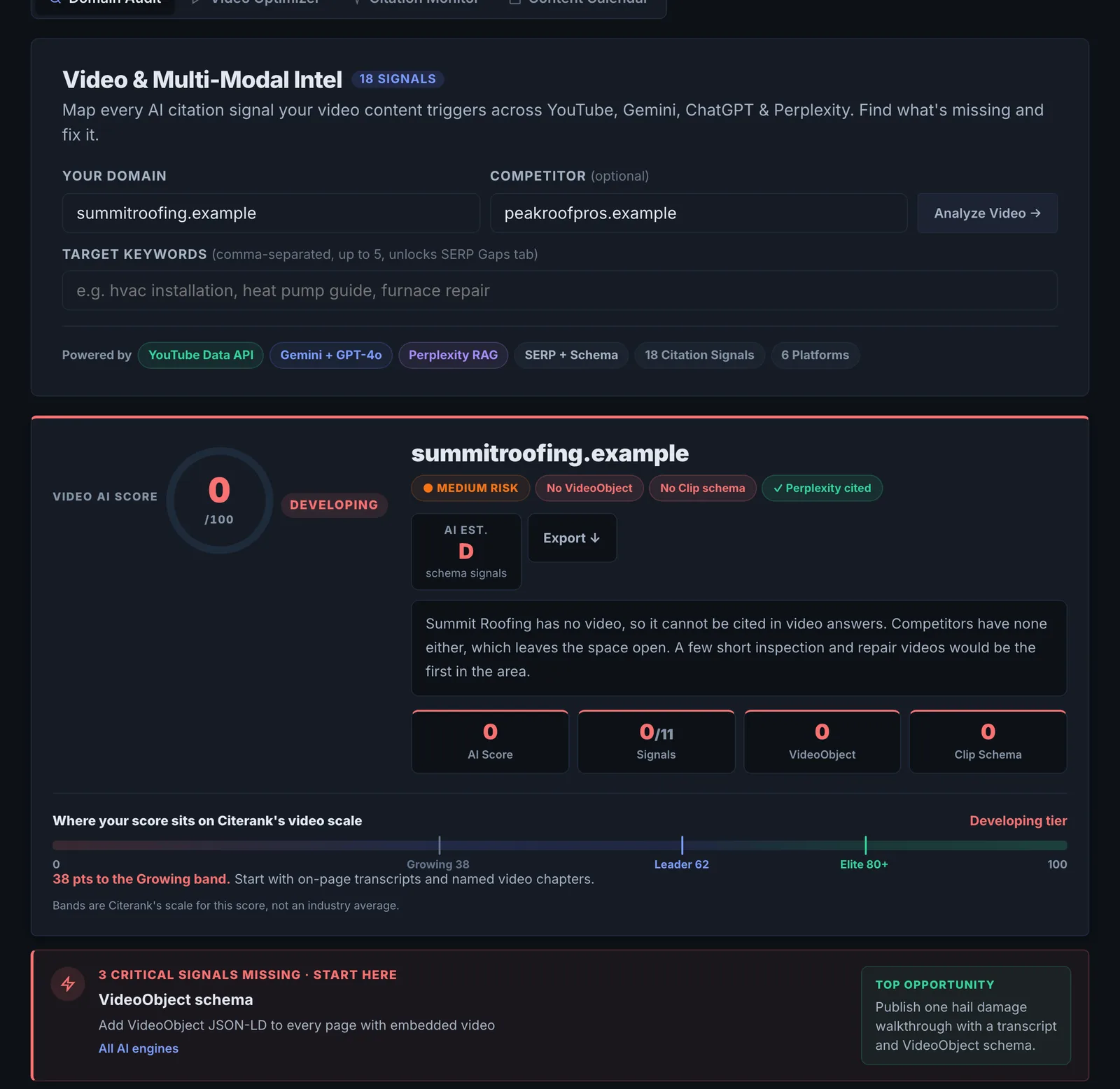
Video & YouTube Intel looks at your video presence through an AI search lens: your channel's recent videos and their citation signals, video results for your keywords, whether AI answers cite your videos, a per-video optimiser, and a 90-day content calendar.
Step by step
- Open Video & YouTube Intel #
Find it under Content, Create, in the left sidebar.
- Run the main analysis #
Enter your domain, optionally a competitor and up to 5 target keywords (keywords unlock the SERP gaps view).
- Optimise a video #
In Video Optimizer, paste a YouTube video URL for its citation score and fixes.
- Monitor citations #
In Video Citation Monitor, add up to 3 video URLs and the queries to check.
- Plan content #
In the 90-day Content Calendar, enter your niche, cadence and keywords for a 12-video plan.
Why it matters#
AI engines draw on video as well as text, and YouTube is one of the most cited domains in AI answers. A competitor with a well-described video can be cited ahead of your page. This tool shows your video footprint for your keywords and what to change so your videos get picked.
What it checks#
- Your YouTube channel (found from your brand) and its recent videos, with views, duration and citation signals.
- YouTube search for your queries: the top videos and their signals, including chapters parsed from descriptions.
- AI answers: whether Perplexity cites your videos for your queries.
- Competitive video gaps: an AI analysis of where competitors have video and you do not.
- Video Optimizer: a citation score and fixes for a single video.
- 90-day calendar: a 12-video plan for your niche and keywords.
Reading the results#
- Low citation signals on your videos usually means short descriptions and no chapters.
- Competitor videos ranking for your keywords are the gap to close.
- Not cited in AI answers while competitors are tells you which topics need a video.
Implementing the fixes#
- Write descriptions of a few hundred words that answer the query the video targets, with links to the matching page.
- Add chapters with descriptive, question-style titles.
- Prefer long-form explainers for citation; use Shorts for reach.
- Embed each video on the matching page with VideoObject schema.
- Work through the 90-day calendar, starting with keywords where competitors have video and you do not.
Worked example#
A software training company has 80 YouTube videos but is never cited for its topics.
Your channel: most videos have one-line descriptions and no chapters. YouTube search: competitors' top videos for "Excel pivot table tutorial" have chapters, full descriptions and links to a written guide. AI answers: Perplexity cites two competitor videos and none of the company's.
The fixes: chapters and full descriptions on the 20 most-viewed videos, each linking to a matching article with the video embedded and VideoObject schema with the transcript. The Video Optimizer score for the pivot table video goes from low to high. A re-run in a month: Perplexity cites the company's video for one of the queries.
Best practice#
Pair each important page with a video on the same question, and link them both ways.
Troubleshooting
It found the wrong YouTube channel #
The channel is found from your brand name. A shared or generic name can match another channel. Make sure your site links to your channel, and your channel links back to your site.
The audit failed #
The app saysVideo intelligence audit failed:
One of the data sources did not answer. Run it again in a few minutes.
Your videos are not cited even with good scores #
Engines cite videos that have a clear text version to read. Publish a page for the video with the transcript or a written summary, and embed the video with VideoObject schema.
Not listed here? See Common problems for limits, checks, plans and pages that cannot be read.
Questions
Why does video matter for AI search? #
What makes a video citable? #
Does it cover platforms other than YouTube? #
Something here does not match what you see in the app? Tell us and we will fix the guide.