 Citerank
Integrations: Search Console, Slack, Teams and the weekly digest
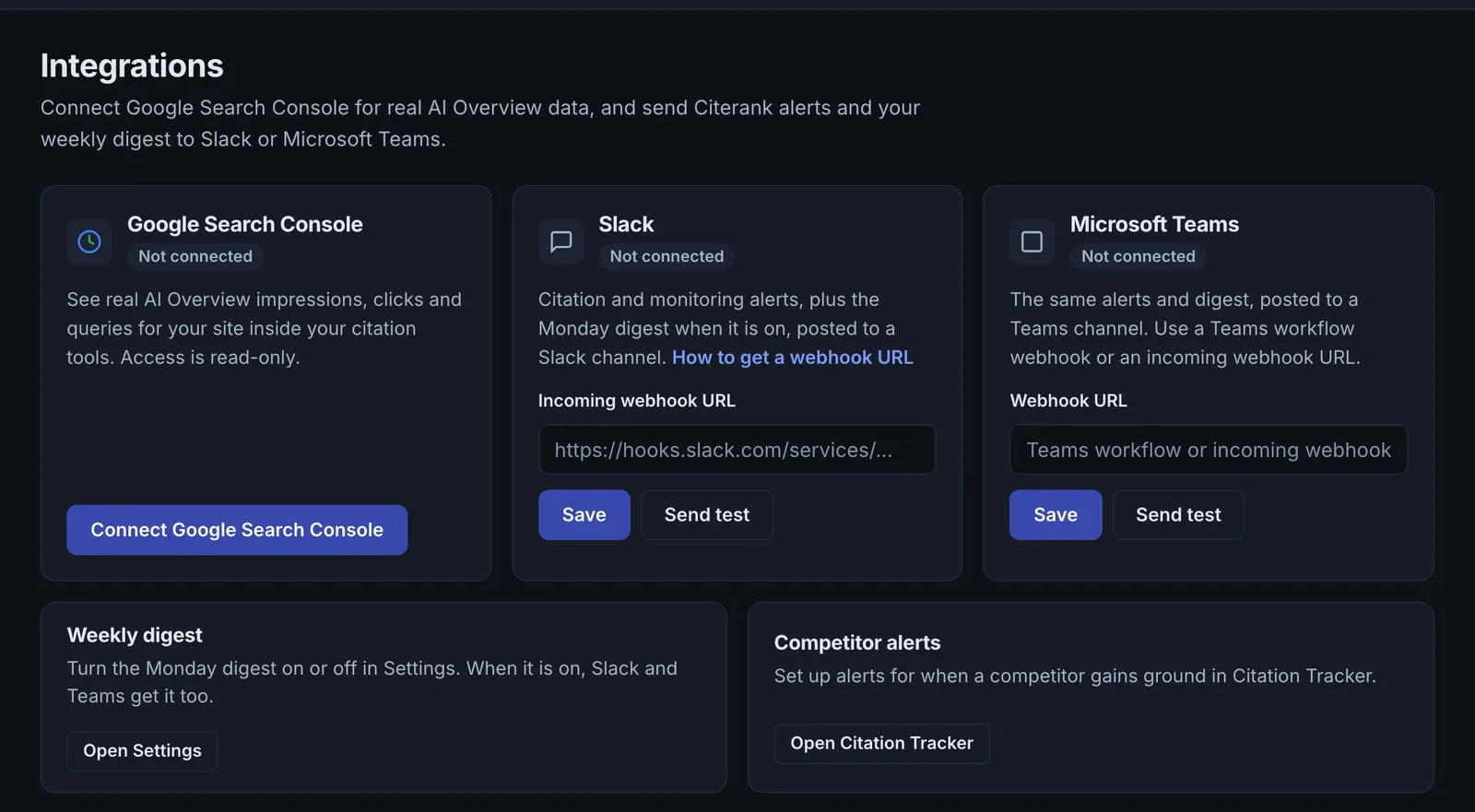
Integrations connects Google Search Console for real search data, and sends your Citerank weekly digest and alerts to Slack or Microsoft Teams through an incoming webhook, with competitor alerts.
Step by step
- Open Integrations #
Find it under Plan & Deploy, Deploy, in the left sidebar.
- Connect Search Console #
Sign in with Google and choose the property.
- Add Slack or Teams #
Paste an incoming webhook URL from your Slack or Teams channel.
- Turn on the digest #
Choose whether the weekly digest is sent.
- Set competitor alerts #
Choose the competitor alerts you want.
Why it matters#
Insights that stay in a dashboard get missed. Integrations bring real Search Console data into Citerank and send Citerank's digest and alerts into the channel your team already watches.
What it checks#
| Integration | What it does |
|---|---|
| Google Search Console | Connects your property so tools can use your real queries (for example Rank Tracker's import) and AI Overview data |
| Slack | Sends the weekly digest and monitoring alerts to a channel through an incoming webhook |
| Microsoft Teams | The same, through a Teams webhook |
| Weekly digest | The Monday summary; turn it on or off in Settings, and Slack and Teams get it too when it is on |
| Competitor alerts | Alerts when a competitor gains ground in Citation Tracker |
Reading the results#
Each integration shows Connected or Not connected. After adding a webhook, send a test from Settings to confirm messages arrive.
Implementing the fixes#
- Connect Search Console with the Google account that owns the property (use a different Google account if needed).
- In Slack, create an Incoming Webhook for the channel and paste its URL. In Teams, add an incoming webhook to the channel and paste its URL.
- Turn on the weekly digest and set competitor alerts in Citation Tracker.
Worked example#
An agency sets up a client project.
It connects Google Search Console with the Google account that has access to the client's property, so Rank Tracker can import real queries. It adds a Slack incoming webhook for the client channel, sends a test from Settings, and sees it arrive. It turns on the weekly digest, so every Monday the channel gets the summary, and competitor alerts, so the team hears when a competitor gains ground in Citation Tracker.
Best practice#
For agencies, use one channel per client so alerts reach the right people.
Troubleshooting
Search Console says you have no access to the property #
The app saysYou do not have verified access to that property in Search Console
The Google account you connected is not a user on that property. Ask the property owner to add it in Search Console, Settings, Users and permissions, or connect the account that already has access.
The property is not on this Google account #
The app saysThat property is not available on this Google account
Disconnect and connect again with the Google account that has the property.
Slack or Teams messages do not arrive #
Send a test from Settings. If it fails, the webhook URL was copied wrongly or the webhook was removed in Slack or Teams. Create a new incoming webhook and paste it again.
Not listed here? See Common problems for limits, checks, plans and pages that cannot be read.
Questions
Where do I get a webhook URL? #
Can I connect a different Google account? #
Does connecting Search Console change anything in it? #
Something here does not match what you see in the app? Tell us and we will fix the guide.