 Citerank
Domain Hub: everything about one site in one place
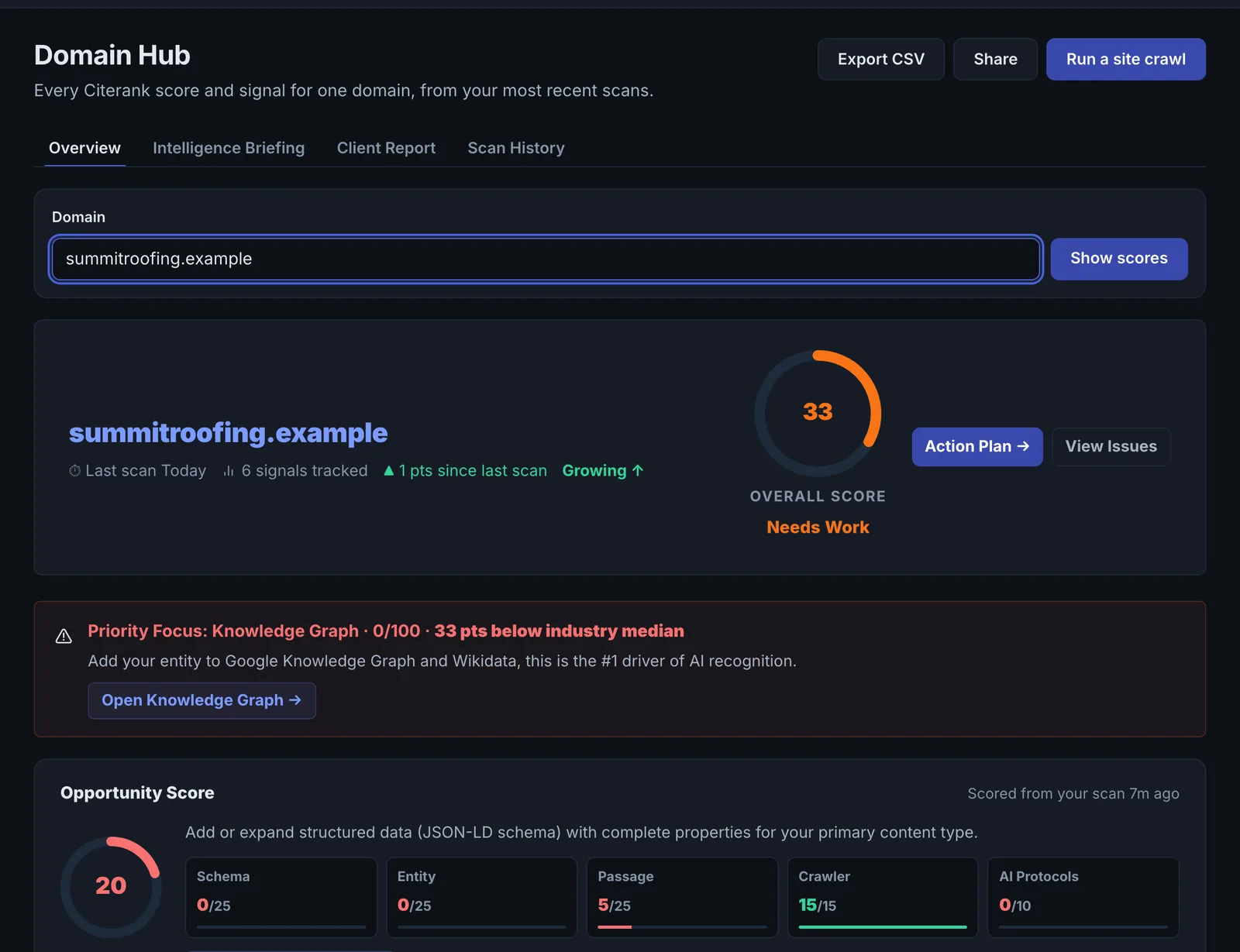
Domain Hub pulls everything Citerank knows about one domain onto one page: its score, scan history, open issues, tracked prompts, an opportunity score and an AI synthesis of where it stands, which you can share.
Step by step
- Open Domain Hub #
Find it under Home in the left sidebar.
- Pick a domain #
Choose one you have scanned.
- Read the synthesis #
Start with the AI summary and opportunity score.
- Drill into a section #
Open issues, prompts or scans.
- Share #
Create a share link for a client or colleague.
Why it matters#
When you work on one site, you want one page that answers: how is it doing, what is the pattern across tools, and what should I do today? Domain Hub is that page, and it doubles as a client report you can share with a link.
What it checks#
| Section | What it shows |
|---|---|
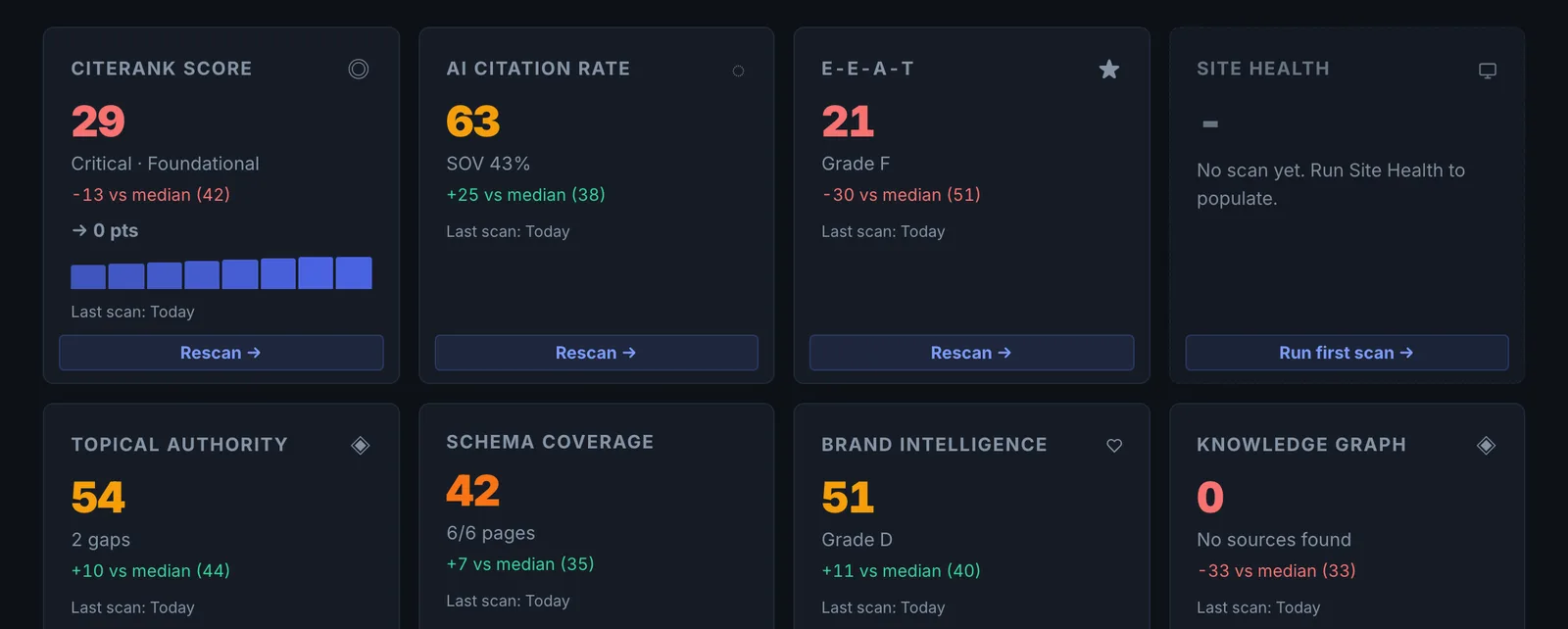
| Citerank Score and pillars | The latest score with every pillar at a glance |
| Domain Health Radar | All pillar scores on one radar, so weak areas stand out |
| Cross-Tool AI Synthesis | An AI read of your latest results across tools, with the cross-tool pattern |
| Do This Today | The single most valuable next step |
| Citation Uplift Forecast | The estimated score gain from fixing the gaps found |
| Cited instead of you | Domains winning where you are not |
| Issues | Open issues from the Issue Tracker, from detection to verified fix |
| Prompts | Your tracked prompts for the site |
| All tools over time | Every score for the domain from your recent scans |
If the site has no score yet, the hub runs one to seed itself (about 10 seconds).
Reading the results#
- The radar's smallest spoke is the weakest pillar.
- Do This Today is chosen from everything the hub knows. Start there.
- The uplift forecast is an estimate, useful for prioritising, not a promise.
Implementing the fixes#
Follow Do This Today to the tool that fixes it, then work the open issues from the Issue Tracker. Re-run the relevant tool and the hub updates.
Worked example#
An agency opens the hub for a client before a monthly call.
The radar's smallest spoke is Content Citability. Cross-Tool AI Synthesis connects three results: the Page Auditor's low passage scores, Citation Tracker's losses on "how to" keywords, and Topical Authority's thin how-to coverage. Do This Today: rewrite the openings of the five how-to guides. The Issues section shows 4 open, 11 verified fixed this month. The agency shares the hub link with the client contact and walks through it on the call.
Best practice#
Use Generate Share Link instead of screenshots when you report to a client: the link shows the full domain report.
Troubleshooting
The synthesis needs more tools #
The app saysRun at least 3 tools to get a cross-validated synthesis.
The cross-tool synthesis needs results from at least 3 tools on the domain, so it can check one against another. Run the Page Auditor, Citation Tracker and a site crawl, for example.
It says nothing has been scanned yet #
The hub seeds itself with a score the first time (about 10 seconds). If the site blocks the crawler, that score cannot be taken. See Common problems.
The uplift forecast did not come true #
The forecast is an estimate for prioritising, not a promise. Market measures move on their own and take weeks to respond.
Not listed here? See Common problems for limits, checks, plans and pages that cannot be read.
Questions
Why does it say nothing scanned yet? #
Does the hub use checks or credits? #
Something here does not match what you see in the app? Tell us and we will fix the guide.