 Citerank
Audit History: every scan you have run
Audit History lists every scan you have run, by tool, page and date, so you can reopen any past result.
Step by step
- Open Audit History #
Find it under Home in the left sidebar.
- Filter #
Find a scan by tool, page or date.
- Reopen #
Open any past result.
Why it matters#
Past results are evidence. When a client asks what changed, or you need to show a before and after, Audit History has every scan you have run.
What it checks#
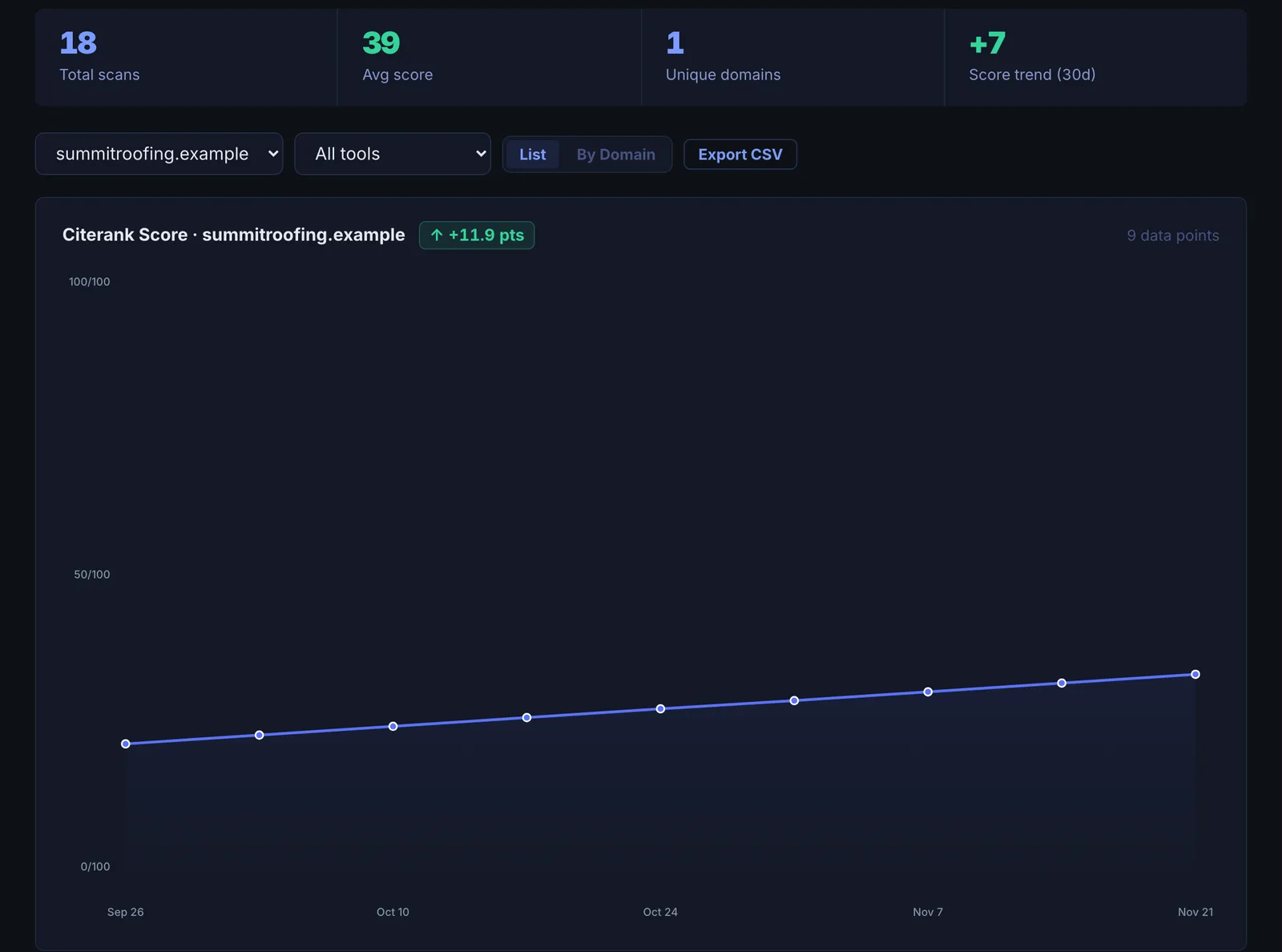
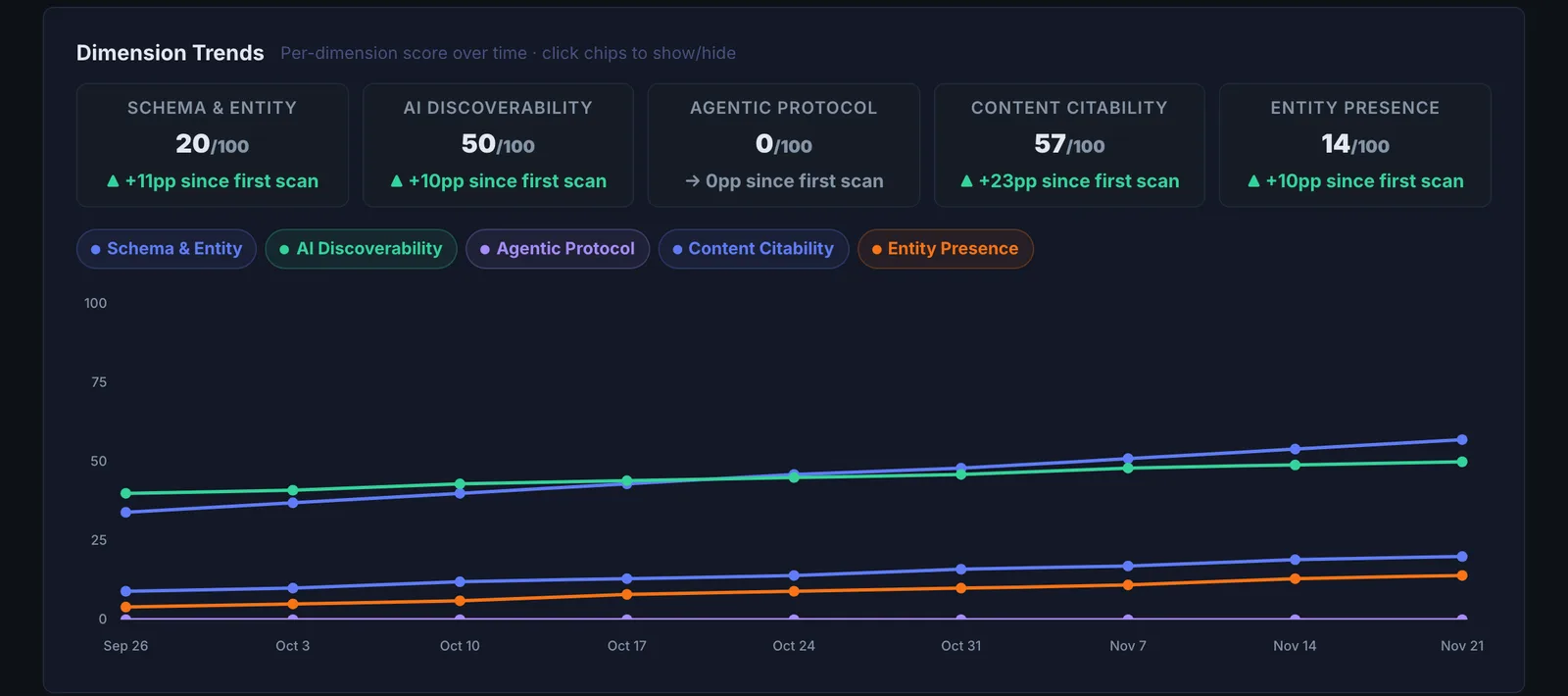
Every saved scan with its tool, target, score and date, plus a 30-day score trend, dimension trends and the number of unique domains you have scanned.
Reading the results#
- Score trend (30 days) shows your overall direction.
- Dimension trends show which parts of the score moved.
- Scan comparison: select two scans to compare them side by side.
Implementing the fixes#
Use the comparison to find what changed between a good and a bad scan, then open the tool for the dimension that dropped. Share any scan with a link.
Worked example#
A marketing manager is asked whether the AI visibility work of the last quarter made a difference.
Audit History shows 14 saved scans of the company's domain. The 30-day score trend rises from 49 to 61. Dimension trends show nearly all of the rise in Schema & Entity Foundation and AI Discoverability, the two areas the team worked on; Live AI Citations is flat. The manager selects the first and latest scans for a side-by-side comparison, and takes both views to the meeting, with the note that citations usually follow on-site fixes by weeks.
Best practice#
Keep scans inside projects so each site's history is grouped, and use Progress Report for a fuller comparison.
Troubleshooting
A scan you ran is not listed #
Only scans saved to your account appear. A scan run while signed out, or refused before it started, is not saved. Run it again signed in.
The trend line is flat or missing #
The trend needs more than one scan in the last 30 days. Re-scan after each change.
The comparison does not line up #
Compare scans from the same tool and the same mode. An On-site only score and a Market-verified score measure different things.
Not listed here? See Common problems for limits, checks, plans and pages that cannot be read.
Questions
How long is history kept? #
Can I compare two scans here? #
Does it use credits? #
Something here does not match what you see in the app? Tell us and we will fix the guide.