 Citerank
Content Brief: a brief built from live search data
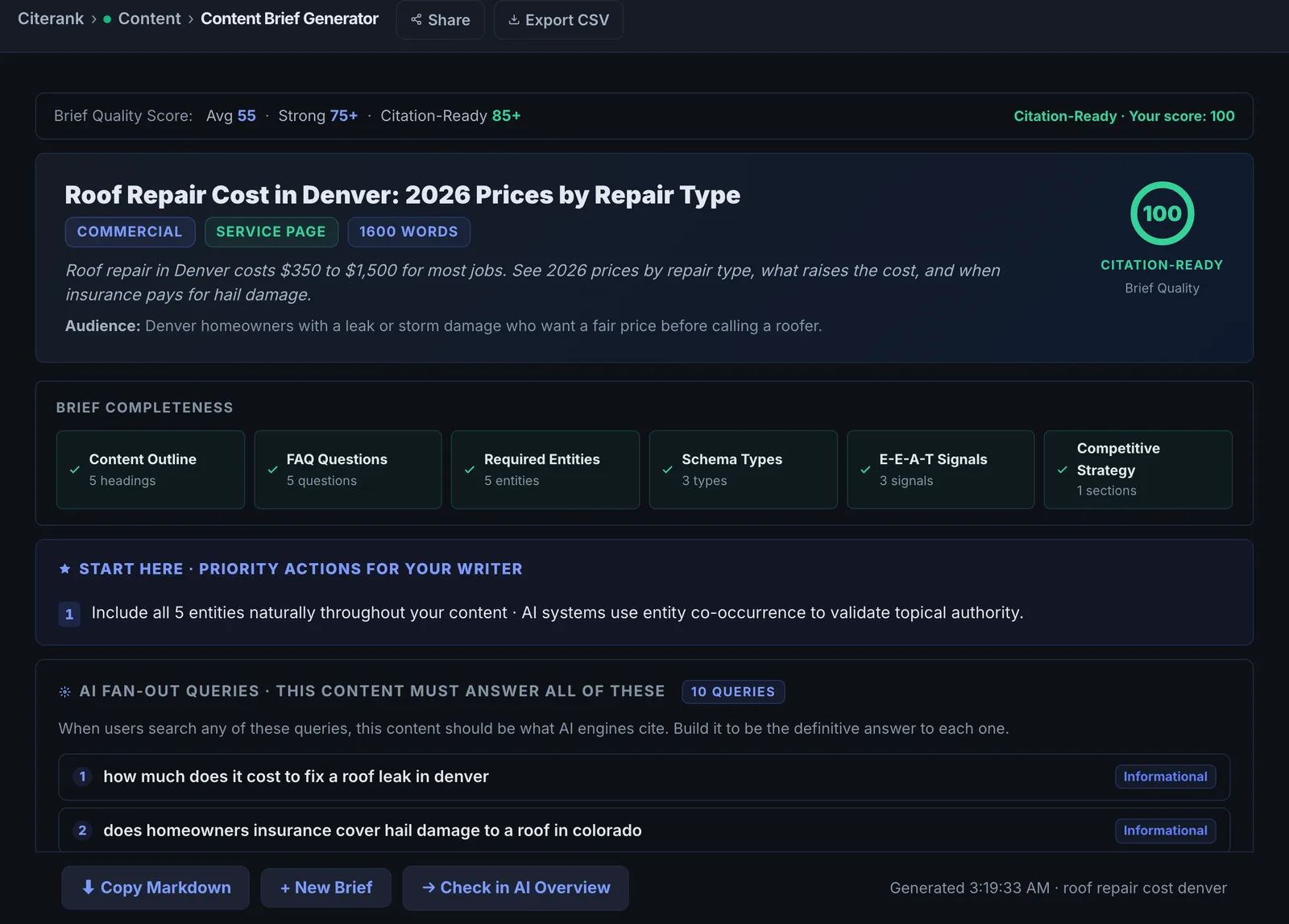
Content Brief builds a writer-ready brief for a topic from the live Google top 10 and keyword data (volume, CPC, difficulty, trend), structured so the finished page is easy for AI engines to cite. Export it as Markdown for your writer.
Step by step
- Open Content Brief #
Find it under Content, Create, in the left sidebar.
- Enter the topic #
A keyword or question, for example "how to fix duplicate content".
- Add your domain #
So the brief accounts for your site.
- Generate #
It pulls the live top 10 and keyword data, then writes the brief.
- Export #
Export as Markdown and hand it to the writer, or build the page in the AI Content Editor.
Why it matters#
A brief decides whether a page is cited before anyone writes a word. Briefs built from opinion miss what is actually ranking and being quoted. This one starts from the live top 10 and keyword data, and structures the page the way AI engines prefer to quote: direct answers, clear sections and specific facts.
What it checks#
- Live Google top 10: titles, URLs and descriptions of the ranking pages.
- Keyword data: search volume, CPC, difficulty and trend.
- An AI-written brief from that context: the angle, structure, sections and questions to answer.
Reading the results#
- Keyword data tells you whether the topic is worth a page and how hard it will be.
- The competitor pages show the format that wins (guide, list, comparison, tool).
- The outline is the section plan. Each section should answer one question.
Implementing the fixes#
- Check the brief against the fan-out from Fan-Out Mapper and add any missing sub-questions.
- Write each section answer-first: a direct one or two sentence answer, then the detail.
- Add specifics the top 10 lacks: original numbers, examples, a table or a checklist.
- Check the draft in Citation Predictor before publishing.
Worked example#
An HR software company briefs "employee onboarding checklist".
Keyword data: strong monthly volume and medium difficulty. The top 10: 7 are downloadable checklists with a template, 2 are long guides, 1 is a software page. The format that wins is a checklist with a template, not a product page.
The brief's angle: a checklist split into before day one, first day, first week, first 90 days, with a free template download and a section on what to automate. Each H2 answers one question from the outline. The writer uses it as the plan, and the team checks the draft in the Citation Predictor before publishing.
Best practice#
Keep the brief and the final page in the same project, so you can audit the page later against what was planned.
Troubleshooting
The brief could not be written #
The app saysThe brief could not be written just now. Please try again.
The AI service did not answer. Try again in a minute.
Keyword data is missing #
Search data was unavailable for that keyword, often because volume is very low. The brief is still written from the live results. Check demand in your own Search Console before committing to the page.
The top results are a different kind of page than you planned #
That is a finding: the format Google rewards for the keyword is different. Match it (a tool, list or comparison) or pick a keyword whose results match the page you want to write.
Not listed here? See Common problems for limits, checks, plans and pages that cannot be read.
Questions
Should I use the Fan-Out tools too? #
Does it use checks? #
Something here does not match what you see in the app? Tell us and we will fix the guide.