 Citerank
Intelligence Briefing: one briefing from every scan
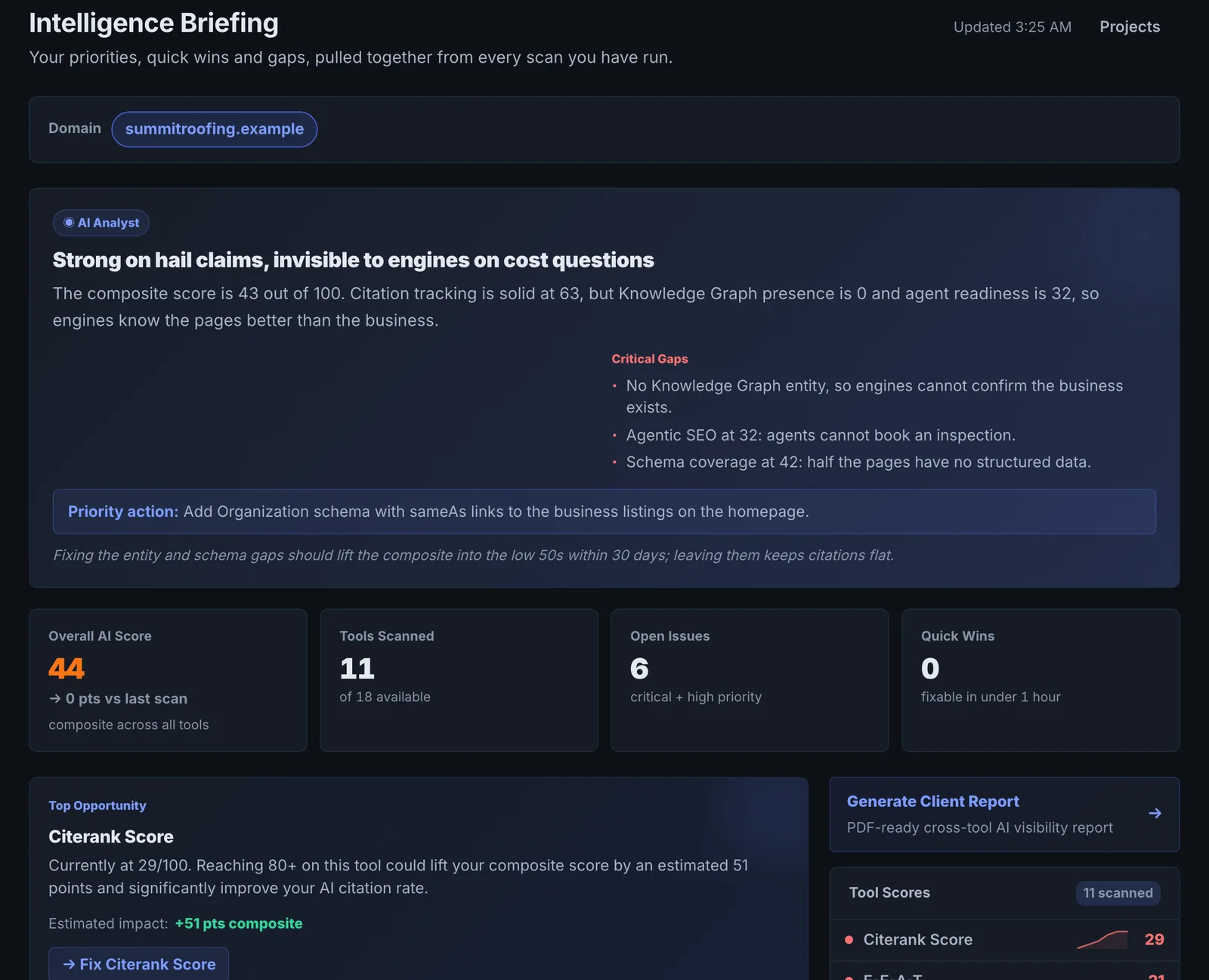
Intelligence Briefing reads the results of every scan you have run and writes one briefing: your priorities, your biggest gaps and the quick wins across tools.
Step by step
- Open Intelligence Briefing #
Find it under Home in the left sidebar.
- Generate the briefing #
It reads your scans across tools.
- Read priorities and quick wins #
Start with the quick wins.
- Plan the week #
Turn the priorities into tasks.
Why it matters#
Each tool sees one slice of your AI visibility. The briefing reads across all of them and tells you what matters most, which is often a pattern no single tool shows (for example weak schema explaining both a low score and low citations).
What it checks#
Your saved scores and findings from every tool you have run, summarised by an AI into priorities, gaps and quick wins.
Reading the results#
- Quick wins: low-effort fixes with visible impact. Do these first.
- Priorities: the bigger items that will move results most.
- Gaps: areas you have not measured yet, or that score poorly everywhere.
Implementing the fixes#
Follow each item to its tool and apply the fix, then regenerate the briefing after the next round of scans.
Worked example#
A founder who has run six tools over a month asks for a briefing.
Quick wins: add sameAs links to the Organization schema (found by Brand Intelligence) and unblock ClaudeBot (found by the Training Data Audit). Priorities: comparison pages for the three queries where competitors win in Citation Tracker. Gaps: prompts have never been tracked, so there is no trend to judge progress by. The founder does the two quick wins that afternoon and sets up Prompt Tracking for the gap.
Best practice#
Generate it after you have run the core tools (score, page audit, Citation Tracker or Prompt Tracking), so it has enough to work with.
Troubleshooting
There is nothing to brief #
The briefing summarises saved scans. Run a few tools first, such as the AI Visibility Score, Page Auditor and Citation Tracker.
The analysis failed #
The app saysAnalysis failed
The AI service did not answer. Try again in a minute.
The briefing repeats a fix you made #
It reads your saved results, which were taken before the fix. Re-run the tool that found the issue, then brief again.
Not listed here? See Common problems for limits, checks, plans and pages that cannot be read.
Questions
Why is there nothing to brief? #
Does it run new scans? #
Does it use credits? #
Something here does not match what you see in the app? Tell us and we will fix the guide.