 Citerank
Competitor Schema X-ray: compare structured data with competitors
Competitor Schema X-ray crawls your site and up to three competitors and compares the structured data on each, page by page and field by field. It lists the schema types they use that you do not, your advantages, and templates to close the gaps.
Step by step
- Open Competitor Schema X-ray #
Find it under Competitors in the left sidebar.
- Enter your domain and competitors #
Up to three competitors.
- Set pages per site #
How many pages to sample from each site.
- Run it #
The schema on every sampled page is extracted and compared.
- Close the gaps #
Use the templates for each gap type.
Why it matters#
Structured data is one of the few AI-visibility factors you control completely. Knowing exactly which types and fields your competitors use, and you do not, turns schema work from guesswork into a short list.
What it checks#
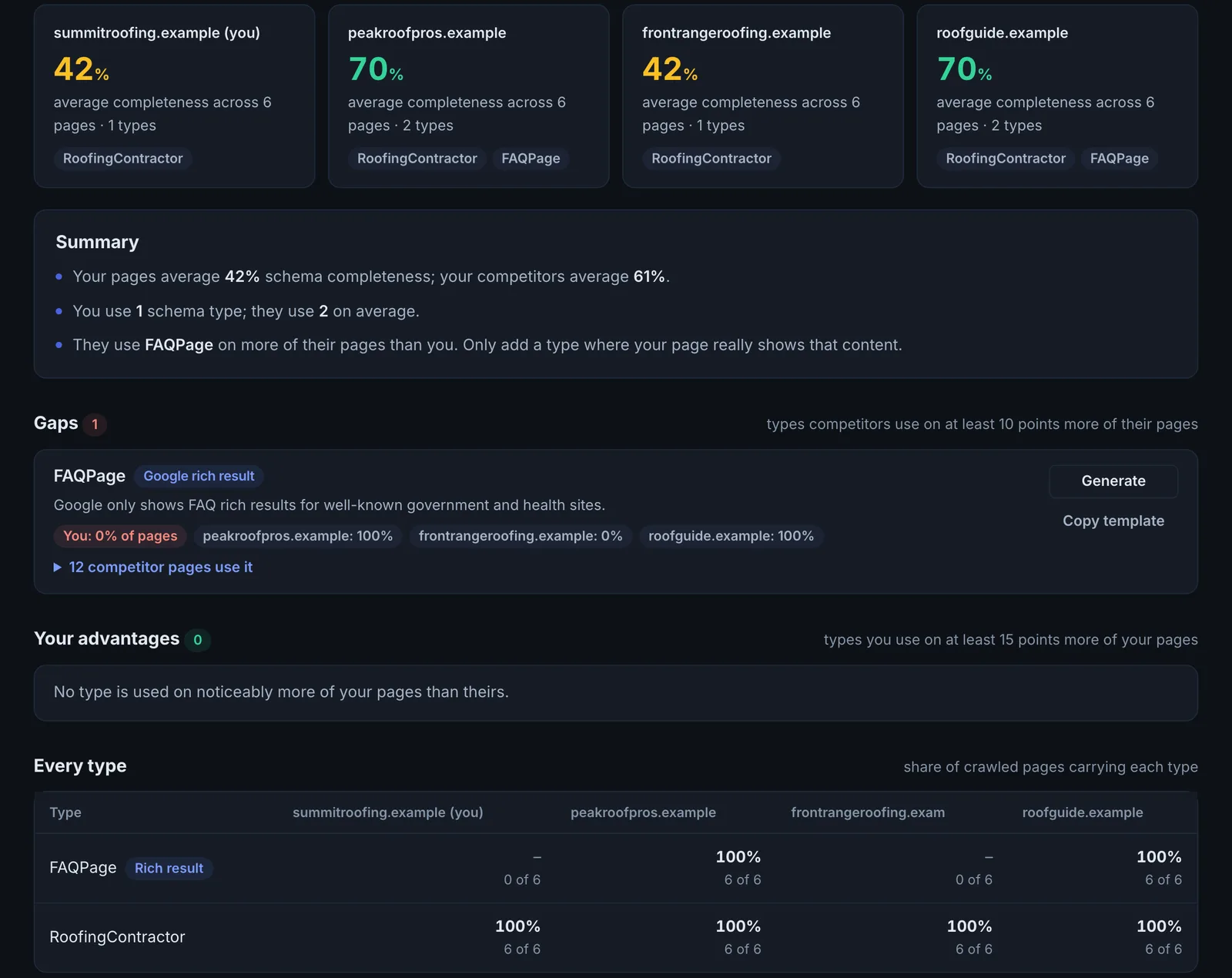
- Every JSON-LD type on the sampled pages of each site, grouped by category (identity, content, commerce, media, navigation, rich results and AI-relevant types).
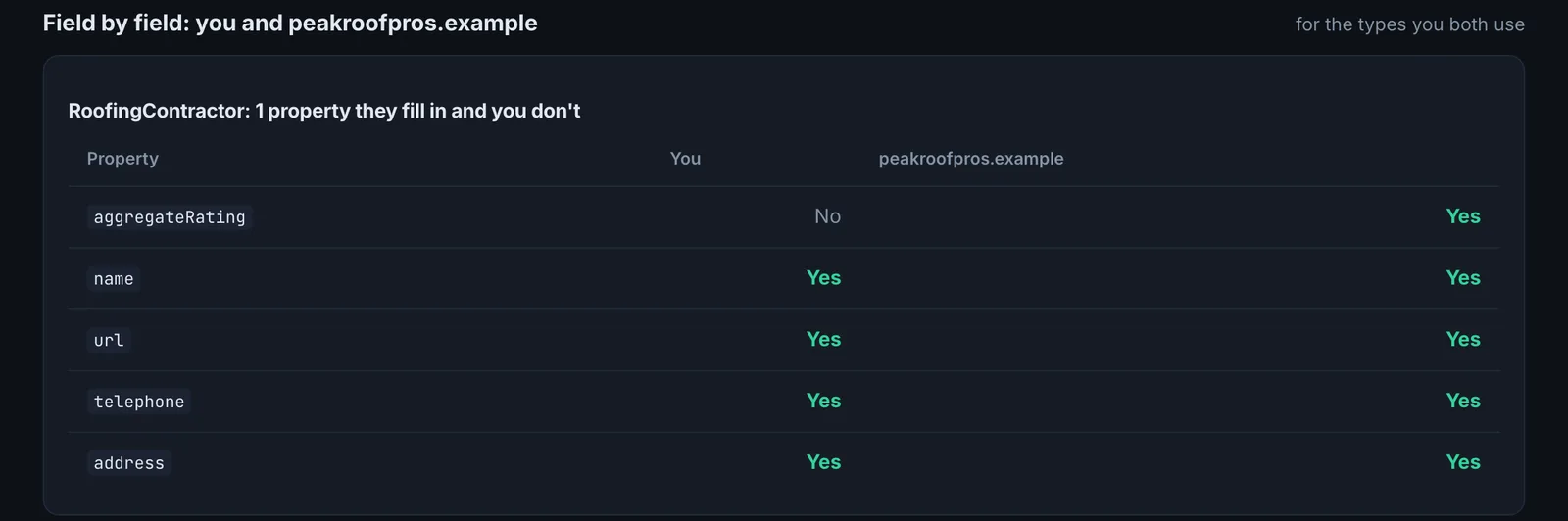
- Field-level comparison of shared types.
- Gaps (types they have, you do not) and advantages (the reverse).
Reading the results#
- Gaps: the types to add, with how many competitors use each.
- Your advantages: keep them maintained.
- Every type: the full matrix.
Implementing the fixes#
- Start with gaps that most competitors share; they are table stakes in your market.
- Use the provided templates, or the Schema Generator to build them from your pages.
- Only add types for content that is really on the page.
- Check coverage across your site with Schema Coverage.
Worked example#
An online furniture store compares 20 pages of its site with two competitors.
Gaps: both competitors use Product with aggregateRating and Offer on every product page; the store has Product with no offers or ratings. Both use BreadcrumbList; the store does not. Your advantages: the store has FAQPage on category pages, which neither competitor has.
The fix: the product template adds offers (price, currency, availability) and aggregateRating from the store's review app, plus BreadcrumbList. A re-run shows the gaps closed, and Search Console's rich results report starts showing product snippets within a few weeks.
Best practice#
Re-run after competitors redesign; schema often changes with a new site.
Troubleshooting
A site shows no schema at all #
The schema may be added by JavaScript after the page loads, so it is not in the HTML that was read. Many crawlers miss it for the same reason. Put JSON-LD in the HTML the server sends.
The comparison is still running #
The app sayswait for crawl to finish
The pages are still being read. Wait for the crawl to finish, then open the results.
The sample misses the competitor's important pages #
Sample more pages, or start from a page type you compete on (product, service or article pages), so like is compared with like.
Not listed here? See Common problems for limits, checks, plans and pages that cannot be read.
Questions
Why compare schema with competitors? #
How many pages should I sample? #
Does schema alone get a page cited? #
Something here does not match what you see in the app? Tell us and we will fix the guide.