 Citerank
ChatGPT Shopping: who wins ChatGPT's product carousel
ChatGPT Shopping asks ChatGPT's consumer interface up to 10 of your shopping questions and reads the product carousel: which products, from which merchants, at what price and position, and how each reached ChatGPT (OpenAI's product feed or a Google Shopping listing). Turn on weekly re-checks for a trend.
Step by step
- Open ChatGPT Shopping #
Find it under Agents & Commerce, Commerce, in the left sidebar.
- Enter your store and market #
Choose the market you sell in.
- Add shopping questions #
Up to 10, the way a shopper would ask.
- Run it #
Each question is asked and the carousel read.
- Read who wins and how #
Check Who wins the carousel and What ChatGPT read, then What to do. Optionally turn on Re-check weekly.
Why it matters#
ChatGPT now shows shopping carousels for product questions. Being in that carousel is the new product listing ad, and this tool shows who holds it for your buyers' questions and through which door they got in.
What it checks#
For each question: the carousel's products, merchants, prices and order, and the source of each product link (OpenAI's product feed or a Google Shopping listing). With weekly re-checks on, the same questions are asked every 7 days.
Reading the results#
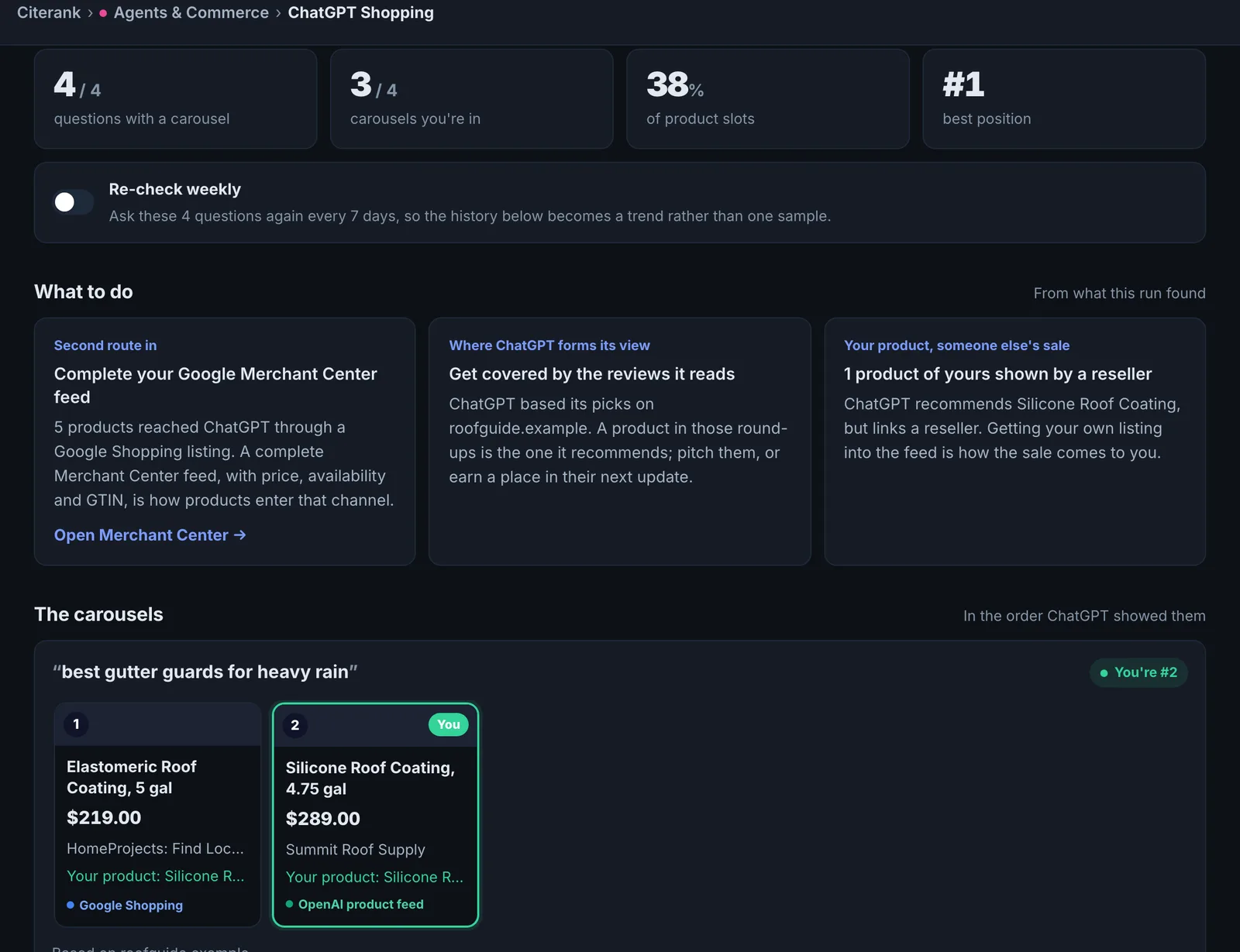
- The carousels: what a shopper sees.
- Products ChatGPT recommends and who wins the carousel: your competition by merchant.
- What ChatGPT read: the sources behind the products.
- Your share over time: the trend, with weekly re-checks.
Implementing the fixes#
- If competitors arrive via OpenAI's catalogue, apply to submit your product feed to OpenAI.
- If they arrive via Google Shopping, make sure your Merchant Center feed is complete and approved.
- Fix product data gaps with the Product Feed Audit.
Worked example#
A running shoe retailer checks 5 questions, such as "best trail running shoes under $150".
The carousels: 6 to 8 products each. The retailer appears in 1 of 5, as the merchant for one product. Who wins the carousel: two large sports retailers and the brands' own stores. What ChatGPT read: most product links come through Google Shopping listings; the retailer's own feed is not used.
The fixes: the retailer's Merchant Center feed gets GTINs on every product, correct sale prices and shipping costs, and the store submits to OpenAI's product feed program. With weekly re-checks on, its share rises to 3 of 5 carousels over six weeks.
Best practice#
Use real shopper phrasing including budget and use ("best trail running shoes under $150 for wide feet").
Troubleshooting
No questions were entered #
The app saysAdd at least one shopping question, one per line, for example "best trail running shoes under $150".
Enter shopping questions, one per line, the way a shopper would ask.
Results are not available for your country #
The app saysTry US, GB, CA or AU.
ChatGPT Shopping results are available for the United States, United Kingdom, Canada and Australia. Choose one of those.
None of the questions could be checked #
The app saysNone of the questions could be checked. Try again in a few minutes.
ChatGPT did not answer. Try again in a few minutes.
Weekly re-checks cannot be turned on #
The app saysRun a check first; the weekly re-check uses its questions.
Run the questions once, then turn on weekly re-checks. They reuse the same questions every 7 days.
Not listed here? See Common problems for limits, checks, plans and pages that cannot be read.
Questions
How is this different from Am I in ChatGPT? #
What does "how it reached ChatGPT" mean? #
Which countries are supported? #
Something here does not match what you see in the app? Tell us and we will fix the guide.