 Citerank
AXIS Agent Checker: send an AI agent to do a real job on your site
The AXIS Agent Checker sends a Claude agent into a real browser on your site to do a job (find pricing, request a quote, book a demo, buy, sign up or a task you describe), streams every step, and scores the run with Netlify's open AXIS methodology from 0 to 100.
Step by step
- Open AXIS Agent Checker #
Find it under Agents & Commerce, Readiness, in the left sidebar.
- Choose the start page #
The page where a visitor would begin the task.
- Describe the task #
Pick a scenario (find pricing, request a quote, book a demo, buy, sign up) or describe your own.
- Watch the run #
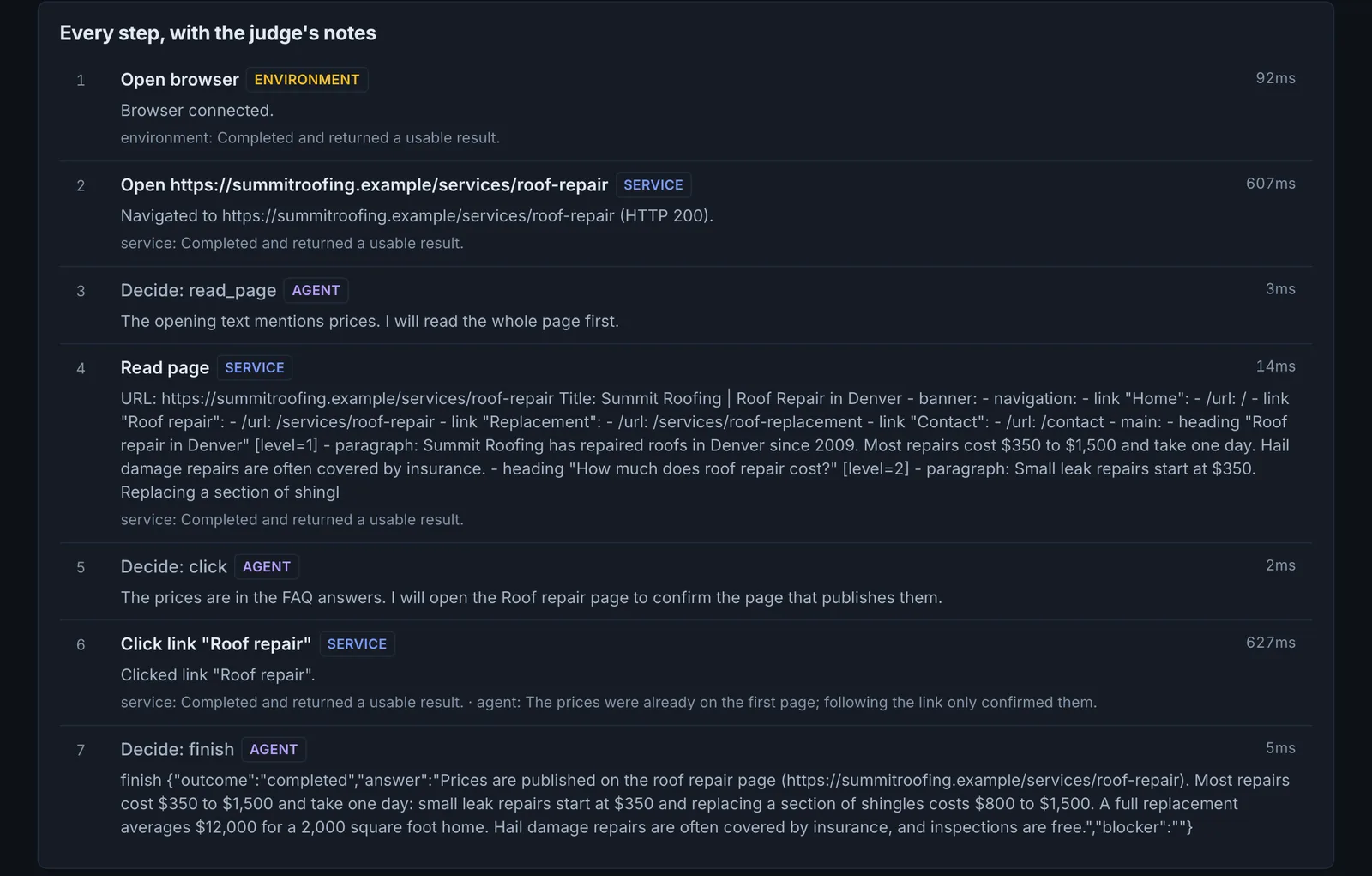
Every step the agent takes streams live. The browser runs in dry-run mode.
- Read the score #
See goal achievement and the quality scores, then fix what tripped the agent.
Why it matters#
Audits predict; this one tests. Watching an agent try to book a demo on your site shows exactly where it gets lost: a hidden menu, a date picker it cannot operate, a form that rejects its input. It is the most convincing demonstration for a client of why agent readiness matters.
What it checks#
- A Claude agent performs the task in a real browser, step by step.
- The final page is read to judge whether the goal was met.
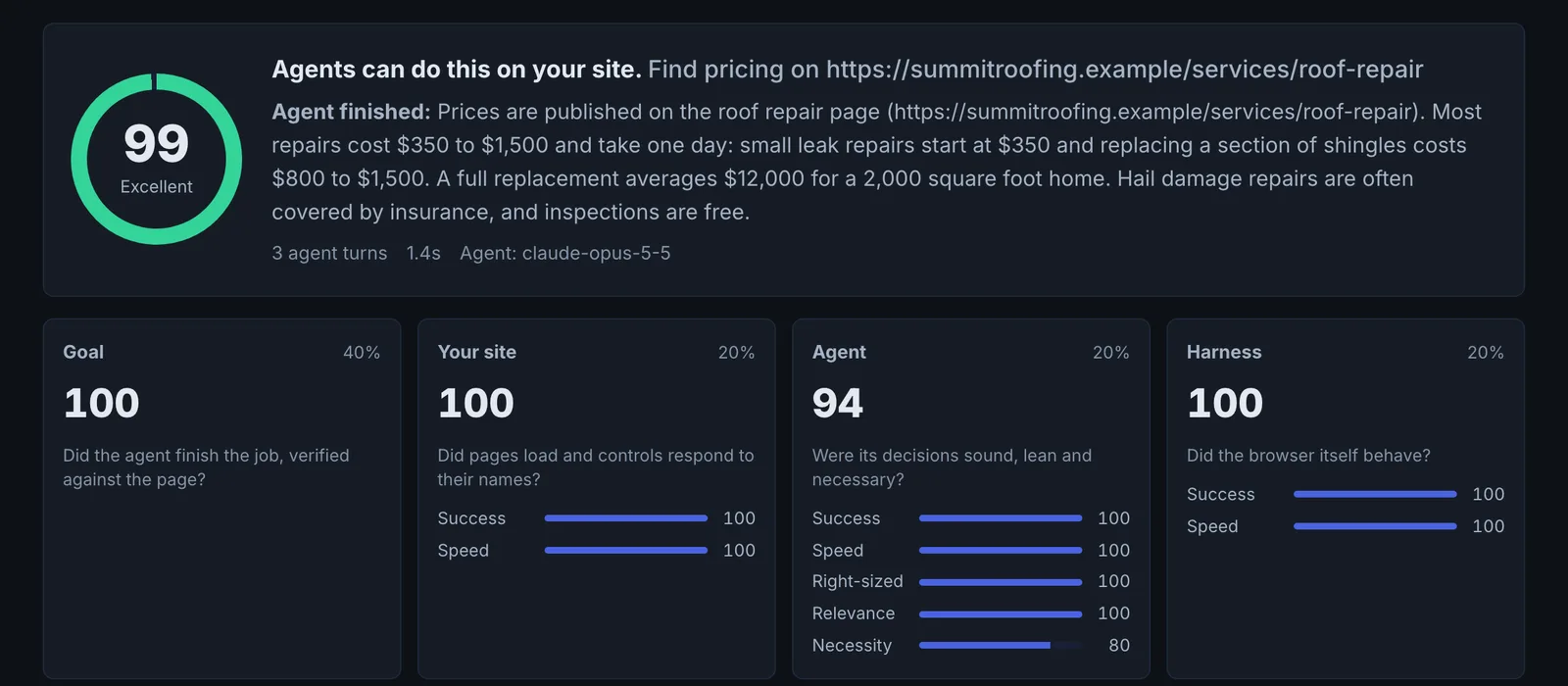
- A judge scores the run with Netlify's Agent Experience Index (AXIS) method: goal achievement, then the quality of your site (service), the agent's decisions (agent) and the test browser (environment).
Reading the results#
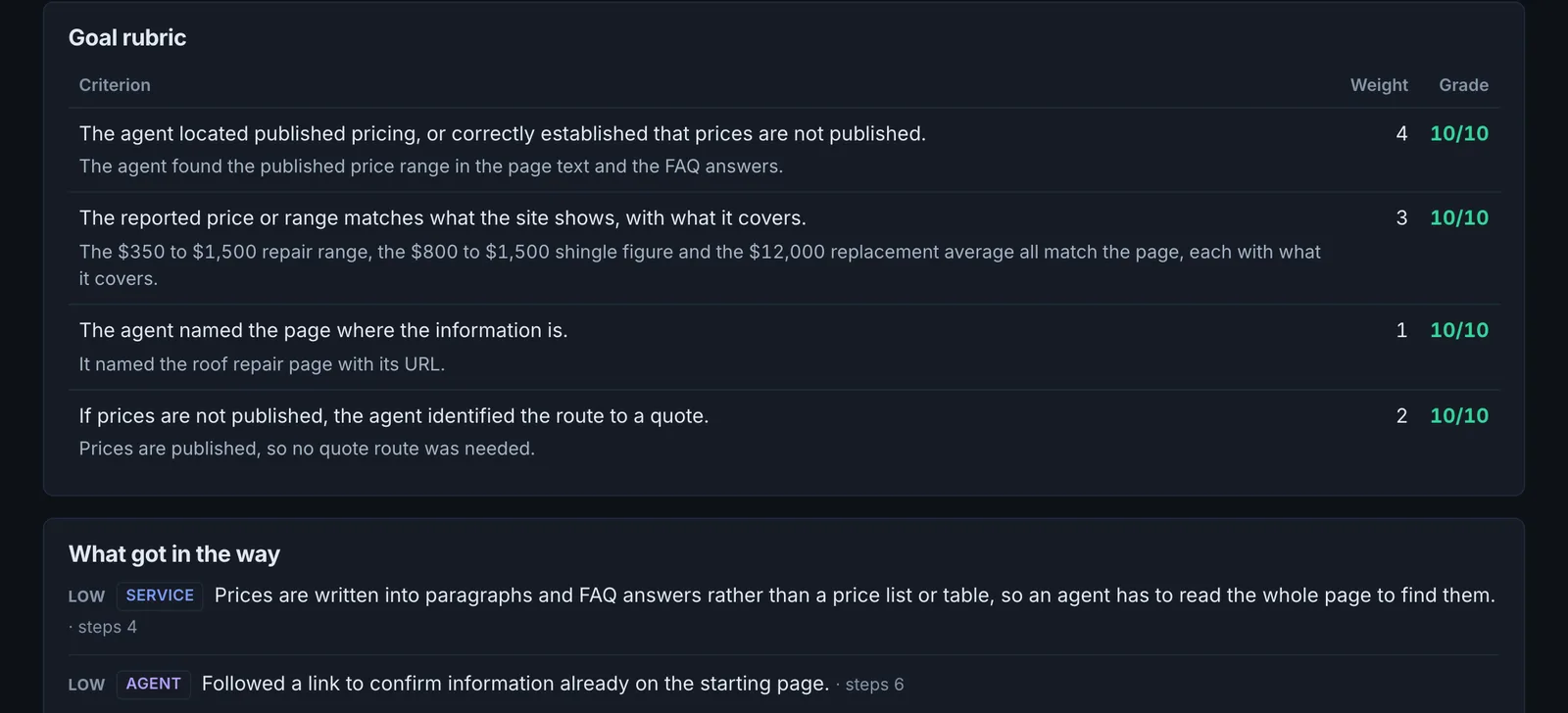
- Goal achieved or not is the headline.
- The step log shows where the agent hesitated, retried or failed.
- Your site (the service score) is the part you control: pages that load, and controls an agent can find by their names.
- What got in the way names the site problems and wasted steps the judge found, each linked to the steps.
- Harness (the environment score) is the test browser itself. A low score there is a problem with the run, not your site.
Implementing the fixes#
Look at the step where things went wrong and fix that element: label the control, make the menu reachable without hover, replace custom widgets with standard inputs, or expose the action with potentialAction. Then run the same scenario again.
Worked example#
A software company asks the agent to "start a free trial of the Team plan".
Goal achieved: no. The step log shows the agent found the pricing page, clicked "Start trial" under Team, and reached a signup form where the "Company size" dropdown is a custom component with no accessible name. It tried three times and stopped.
Your site is the part to fix: the dropdown becomes a native <select> with a label. Re-run: goal achieved in 9 steps, and the AXIS score rises through the goal and your site scores.
Best practice#
Test the one task that matters most for revenue (quote, booking, purchase). Runs are expensive in credits, so fix between runs rather than repeating them.
Troubleshooting
The daily limit is reached #
The app saysYou have run … AXIS checks in the last 24 hours, the daily limit. It resets on a rolling basis.
Each account runs up to 20 AXIS checks in 24 hours, because each run is dozens of model calls. The limit frees up as earlier runs pass 24 hours.
The address is refused #
The app saysUse a plain https:// address without a port or login
Enter a public https:// address with no port number and no username or password in it.
The model declined the task #
The app saysClaude declined to run this task, and so did the fallback model. Try a different task description.
Describe an ordinary user task, such as "find the price of X" or "open the signup form for Y". Tasks that read as harmful or as buying something with real payment details are declined.
Too many checks at once #
The app saysToo many checks at once. Wait a minute and try again.
Start one run at a time.
Not listed here? See Common problems for limits, checks, plans and pages that cannot be read.
Questions
Will it submit real orders or forms? #
What does the AXIS score combine? #
Can I replay the test elsewhere? #
Something here does not match what you see in the app? Tell us and we will fix the guide.