 Citerank
What Changed: every score that moved since last time
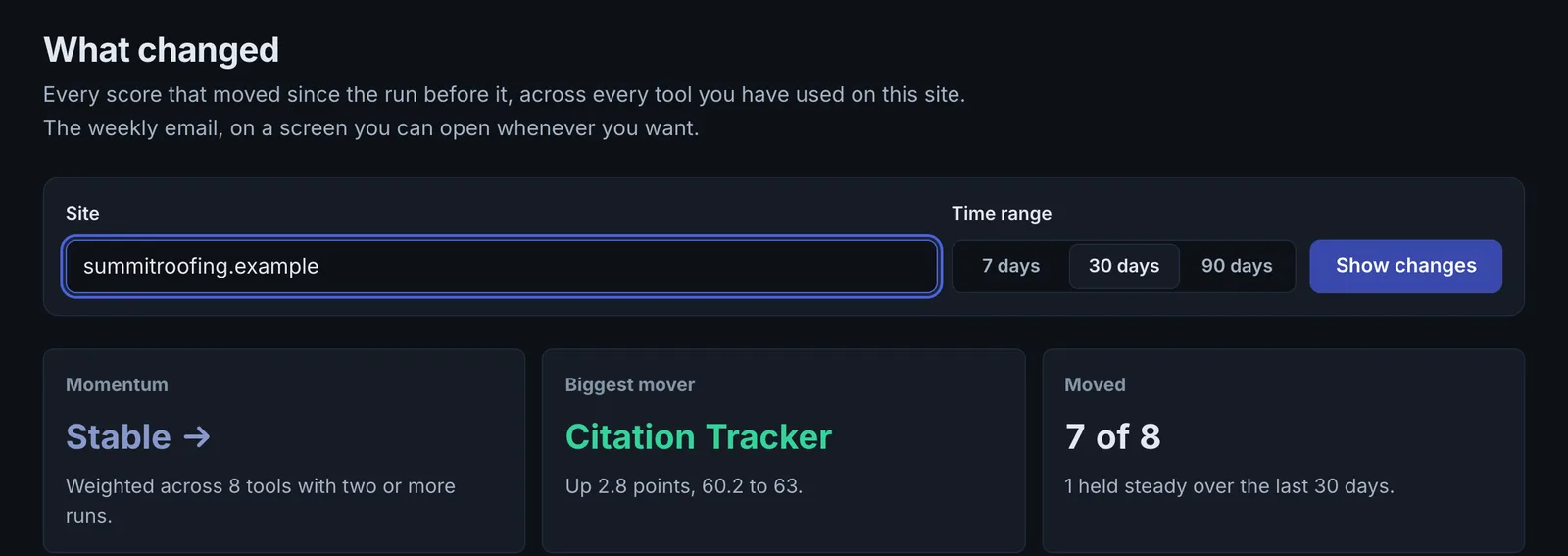
What Changed lists every score that moved since your last run, across every tool you have used on a site. It is the same calculation as the weekly digest email, so the two always agree.
Step by step
- Open What Changed #
Find it under Home in the left sidebar.
- Pick the site #
Choose the domain.
- Read the movements #
See each tool's score now against last time.
- Investigate drops #
Open the tool behind any drop.
Why it matters#
When you run many tools, a drop in one is easy to miss. What Changed puts every tool's movement for a site on one screen, biggest change first. It uses the same calculation as the weekly digest email, so the app and the email always agree.
What it checks#
For each tool that has run at least twice on the site, the latest score against the previous one. Tools run only once are listed under "not yet run" twice, and the biggest mover is called out at the top.
Reading the results#
- Biggest mover is the change to look at first.
- Several tools dropping together usually share one site-wide cause: a robots.txt change, a redesign, removed schema or a firewall rule.
- One tool dropping alone is usually about that tool's area (for example schema coverage after a plugin update).
Implementing the fixes#
- Open the tool that dropped and compare its latest findings with the previous run.
- Check project notes and your site's deploy history for what changed around that date.
- Fix and re-run the tool to confirm the score recovers.
Worked example#
A site's dashboard score drops on a Tuesday.
What Changed lists five tools that ran at least twice. Biggest mover: Site Crawler health, down sharply. Schema Coverage and the AI Visibility Score are also down. Several tools dropping together points to one site-wide cause, and the crawl shows it: a new CDN rule returns a challenge page to every bot. Allowing verified bots and CiterankBot restores all three on the next runs.
Best practice#
Check it every Monday, or open it whenever the weekly digest shows a drop.
Troubleshooting
Nothing to compare yet #
A tool appears only after it has run at least twice on the site. Run it again after your next change.
A tool is missing #
It has run once on this site, so it is listed under "not yet run" twice. Run it again.
Scores moved but nothing changed on the site #
Tools that read live market data (citations, brand answers, backlinks) move on their own. Look for several tools moving together before looking for a site change.
Not listed here? See Common problems for limits, checks, plans and pages that cannot be read.
Questions
Why does it say nothing to compare yet? #
Why is a tool missing? #
Does it use credits? #
Something here does not match what you see in the app? Tell us and we will fix the guide.