 Citerank
Agentic Auditor: the five-pillar agent readiness audit
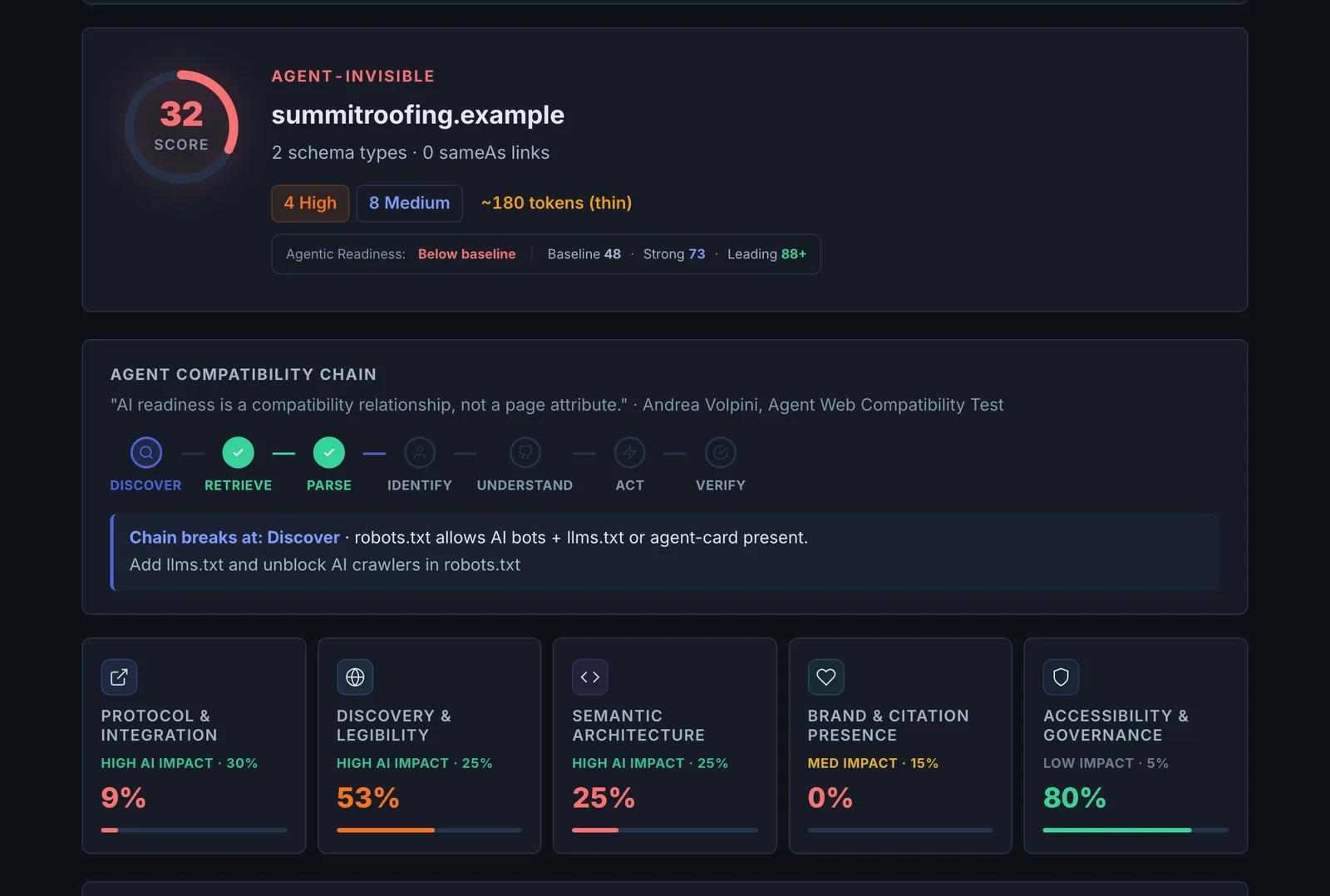
The Agentic Auditor checks whether AI agents can read, navigate and act on a site across five pillars: protocol, discovery, semantic, brand and governance. It loads the page in a real browser to test interactive elements, labels, rendering and agent APIs.
Step by step
- Open Agentic Auditor #
Find it under Agents & Commerce, Readiness, in the left sidebar.
- Enter your site #
Type the URL.
- Run it #
The page is loaded in a browser and every pillar checked.
- Read each pillar #
See the checks passed and failed.
- Fix the failures #
Start with the pillar that scores lowest.
Why it matters#
The audit tells you whether an agent will succeed on your site, not just crawl it. Each failed check is something that makes an agent guess, and agents that guess give up or pick a competitor.
What it checks#
| Pillar | Examples of checks |
|---|---|
| Protocol | MCP and agent discovery files, WebMCP declarative and imperative APIs, potentialAction |
| Discovery | robots.txt rules for AI bots, sitemaps, llms.txt |
| Semantic | Real buttons and links (not clickable divs), link text, form labels, image alt text, heading hierarchy, click target size, server-rendered content |
| Brand | Entity and organisation signals |
| Governance | Policies and signals about how agents may use the site |
Reading the results#
Failures in the Semantic pillar are the most common and the quickest to fix. Protocol failures matter most for sites where agents transact.
Implementing the fixes#
- Replace div-buttons with button elements and give icon buttons an aria-label.
- Give every input a label.
- Fix heading order (one H1, then H2s, no skipped levels).
- Server-render critical content.
- Add potentialAction and discovery files (WebMCP Generator).
Worked example#
A local gym's class timetable page is audited.
- Semantic: 24 clickable
divelements, 6 form fields without labels, and the timetable built by script after load. - Discovery: robots.txt blocks all bots except Googlebot.
- Protocol: no
potentialAction.
The fixes: the class buttons become real links to each class's booking URL, the signup form gets labels, the timetable is rendered on the server, and robots.txt allows the AI crawlers the gym wants. Re-audit: Semantic and Discovery move from fail to pass; Protocol stays low, which is acceptable for a site where agents book through a link rather than an API.
Best practice#
Fix in your component library so every page benefits.
Troubleshooting
Semantic checks fail on a page that looks fine #
Agents read the structure, not the look. A styled div with a click handler looks like a button but is not one to an agent. Use <button> and <a href>, and label every form field.
Discovery fails although you have a sitemap #
The sitemap is not listed in robots.txt, or robots.txt blocks the AI crawlers. Add a Sitemap: line and review the rules for AI user agents.
The page cannot be audited #
It needs a login or a firewall blocked the browser. Audit a public page that uses the same template. See Common problems.
Not listed here? See Common problems for limits, checks, plans and pages that cannot be read.
Questions
Why does a real browser matter? #
Is this the same as Agent Readiness? #
Which pillar matters most? #
Something here does not match what you see in the app? Tell us and we will fix the guide.