 Citerank
llms.txt Generator: an llms.txt and entities.txt from your real content
The llms.txt Generator reads your page and your sitemap and writes an llms.txt (a Markdown guide to your site for AI tools) and an entities.txt, filled with your real pages and descriptions. It can also fetch and validate the llms.txt you already have.
Step by step
- Open llms.txt Generator #
Find it under Schema & Entities, Generate, in the left sidebar.
- Enter a page URL #
Usually your home page.
- Generate #
Your sitemap is read (including sitemap indexes) for the real page list, and the files are written.
- Review #
Check the sections and descriptions; remove anything you do not want highlighted.
- Publish and validate #
Upload llms.txt to your site root, then enter your domain to validate the live file.
Why it matters#
An llms.txt gives AI tools a short, curated map of your site in Markdown: what you are and which pages matter. Most hand-written ones link to sitemap files instead of pages or are out of date. The generator builds one from your real page list.
What it checks#
- Your page: content to describe the site.
- Your sitemaps: robots.txt-listed sitemaps and sitemap indexes, resolved to real page URLs, with junk URLs filtered out.
- Validation: an existing /llms.txt checked against the format.
Reading the results#
- llms.txt: a title, a summary and sections of links with one-line descriptions.
- entities.txt: your key entities.
- Validation findings: format errors and broken or non-page links.
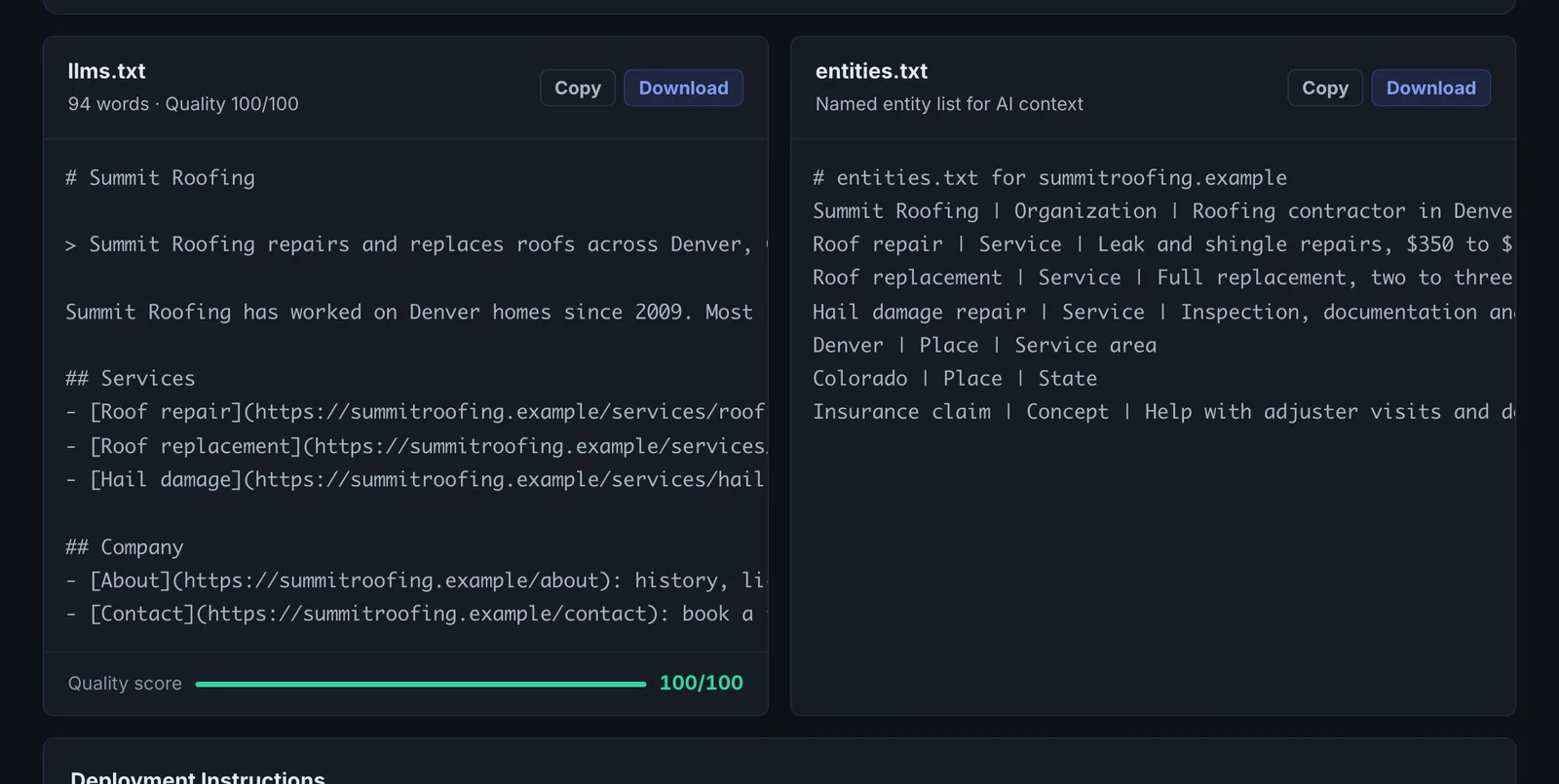
Implementing the fixes#
- Publish llms.txt at https://yourdomain.com/llms.txt and entities.txt alongside it.
- Keep the list to pages that represent you well: services, products, pricing, key guides, about.
- Regenerate when you add major pages.
Worked example#
A SaaS documentation site generates an llms.txt.
The generator reads the sitemap index, resolves 340 URLs, filters out tag and pagination pages, and produces:
# ExampleApp
> ExampleApp is invoicing software for freelancers. Docs, API reference and pricing.

## Docs
- [Getting started](https://example.app/docs/start): set up an account and send a first invoice
- [API reference](https://example.app/docs/api): REST endpoints and authentication

## Product
- [Pricing](https://example.app/pricing): plans and limits
Validation of the old file found 12 links to removed pages. The new file is published at /llms.txt and re-validated with no errors. It is treated as a helpful extra for AI tools and agents, not as a fix for visibility.
Best practice#
Do this after the fundamentals (crawler access, schema, page content). It complements them; it does not replace them.
Troubleshooting
The existing llms.txt cannot be reached #
The app saysllms.txt returned HTTP … Make sure the file is accessible at
The file is not at the site root, or the server blocks it. It must load at https://yourdomain/llms.txt as plain text.
The existing llms.txt is empty #
The app saysllms.txt is empty
The file exists but has no content. Publish the generated file in its place.
Generation failed #
The app saysFailed to generate llms.txt content
Try again. If the site has no readable sitemap, the generator has less to work with: publish a sitemap first.
The links include pages you do not want listed #
Edit the generated file before publishing. It is plain Markdown, and only the pages you list are included.
Not listed here? See Common problems for limits, checks, plans and pages that cannot be read.
Questions
Do AI engines use llms.txt? #
What is entities.txt? #
Where do I publish the file? #
Something here does not match what you see in the app? Tell us and we will fix the guide.