 Citerank
AI Search Visibility: what Gemini searches, cites and names
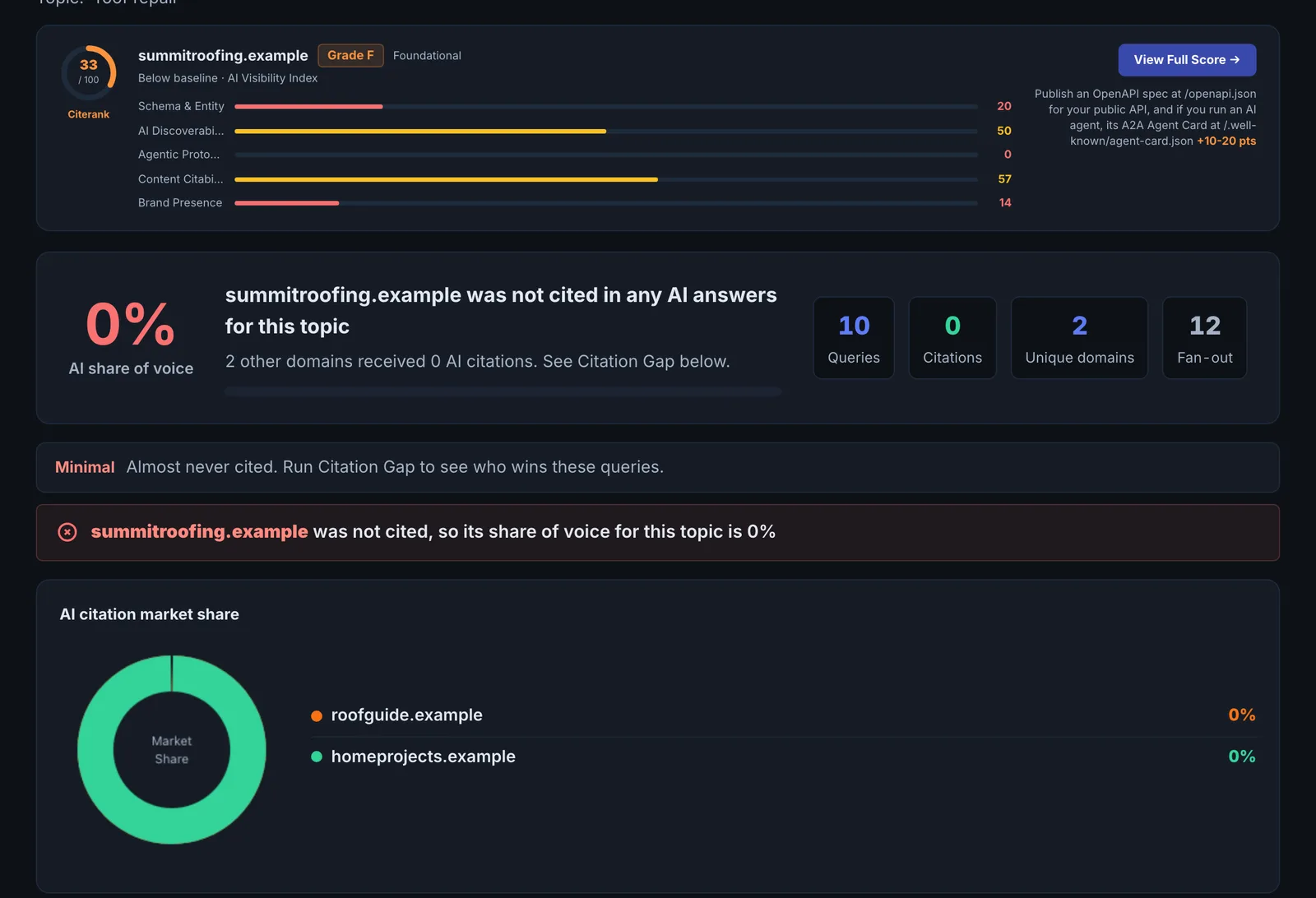
AI Search Visibility runs variations of your topic through Gemini with Google Search grounding and records the searches Gemini ran behind the scenes, every domain it cited, the entities it named, and whether your domain appears, with an AI read-out of the gaps.
Step by step
- Open AI Search Visibility #
Find it under AI Visibility, Engines, in the left sidebar.
- Enter a topic, and optionally your domain #
Enter the topic or question you want to be visible for. Add your domain to see whether you appear; leave it empty to research the topic on its own.
- Run it #
Citerank builds several variations of the query and runs them through Gemini with Google Search in parallel.
- Read the fan-out and sources #
See the sub-searches Gemini ran, the domains cited, how often, and whether you were among them.
- Act on the gaps #
Use the gap analysis to find the sources you are not competing with and the sub-questions you do not cover.
Why it matters#
To be cited, you need to be the best answer not just to the question asked but to the searches the engine runs to answer it. This tool exposes those searches, the sources that win them and the entities (brands, products, people) the engine associates with the topic. It is research for what to write and where to be mentioned.
What it checks#
- Query variations of your topic, run in parallel through Gemini with Google Search grounding.
- Fan-out queries: the searches Gemini ran, shown as a tag cloud by frequency.
- Cited domains: every domain cited, how often, across how many of the queries, and whether each was cited as a source or only referenced.
- Entities: the brands, tools and names that appear in the answers.
- Your domain: whether and how often it appears.
- Gap analysis: the top cited domains you are not competing with.
- An AI synthesis of what the data means.
Reading the results#
- Domains cited across most queries are the authorities for the topic in the engine's view.
- Fan-out queries you have no page for are content gaps.
- Entities named that you are not show who the engine considers part of the category.
Implementing the fixes#
- Cover the fan-out. For each frequent fan-out query, add a section to your main page or a supporting page that answers it directly.
- Be named with the entities. If the engine lists competitors and not you, get onto the comparison and list pages it cites.
- Target the consistent sources. Domains that appear across most queries are worth a mention or listing.
- Re-run after publishing to see your domain enter the cited list.
Worked example#
A project management software company runs the topic "project management for construction".
Gemini runs 40 fan-out searches across the query variations. The most cited domains are two review sites and a construction trade publication; the company is cited on 2 queries. The fan-out cloud is dominated by "construction scheduling software", "submittal tracking" and "punch list app", none of which the company has a page for, although the product does all three.
The fixes: three feature pages, each opening with what the feature does for a construction team, and pitches to the trade publication and review sites for inclusion. Re-run six weeks later: cited on 9 queries, two through the new feature pages.
Best practice#
- Run it at the start of any content piece to plan headings from the fan-out queries.
- Use Fan-Out Mapper for a fuller map of a keyword's fan-out across observed searches.
Troubleshooting
Your domain does not appear at all #
Gemini did not cite you for any variation of the topic. Check the gap analysis: the domains it cites most, and the fan-out queries you have no page for, are the starting list.
Results differ from the last run #
The query variations and Gemini's searches change from run to run. Compare the domains that appear across most queries, which are stable, rather than single citations.
The topic is too broad to be useful #
A topic like "software" gives answers about the whole category. Use the phrase a buyer would type, with the audience or use case: "project management for construction", not "project management".
Not listed here? See Common problems for limits, checks, plans and pages that cannot be read.
Questions
What is a fan-out query? #
Why only Gemini? #
Does it use checks? #
Something here does not match what you see in the app? Tell us and we will fix the guide.