 Citerank
Entity Map: a page's entity graph as an EntityMap file
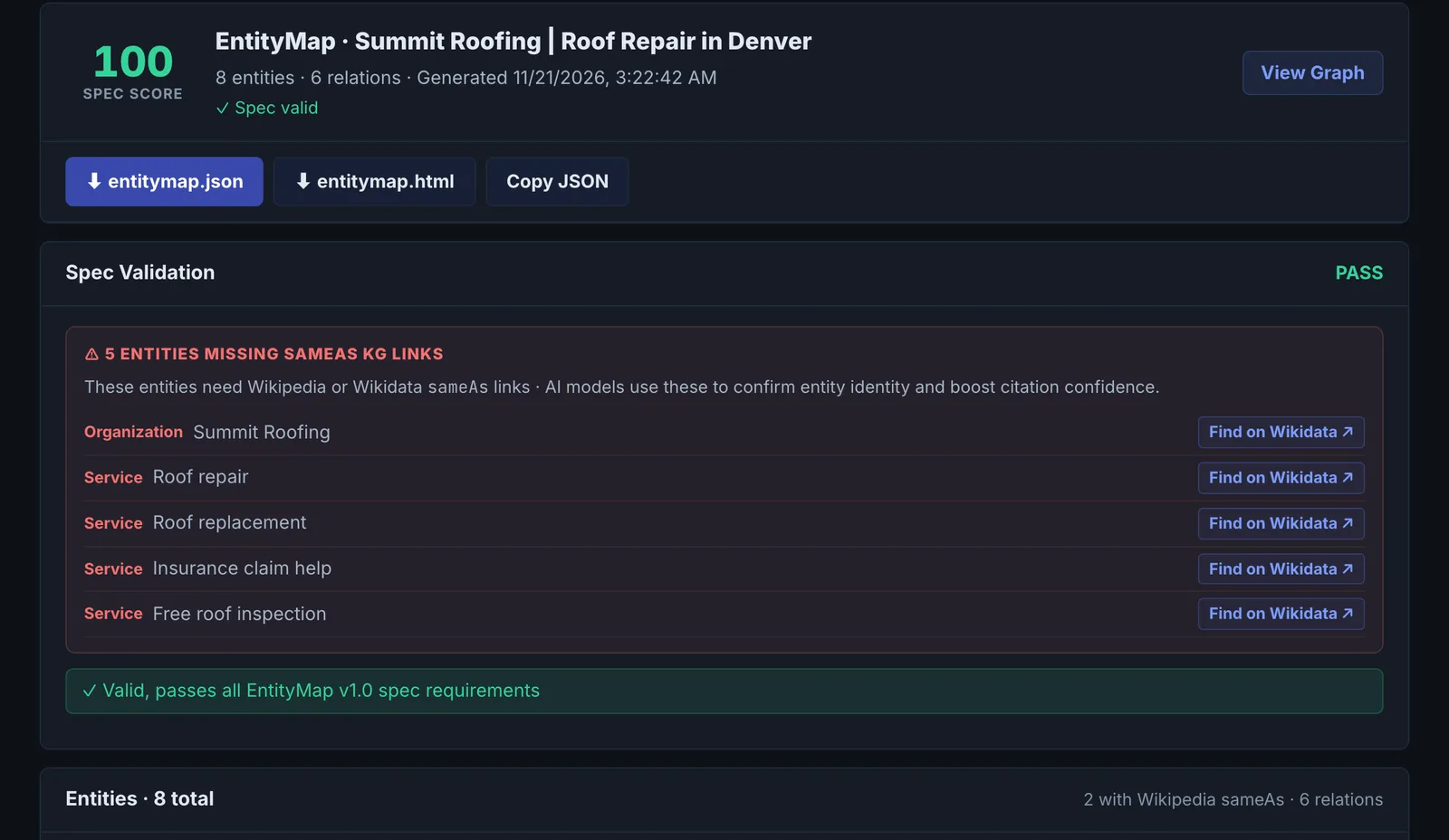
Entity Map reads a page, identifies its entities and how they relate, and produces a spec-compliant EntityMap v1.0 JSON file with a visual graph and an HTML companion. It can also validate an existing EntityMap file.
Step by step
- Open Entity Map #
Find it under Schema & Entities, Coverage, in the left sidebar.
- Enter a page URL #
Use a page about a clear subject: your home, about or a main service page.
- Generate #
Entities and relations are extracted, ranked by prominence and enriched with Wikipedia sameAs where missing.
- Review the graph #
Check the primary entity and the relationships.
- Publish or validate #
Download the EntityMap file, or paste an existing one to validate it.
Why it matters#
How an AI understands a page depends on which entities it sees and how they connect. Entity Map shows you that picture: if the main entity is not your business, or your service is not connected to it, the page is sending a muddled signal.
What it checks#
- Entities on the page and their types.
- Relations between them.
- Prominence of each entity.
- sameAs links, enriched from Wikipedia where missing.
- Spec validation of the EntityMap v1.0 output, or of a file you paste.
Reading the results#
- Primary entity: should be what the page is about.
- Isolated entities: mentioned but not connected to anything.
- Missing sameAs: entities not tied to an external identity.
Implementing the fixes#
- Make the primary subject explicit in the H1, opening paragraph and schema.
- Connect related entities in your copy and schema (who provides the service, where).
- Add sameAs links in your schema for the key entities.
Worked example#
A climbing gym maps its home page.
Primary entity: "Summit Climbing", type SportsActivityLocation. Isolated entities: "bouldering", "youth climbing team" and "USA Climbing" are mentioned but not connected to the gym. Missing sameAs: the gym has no external identity linked; "USA Climbing" gets its Wikipedia link added automatically.
The fixes: the page text connects them ("Our youth team competes in USA Climbing events"), the gym's schema gets sameAs links to its Google Business Profile and Instagram, and memberOf links to USA Climbing. The EntityMap file is published and the map re-run shows no isolated entities.
Best practice#
Use it on your most important pages alongside the Entity Registry.
Troubleshooting
The AI returned malformed output #
The app saysAI returned malformed JSON
Run it again. The map is generated fresh each time.
The primary entity is wrong #
The page does not say clearly what it is about. Make the H1, title and first paragraph name the main subject, then map it again.
A pasted file fails validation #
Read the validation findings: they name the field and the rule from the EntityMap v1.0 spec. Common causes are a missing primary entity or relations that point at an entity not defined in the file.
Not listed here? See Common problems for limits, checks, plans and pages that cannot be read.
Questions
How is prominence decided? #
Where do I put the EntityMap file? #
Does it use checks? #
Something here does not match what you see in the app? Tell us and we will fix the guide.