 Citerank
WebMCP Generator: make your site callable by AI agents
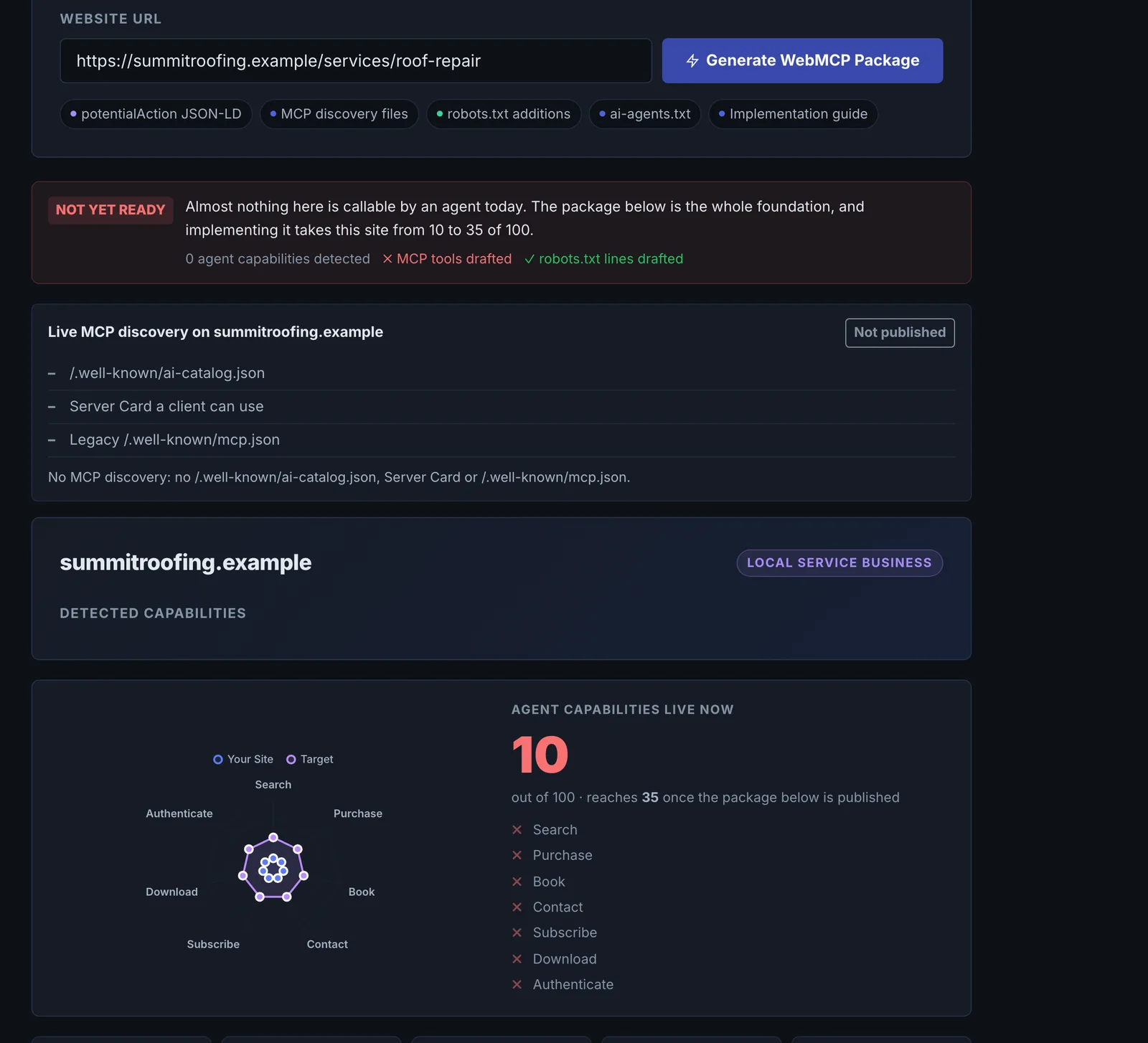
The WebMCP Generator reads a page and generates the files that let AI agents discover and act on your site: potentialAction JSON-LD, MCP discovery files (/.well-known/ai-catalog.json plus a Server Card), the legacy /.well-known/mcp.json, robots.txt additions for AI crawlers, ai-agents.txt and an implementation guide.
Step by step
- Open WebMCP Generator #
Find it under Schema & Entities, Generate, in the left sidebar.
- Enter a page URL #
Use a page with actions: search, booking, quote, contact or checkout.
- Generate #
The page is read, the site type detected and the files generated.
- Hand the files to your developer #
Each file comes with where to put it.
- Verify #
Check agent readiness with the Agent Readiness tool after publishing.
Why it matters#
AI agents increasingly complete tasks for people: finding a product, booking an appointment, requesting a quote. They prefer sites that describe their actions in machine-readable form. These files are how a site says "here is what an agent can do here, and how".
What it checks#
From the page it detects the site type and available actions, then generates:
| File | Purpose |
|---|---|
| potentialAction JSON-LD | Describes the actions the page supports |
| /.well-known/ai-catalog.json and Server Card | MCP discovery for agent clients |
| /.well-known/mcp.json | The legacy MCP manifest some clients still read |
| robots.txt additions | Rules for AI crawlers |
| ai-agents.txt | A plain-text guide for agents |
| Implementation guide | Where each file goes and how to test it |
Reading the results#
Review each action it found. If an action you offer is missing, the page does not expose it clearly (for example a booking form loaded only by script).
Implementing the fixes#
- Add the potentialAction JSON-LD to the page.
- Publish the discovery files at the paths given.
- Merge the robots.txt additions with your existing file rather than replacing it.
- Test with Agent Readiness.
Worked example#
A hotel generates WebMCP files from its booking page.
The generator detects a lodging site and two actions: search availability (the date form) and contact. It does not find book a room, because the booking engine loads in an iframe from another domain after the page opens.
The hotel publishes the potentialAction JSON-LD with the two actions, the discovery files under /.well-known/ and ai-agents.txt, following the implementation guide. For booking, it asks its booking engine provider for a direct booking URL with date parameters, adds it as a ReserveAction, and regenerates.
Best practice#
Only declare actions that work for an unauthenticated visitor, and keep the files in sync with the site.
Troubleshooting
The URL could not be fetched #
The app saysCould not fetch that URL, check it is publicly accessible.
Check the page loads in a private window and allow CiterankBot if a firewall is involved.
An action you offer is missing #
The page does not expose it in the HTML: the form loads by script, sits in an iframe from another domain, or opens in a pop-up. Give the action a plain URL or form in the page, then regenerate.
The .well-known files return 404 after uploading #
Some servers and hosts hide folders starting with a dot. Check the files load in a browser at the exact paths in the implementation guide, and ask your host to allow /.well-known/.
Not listed here? See Common problems for limits, checks, plans and pages that cannot be read.
Questions
Do I need this? #
What is potentialAction? #
Does it use checks? #
Something here does not match what you see in the app? Tell us and we will fix the guide.