 Citerank
Knowledge Graph Consistency: one story across Google, Wikidata and Wikipedia
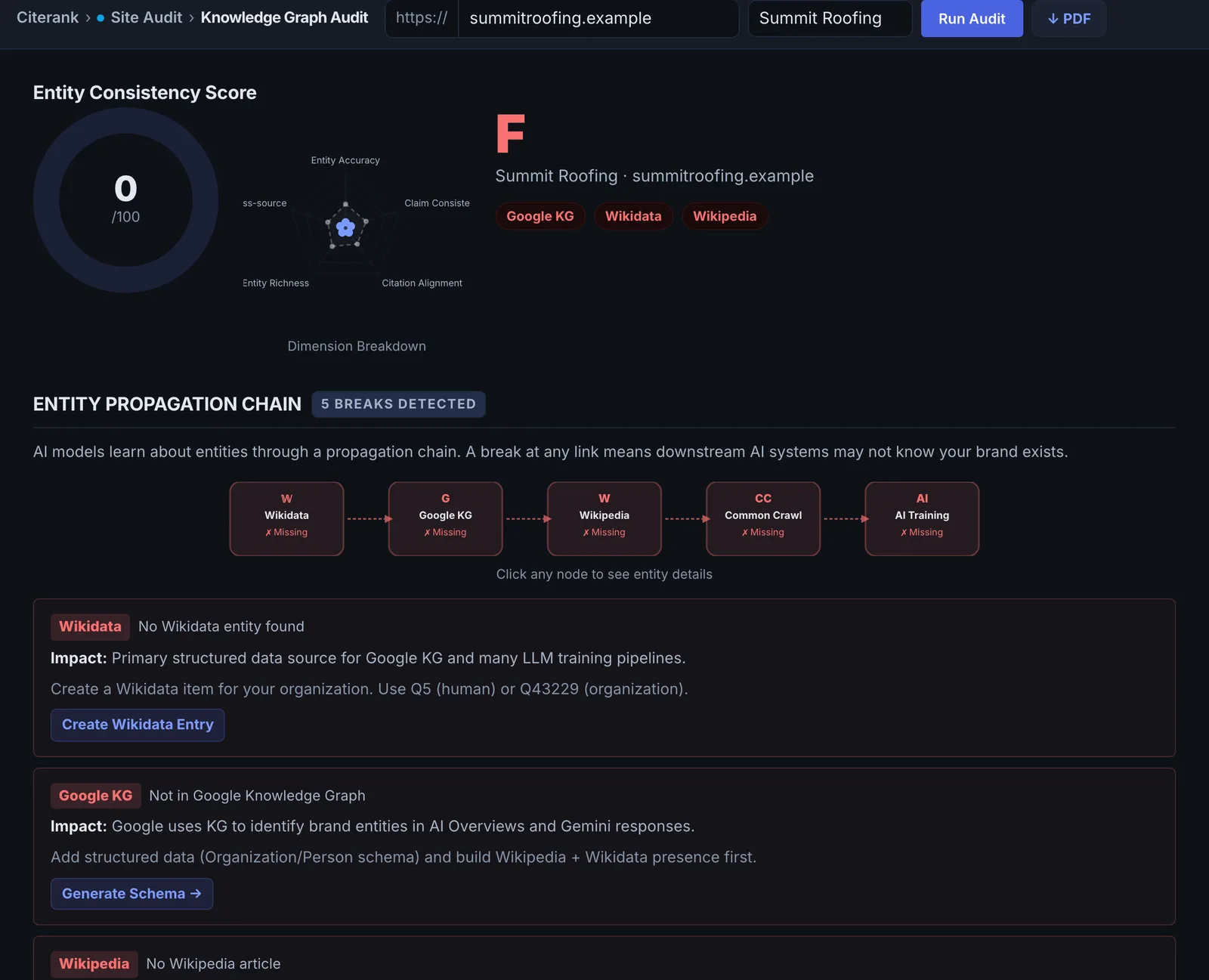
The Knowledge Graph Consistency audit finds your brand in Google's Knowledge Graph, Wikidata and Wikipedia, checks that the entries link to each other and to your domain, and that names and descriptions agree. Each inconsistency is a reason AI can describe you wrongly.
Step by step
- Open Knowledge Graph #
Find it under Site Audit, AI Access, in the left sidebar.
- Enter your domain and brand #
Type your domain and, if it differs from the site, your brand name.
- Run it #
It looks you up in all three sources in parallel and cross-checks them.
- Read the consistency checks #
See which sources have you, whether they link to each other and to your site, and where names or descriptions disagree.
- Fix the gaps #
Work through the issues, starting with your own site's schema.
Why it matters#
AI systems ground facts about organisations in a few entity sources. When Google's Knowledge Graph says one thing, Wikidata another and your site a third, the model has to pick, and it may pick wrong or hedge. Consistency is what makes an AI describe you confidently and correctly.
What it checks#
- Google Knowledge Graph: whether there is an entity matching your brand or domain, its type and description.
- Wikidata: whether there is an item, how complete it is, and whether its official website is your domain.
- Wikipedia: whether there is an article.
- Cross-source checks: the Knowledge Graph and Wikidata link to each other, names agree across sources, the Knowledge Graph description is useful, and Wikidata carries the key properties.
The result is a consistency score with the specific gaps.
Reading the results#
- Missing from all three: you have no entity yet. Focus on schema and profiles first.
- Present but unlinked: the entries exist but do not reference each other, so they may not be treated as the same entity.
- Name mismatches: a different legal name, abbreviation or old brand name across sources.
- Wrong official URL: the entity points at an old or wrong domain.
Implementing the fixes#
- Your site first: Organization schema with your exact name, logo, URL and sameAs links to every official profile, including Wikidata if you have an item.
- Wikidata: if you qualify, create or edit the item: official website, logo, founding date, headquarters, industry and identifiers for your official profiles. Use your exact brand name as the label.
- Consistent naming everywhere: the same name and description on your site, Google Business Profile, LinkedIn, Crunchbase and directories.
- Knowledge Graph: you cannot edit it directly. It follows consistent signals. If a knowledge panel appears, claim it through Google.
Worked example#
"Acme Plumbing Ltd" runs the check.
- Google Knowledge Graph: found as "Acme Plumbing", official URL
acmeplumbing.co, the domain it used before 2023. - Wikidata: no item.
- Wikipedia: none (normal for a business this size).
The fixes: the Organization schema on the home page gets the exact name "Acme Plumbing", the current URL and sameAs links to the Google Business Profile, LinkedIn and Facebook pages. The old domain 301-redirects to the new one. The business profile and directories are updated to the current URL. A Wikidata item is not created yet, because the business does not meet Wikidata's notability rules. Re-check in two months: the Knowledge Graph URL has moved to the current domain.
Best practice#
Re-run after each round of profile and schema changes. Entity data moves slowly, so check monthly rather than daily.
Troubleshooting
No match in the Google Knowledge Graph #
Google has no entity for the name you entered, or knows it under a different name. Try the exact name on your Google Business Profile and your legal name. If neither matches, there is no entity yet: build it with Organization schema and consistent profiles first.
The match looks like a different company #
A low name similarity means the closest entity found may be another business with a similar name. Do not copy its details. Make your own name, URL and location unmistakable in your schema and profiles.
The check is rate limited #
The app saysRate limited, retry in 60s
One of the public sources asked for a pause. Wait a minute and run it again.
Not listed here? See Common problems for limits, checks, plans and pages that cannot be read.
Questions
My business is not in the Knowledge Graph. Is that bad? #
What does the Wikidata official URL check do? #
How long does a Knowledge Graph correction take? #
Something here does not match what you see in the app? Tell us and we will fix the guide.