 Citerank
Site Crawler: audit a whole site for SEO and AI search
The Site Crawler audits a whole site the way search engines and AI crawlers see it: up to 1,000 pages, crawled as the bot you choose, with SEO, AI-readiness and Core Web Vitals findings per page, a fix queue, and one-click deploys for the fixes that can be made safely.
Step by step
- Open Site Crawler #
Find it under Site Audit in the left sidebar.
- Enter the site and choose what to crawl #
Crawl by following links (spider), from the sitemap, or a list of URLs you paste.
- Set the limits #
Choose the maximum pages (up to 1,000) and link depth. Add paths to include or skip, up to 25 patterns each.
- Choose how to crawl #
Pick which crawler's robots.txt rules to obey (Googlebot, Bingbot, GPTBot, OAI-SearchBot, ClaudeBot, Claude-SearchBot, PerplexityBot or Citerank's own). On Pro and Agency, turn on JavaScript rendering and the real-browser fallback for sites behind a firewall.
- Work the fix queue #
Filter the results, stage fixes into the fix queue, and deploy the ones Citerank can apply to a connected site.
Why it matters#
The Page Auditor tells you everything about one page. The Site Crawler tells you which pages to look at. Robots rules that block AI crawlers from a whole section, important pages buried five clicks deep, broken internal links and missing schema are site-wide problems that one-page audits miss. A crawl finds them all in one pass and ranks them.
What it checks#
Crawl options
| Option | What it does |
|---|---|
| What to crawl | Spider (follow links), sitemap, or a URL list |
| Pages and link depth | Up to 1,000 pages per crawl |
| Include / skip paths | Up to 25 patterns each (prefix with re: for a regular expression) |
| Obey robots.txt as | Citerank, Googlebot, Bingbot, GPTBot, OAI-SearchBot, ClaudeBot, Claude-SearchBot or PerplexityBot |
| Follow nofollow | Off by default, as search engines and AI crawlers usually do not follow them |
| PageSpeed Insights | Core Web Vitals for the pages |
| AI perception probe | Adds an AI view of how the site is understood |
| JavaScript rendering (Pro) | Renders pages in a browser before auditing |
| Real-browser fallback (Pro) | Reads pages through a real browser if a firewall blocks the crawler |
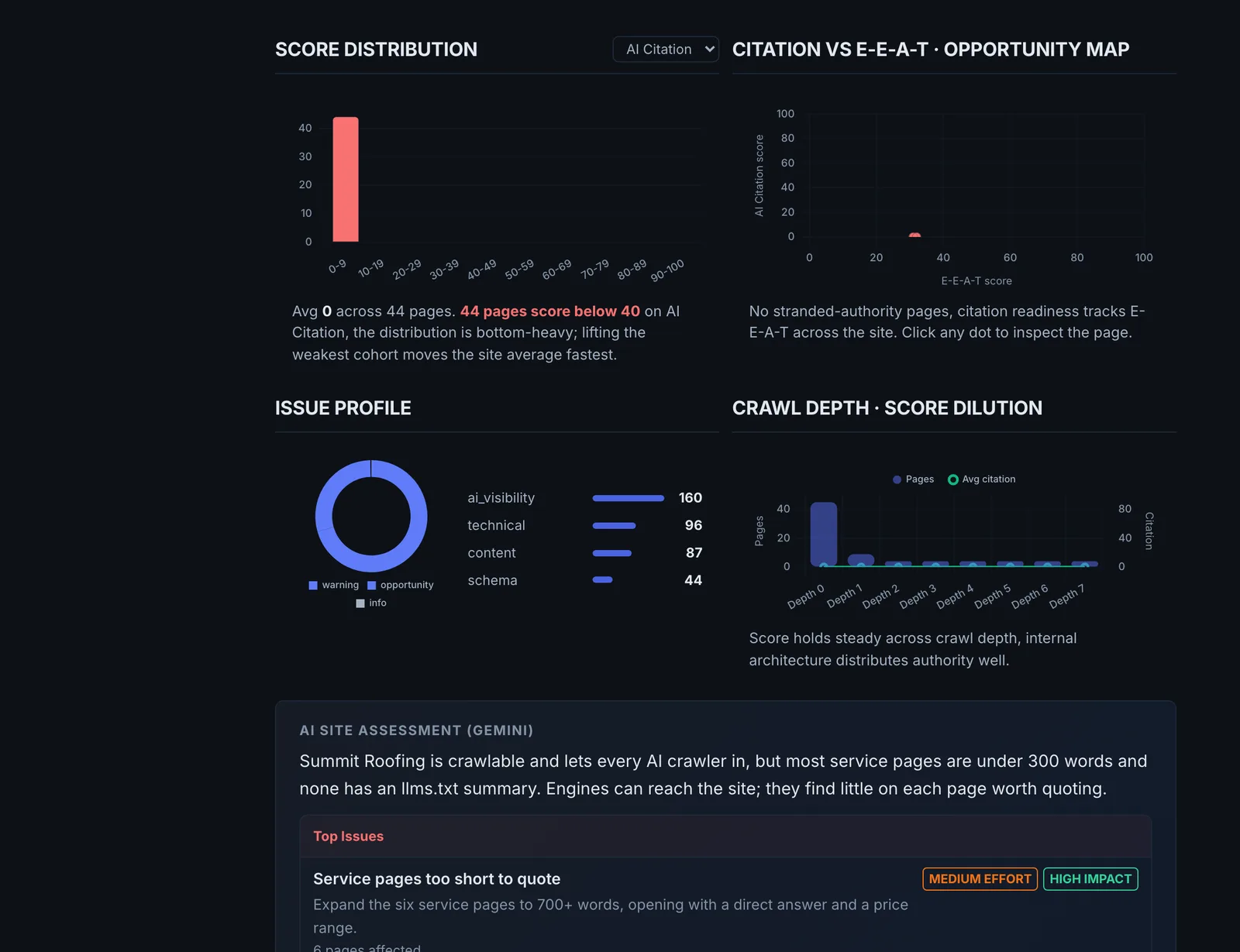
Findings per page include broken pages, pages blocked by robots.txt, pages buried four or more clicks deep, Core Web Vitals issues, AI Overview eligibility, E-E-A-T and entity signals, and AI citability.
Reading the results#
- Filters (Broken, Blocked by robots.txt, Buried, CWV Issues, AIO Eligible, E-E-A-T, Entity and others) split the site into problem groups. Start with Blocked and Broken.
- Buried pages (4+ clicks from the home page) get crawled less and cited less. Important pages should be within three clicks.
- The fix queue collects the fixes you stage, so the work can be done in batches.
- Compare Competitors benchmarks your crawl against competitor sites.
- Every crawl updates the Issue Tracker, which reopens issues that come back and verifies issues that disappear.
Implementing the fixes#
| Finding | Fix |
|---|---|
| Blocked by robots.txt for an AI crawler | Stage the robots.txt change and deploy it to the connected site, or edit robots.txt by hand. |
| Broken pages | Restore them or 301 them to the closest live page, and fix the internal links pointing at them. |
| Buried pages | Link them from the home page, main navigation or hub pages. |
| Missing meta descriptions | Deploy generated descriptions (written from the page's own text) to the connected site. |
| Weak passages | Use AI Fix to rewrite the passage and deploy it to the page. |
| Missing schema | Use the Bulk Schema Generator for the site or the Schema Generator per page. |
| Core Web Vitals | Fix template-level problems (hero images, fonts, layout shift) since they affect every page using the template. |
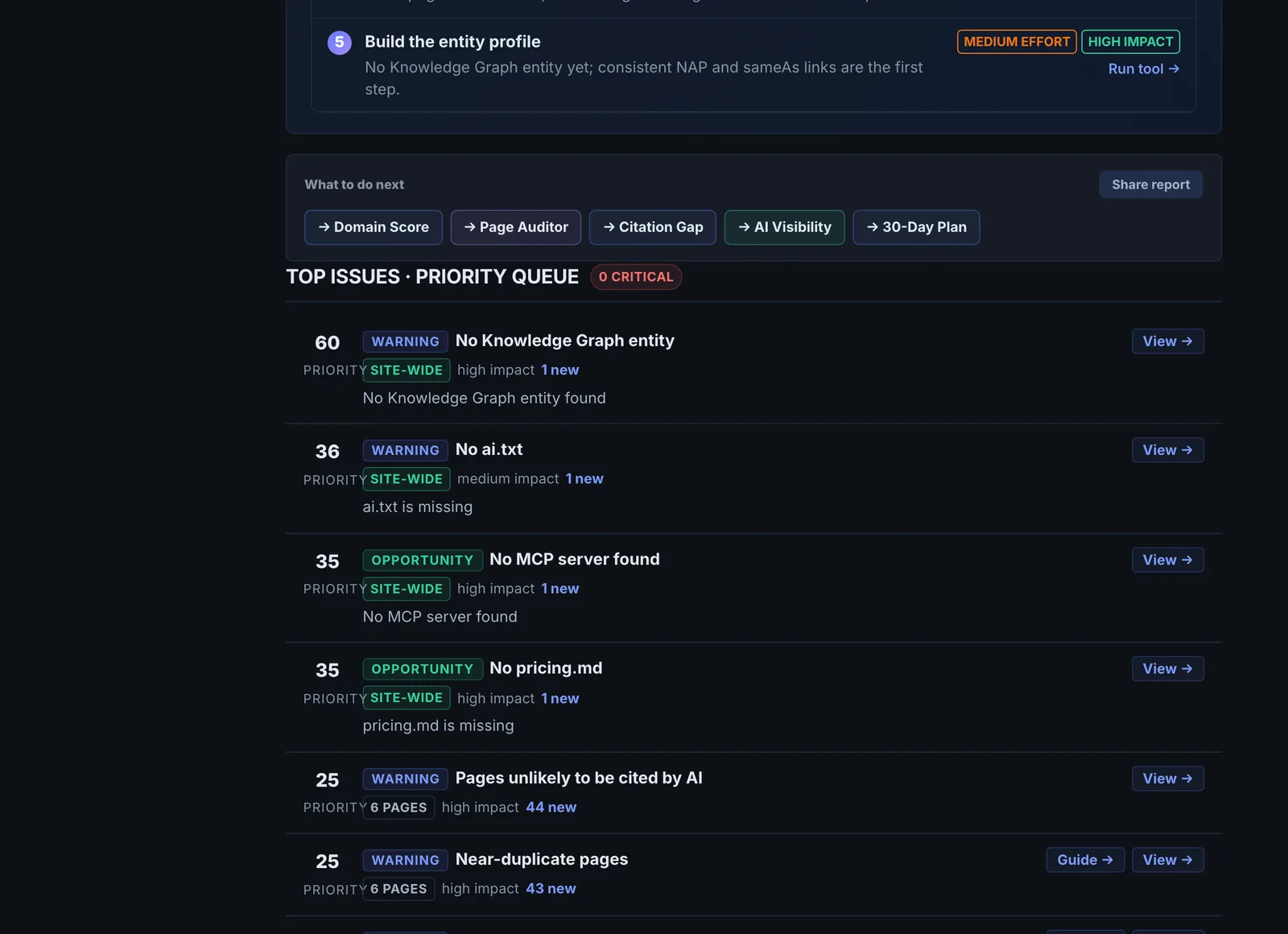
After deploying, each change is checked on the live site and shown as verified, pending (deployed but not visible yet, usually caching) or not found.
Worked example#
An agency crawls a client's 400-page site in spider mode, obeying robots.txt as GPTBot, 500-page limit.
- Blocked by robots.txt: 120 pages. Everything under
/blog/is disallowed for GPTBot by an old rule meant for a staging folder. The crawler stages the robots.txt change. - Buried: 38 pages, all location pages reachable only through a paginated archive, five or six clicks from the home page.
- Broken: 14 pages, from a deleted product category still linked in the footer.
The fixes: the robots.txt change is deployed to the connected WordPress site from the fix queue and shows verified on the live site a minute later. A "Service areas" hub page linked from the main menu brings every location page within two clicks. The 14 broken URLs are 301-redirected to the nearest live category and the footer links are updated.
Next crawl: blocked drops to 0, buried to 3, broken to 0, and the Issue Tracker marks those issues Verified on its own.
Best practice#
- Crawl once as GPTBot or ClaudeBot and once as Googlebot. Differences show where AI crawlers are treated differently.
- Schedule a monthly crawl so regressions are caught by the Issue Tracker.
- Share a crawl with a client using Create Share Link.
Troubleshooting
The crawl stops at the home page, or finds very few pages #
The crawler follows links in the HTML. If the menu is built by JavaScript, or every page is blocked by robots.txt for the crawler you chose, it has nowhere to go. Switch What to crawl to Sitemap, check the robots.txt setting you crawled as, or (on Pro) turn on JavaScript rendering.
JavaScript rendering is greyed out or refused #
The app saysJavaScript rendering and the firewall fallback are part of the Pro plan.
Rendering and the real-browser fallback need Pro. Without them the crawler reads the HTML as sent, which is also what most AI crawlers read, so the crawl is still meaningful.
The domain cannot be found #
The app says… does not exist: there is no DNS record for it.
The address has a typo, or the site uses a different host (for example www. only). Open the site in a browser, copy the address bar exactly, and crawl that.
A deployed fix shows pending instead of verified #
The app saysDeployed, but robots.txt does not show it yet. A cache in front of the site may need clearing.
The change reached the site, but a cache is still serving the old file or page. Clear the page cache or CDN for that URL, then check again. For meta descriptions, the message says when an SEO plugin other than Yoast, Rank Math or AIOSEO is overriding the description.
Too many include or skip patterns #
The app saysAt most 25 … patterns
Each list takes up to 25 patterns. Combine them with a regular expression (prefix with re:), for example re:^/(blog|news)/.
Not listed here? See Common problems for limits, checks, plans and pages that cannot be read.
Questions
Which crawler should I crawl as? #
When do I need JavaScript rendering? #
Can I schedule crawls? #
Which fixes can be deployed automatically? #
Something here does not match what you see in the app? Tell us and we will fix the guide.