 Citerank
AX Agent Audit: what agents see through the accessibility tree
The AX Agent Audit loads a page in a real browser and reads its accessibility tree, the structure AI agents use to understand a page. It scores how readable the page is for agents and lists every unnamed control, hidden section and structural gap.
Step by step
- Open AX Agent Audit #
Find it under Agents & Commerce, Readiness, in the left sidebar.
- Enter a page URL #
A page agents would use: home, product, pricing or contact.
- Run it #
The page is rendered and its accessibility tree read.
- Read the score and tree #
See the AI agent readability score and what the tree exposes.
- Optionally test a task #
Run an agent task test on the page for an objective check.
Why it matters#
To an agent, an unlabelled icon button does not exist, and a section inside an inaccessible iframe is invisible. The accessibility tree is the agent's view of your page, and this audit shows it to you.
What it checks#
- Headings and landmarks: can the agent find the topic and sections?
- Interactive elements: do buttons, links and fields have accessible names?
- Shadow DOM and iframes that hide content from the tree.
- How much of the page is exposed versus filtered out.
- Core Web Vitals context.
- Optional agent task test in a real browser with an objective confidence score.
Reading the results#
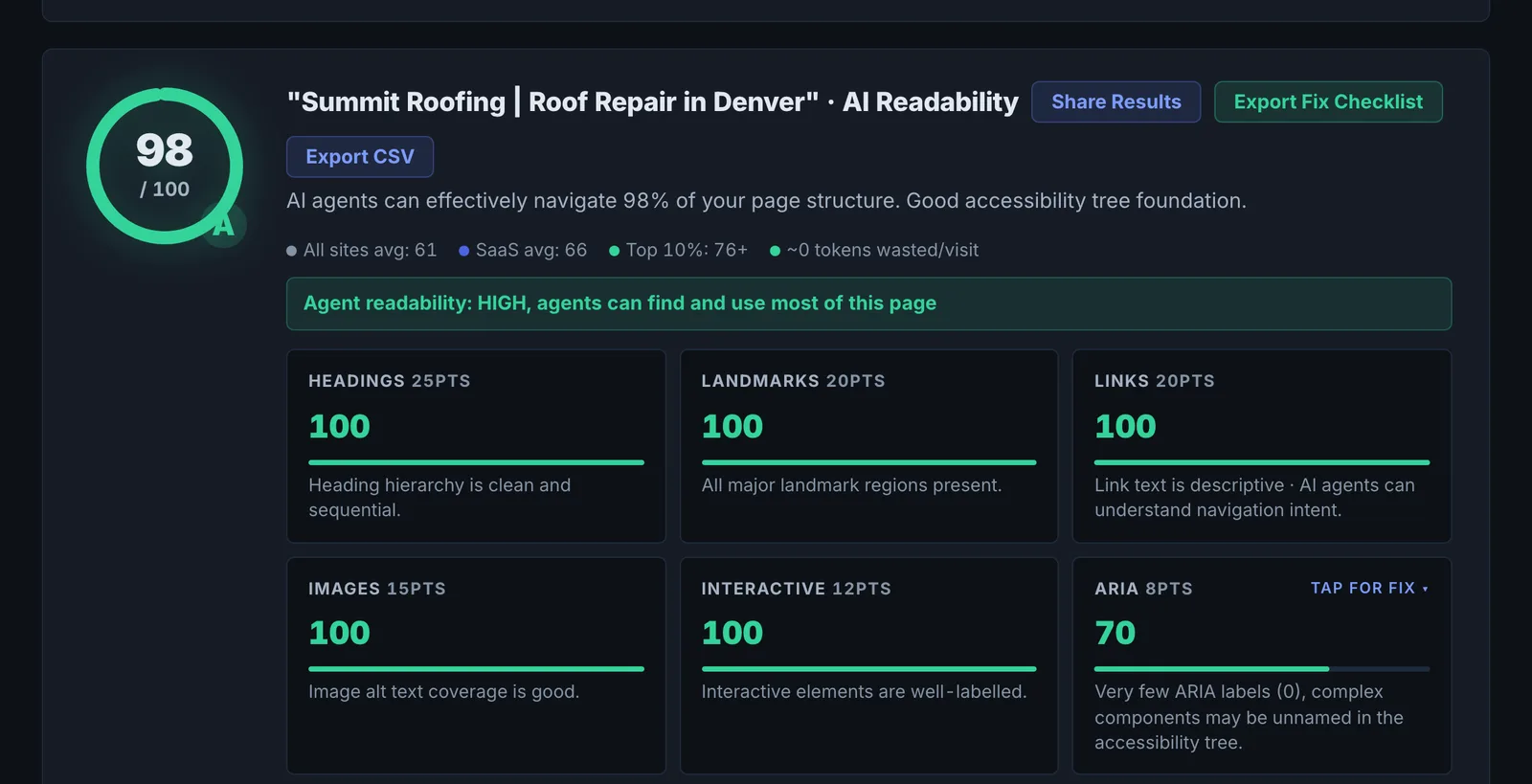
- Readability score summarises the above; it is capped low when almost nothing is exposed.
- Unnamed interactive elements are the top problem.
- Hidden content (shadow DOM, iframes) needs to be exposed or duplicated accessibly.
Implementing the fixes#
- Add accessible names (visible text or aria-label) to every control.
- Use landmarks (header, nav, main, footer) and a logical heading order.
- Avoid putting key content or forms in iframes.
- Use native elements over custom widgets.
Worked example#
A bank's loan calculator page is audited.
Exposed vs filtered: the calculator sits in an iframe from a vendor, so its inputs are invisible in the page's accessibility tree. Unnamed interactive elements: 11, including the slider for loan amount. Headings: one H1 and no H2s, so the page has no sections an agent can navigate.
The fixes: the vendor provides an accessible version with labelled inputs, and the bank adds a plain HTML summary of rates under clear H2s ("Current rates", "Example repayments"). Optional task test, "find the monthly payment for a $20,000 loan over 5 years": fails before, succeeds after.
Best practice#
Compare with competitors using AX Tree Compare.
Troubleshooting
Content inside an iframe or widget is not counted #
Content in an iframe from another domain, or inside a closed shadow DOM, is hidden from the page's accessibility tree. Use an accessible version of the widget, or repeat the key facts in the page's own HTML.
The score is capped low #
Very little of the page is exposed. Check whether the main content is drawn on a canvas, rendered as images or loaded in a frame.
The task test fails on a simple task #
Read the step log: it shows the control the agent could not find or use. That control usually has no accessible name.
Not listed here? See Common problems for limits, checks, plans and pages that cannot be read.
Questions
Is this an accessibility (WCAG) audit? #
Does fixing this help human visitors too? #
Does it use checks? #
Something here does not match what you see in the app? Tell us and we will fix the guide.