 Citerank
Score Projector: see a fix's effect on your score before you build it
Score Projector lists the fixes available for your domain and updates your projected AI Visibility Score as you switch each on, so you can choose the combination worth building before anyone writes code.
Step by step
- Open Score Projector #
Find it under Plan & Deploy, Plan, in the left sidebar.
- Enter your domain #
Your current score and its gaps are loaded.
- Toggle fixes #
Switch on the fixes you are considering.
- Watch the projection #
The projected score updates with each toggle.
- Plan the work #
Take the chosen fixes into the 30-Day Action Plan.
Why it matters#
It answers "is this worth building?" before anyone writes code. Seeing which fixes move the projected score most makes it easy to agree priorities with a client or a developer.
What it checks#
Your current AI Visibility Score and a list of available fixes by category, each with an estimated score impact. Examples from the list:
- Add llms.txt to the site root
- Add Organization schema with sameAs links to Wikipedia and Wikidata
- Create or claim a Wikidata entity; claim and verify your Google Business Profile
- Add FAQPage schema to your top pages; add HowTo schema to process content
- Rewrite high-traffic pages for passage citability
- Fix crawl errors and slow server response time
It projects a 12-week score trajectory with and without the fixes you switch on.
Reading the results#
- Projected score updates as you toggle fixes.
- Score impact by fix ranks fixes by their estimated effect.
- The 12-week projection shows the trajectory with all fixes against doing nothing.
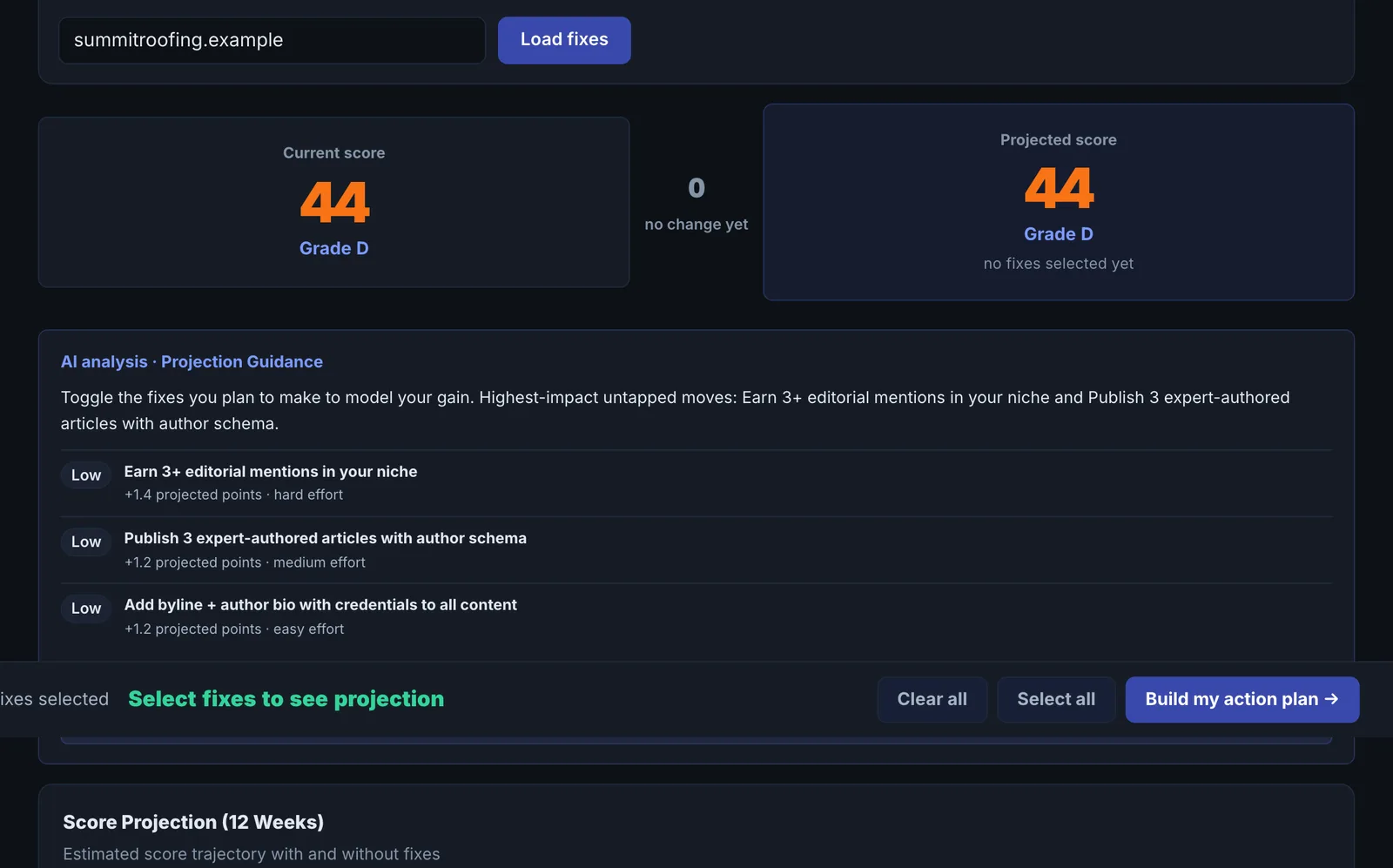
The impacts are estimates from the score's weights and typical results, not guarantees. Market dimensions also move on their own.
Implementing the fixes#
Pick the fixes with the best impact for the effort, take them into the 30-Day Action Plan, build them, then run the real AI Visibility Score to measure.
Worked example#
A consultancy's score is 52. In the projector it switches on four fixes: llms.txt, Organization schema with sameAs, FAQPage schema on top pages, and passage rewrites on three key pages.
Projected score: 52 → 67 over 12 weeks, against a flat line for doing nothing. Score impact by fix: Organization schema with sameAs ranks first, llms.txt last. The consultancy uses that ranking to pitch the work to its partners and starts with the schema. Twelve weeks later, the real score is 63, because market dimensions moved too, which the projector says it cannot predict.
Best practice#
Use it in planning meetings to make trade-offs visible, and keep the "With All Fixes" line as the target.
Troubleshooting
The real score differs from the projection #
Impacts are estimates from the score's weights and typical results. Market dimensions also move on their own. Use the projection to rank fixes, not to promise a number.
The projector cannot load your score #
It runs an AI Visibility Score for the domain. If the site blocks the crawler, the score cannot be read. See Common problems.
Market dimensions are missing #
The app saysDeep mode (live citations, engine probes, competitors) requires a paid plan
On the free plan the projection uses the on-site dimensions only.
Not listed here? See Common problems for limits, checks, plans and pages that cannot be read.
Questions
Is the projected score what I will get? #
Why does the projection differ from my result? #
Should I show the projection to a client? #
Something here does not match what you see in the app? Tell us and we will fix the guide.