 Citerank
E-E-A-T Deep Dive: experience, expertise, authority and trust signals
E-E-A-T Deep Dive scores a page on the experience, expertise, authority and trust signals that search and AI engines can read: credentials, author schema, case studies, reviews, policies, contact details and more. Each missing signal comes with a specific recommendation.
Step by step
- Open E-E-A-T Deep Dive #
Find it under Content, Create, in the left sidebar.
- Enter a page URL #
Use a page where trust matters: a service, product, about or advice page.
- Run it #
The page is audited, every signal checked and an AI review added.
- Read by dimension #
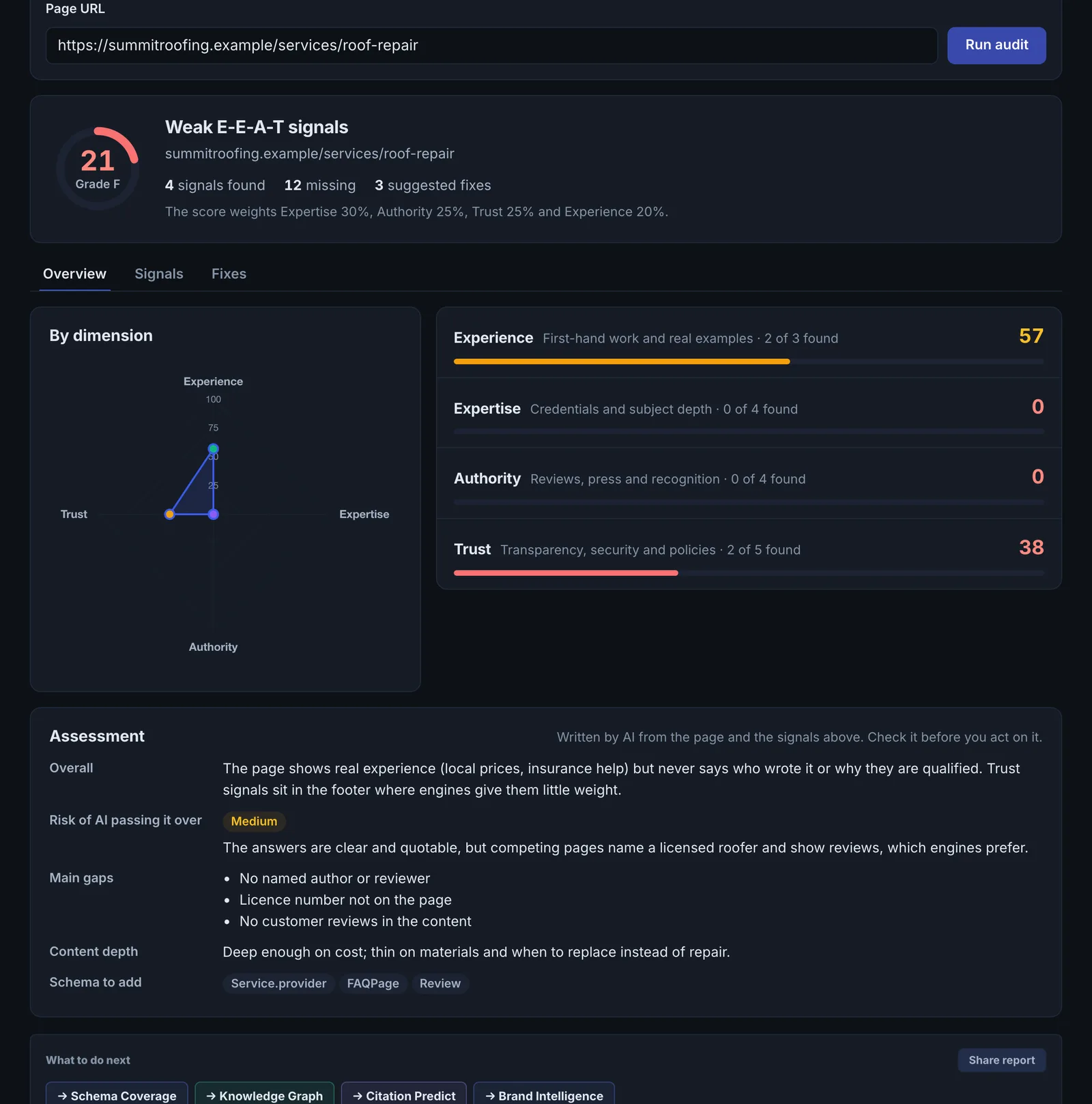
See the score for each of the four dimensions and the signals found or missing.
- Fix and track #
Add the missing signals and re-run; the score history shows progress.
Why it matters#
When engines choose which source to quote, especially for health, money, legal and local services, they favour pages that show who is behind them and why they should be trusted. Those signals are often missing for no reason other than nobody added them. This tool lists them and how to add each one.
What it checks#
| Dimension | Signals checked |
|---|---|
| Experience | Years of experience stated, case studies or project examples, a first-person team or organisation voice |
| Expertise | Certifications or credentials, author schema with a machine-verifiable identity, professional titles in the copy, published research or references |
| Authoritativeness | Reviews or ratings on the page, links to independent review profiles, awards, press or media coverage |
| Trust | Organization legalName in schema, privacy policy and terms linked, visible contact information, HTTPS, datePublished in schema, a guarantee or return policy |
An AI review adds an assessment of the content itself.
Reading the results#
- The dimension scores show where you are weakest. Trust gaps are usually quick wins.
- Missing signals each carry a recommendation.
- Score over time shows progress across runs.
Implementing the fixes#
- Add an author block with name, role and credentials, plus Person schema linked to their profiles.
- State years in business and add two or three case studies or project examples.
- Show real reviews on the page and link to your independent review profiles.
- Add awards, certifications and press mentions.
- Make contact details, privacy policy and terms visible, and add legalName and datePublished to your schema.
- Add a guarantee or return policy where one exists.
Worked example#
A physiotherapy clinic checks its "lower back pain treatment" page.
- Experience: a years-in-practice line, but no case examples.
- Expertise: no author or reviewer named, no credentials in the copy, no
Personschema. - Authoritativeness: reviews are on Google, but nothing on the page links to them.
- Trust: HTTPS and contact details present; no
legalName, nodatePublished.
The fixes: a "Reviewed by" line naming the physiotherapist with their registration number, Person schema linked to the page, two anonymised patient outcomes, a link to the review profile, and legalName plus datePublished in the schema. Re-run: Expertise and Trust rise the most, as the result shows Trust gaps are the quickest wins.
Best practice#
Fix trust and experience signals in your site templates so every page inherits them.
Troubleshooting
Credentials on the page are not detected #
The check looks for credentials in the HTML text and in schema. Credentials inside an image, a PDF or a pop-up are not read. Put them in plain text and in Person schema with hasCredential or jobTitle.
Reviews you have are not counted #
Reviews held on another site count only if the page links to them or shows them as text or AggregateRating. A review widget that loads by script after the page opens is often not in the HTML.
The page could not be read #
A firewall or JavaScript rendering kept the content out. See Common problems.
Not listed here? See Common problems for limits, checks, plans and pages that cannot be read.
Questions
How is the total weighted? #
Why machine-readable signals? #
Does it use checks? #
Something here does not match what you see in the app? Tell us and we will fix the guide.