 Citerank
Schema Coverage: which pages have which schema, site-wide
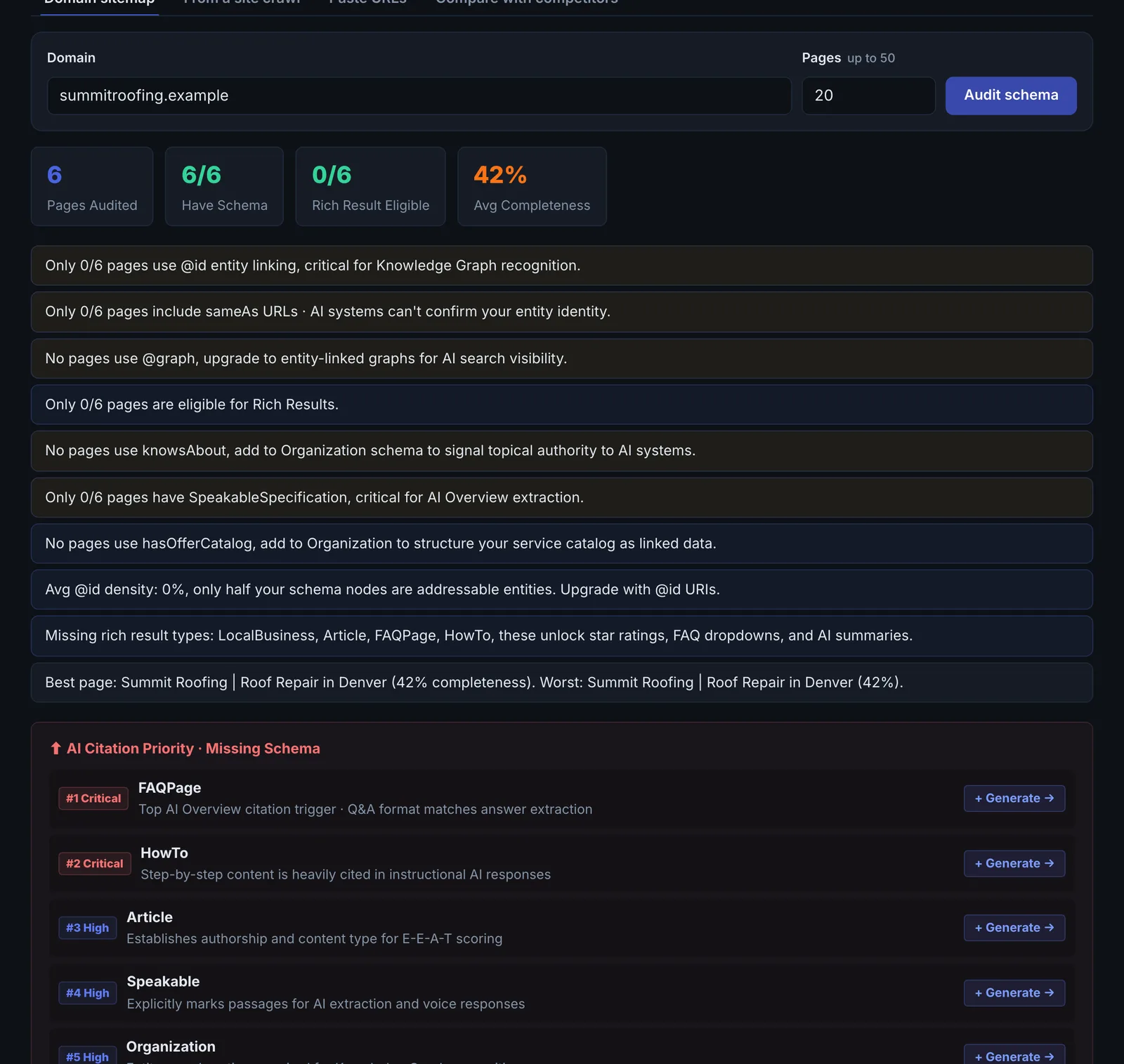
Schema Coverage audits the structured data across a domain (up to 50 pages, or the pages of an earlier crawl): which types each page has, which its page type should have, how complete they are, the quality of your sameAs links, and what blocks rich results.
Step by step
- Open Schema Coverage #
Find it under Schema & Entities, Coverage, in the left sidebar.
- Enter the domain #
Set the number of pages (up to 50), or use the pages from a previous Site Crawler run.
- Run it #
Every page's JSON-LD is extracted (including @graph) and scored.
- Read the map #
See types present and missing for each page type.
- Fill the gaps #
Generate the missing types with the Schema Generator or Bulk Schema Generator.
Why it matters#
Schema gaps are rarely on one page; they follow templates. Coverage shows the pattern across the site (every service page missing Service, every post missing an author) so you fix the template once.
What it checks#
- Every JSON-LD block on each page, flattened through @graph and arrays.
- Recommended types per page type (home, service, product, article and so on), including AI-relevant types.
- Completeness: field presence, nesting quality and advanced signals.
- sameAs quality: Wikidata, Wikipedia, LinkedIn and other profiles.
- Rich result blockers: what stops a page qualifying.
Reading the results#
- Missing types by page type point at template fixes.
- Low completeness means the type is there but thin.
- Weak sameAs means your entity is not tied to authoritative profiles.
Implementing the fixes#
- Fix templates first: add the recommended type to each page-type template.
- Strengthen Organization sameAs with Wikidata and LinkedIn.
- Use the Bulk Schema Generator for many pages at once.
- Set up Schema Monitor on key pages so fixes stay fixed.
Worked example#
A retailer runs coverage on its latest 200-page crawl.
- "38 of 200 pages have no schema markup at all": all of them blog posts.
- Product pages have
Productbut low completeness: nooffers, nobrand, noaggregateRating. - "Only 12/200 pages use @id entity linking".
- Weak sameAs: the
Organizationlinks only to Facebook.
The fixes, all at template level: Article with author and dates on the blog template, offers and brand on the product template, @id on the site-wide Organization and WebSite nodes, and sameAs to LinkedIn, Wikidata and the store's review profile. Re-run after the next crawl: 0 pages without schema and completeness up across product pages.
Best practice#
Run from a crawl so coverage reflects every page crawlers find, not a sample.
Troubleshooting
The crawl is still running #
The app sayswait for crawl to finish
Coverage reads a finished crawl. Wait for it to complete, then run coverage.
A site you know has schema shows none #
The schema is added by JavaScript after the page loads, so it is not in the HTML the crawl read. Many crawlers miss it for the same reason. Output JSON-LD in the server-rendered HTML.
The crawl cannot be found #
The app saysJob not found or access denied
The crawl belongs to another account or was removed. Run a new crawl from the Site Crawler.
Not listed here? See Common problems for limits, checks, plans and pages that cannot be read.
Questions
How is sameAs scored? #
Why might a schema-rich site show no schema? #
Does it need a crawl? #
Something here does not match what you see in the app? Tell us and we will fix the guide.