 Citerank
AX Tree Compare: agent readability against competitors
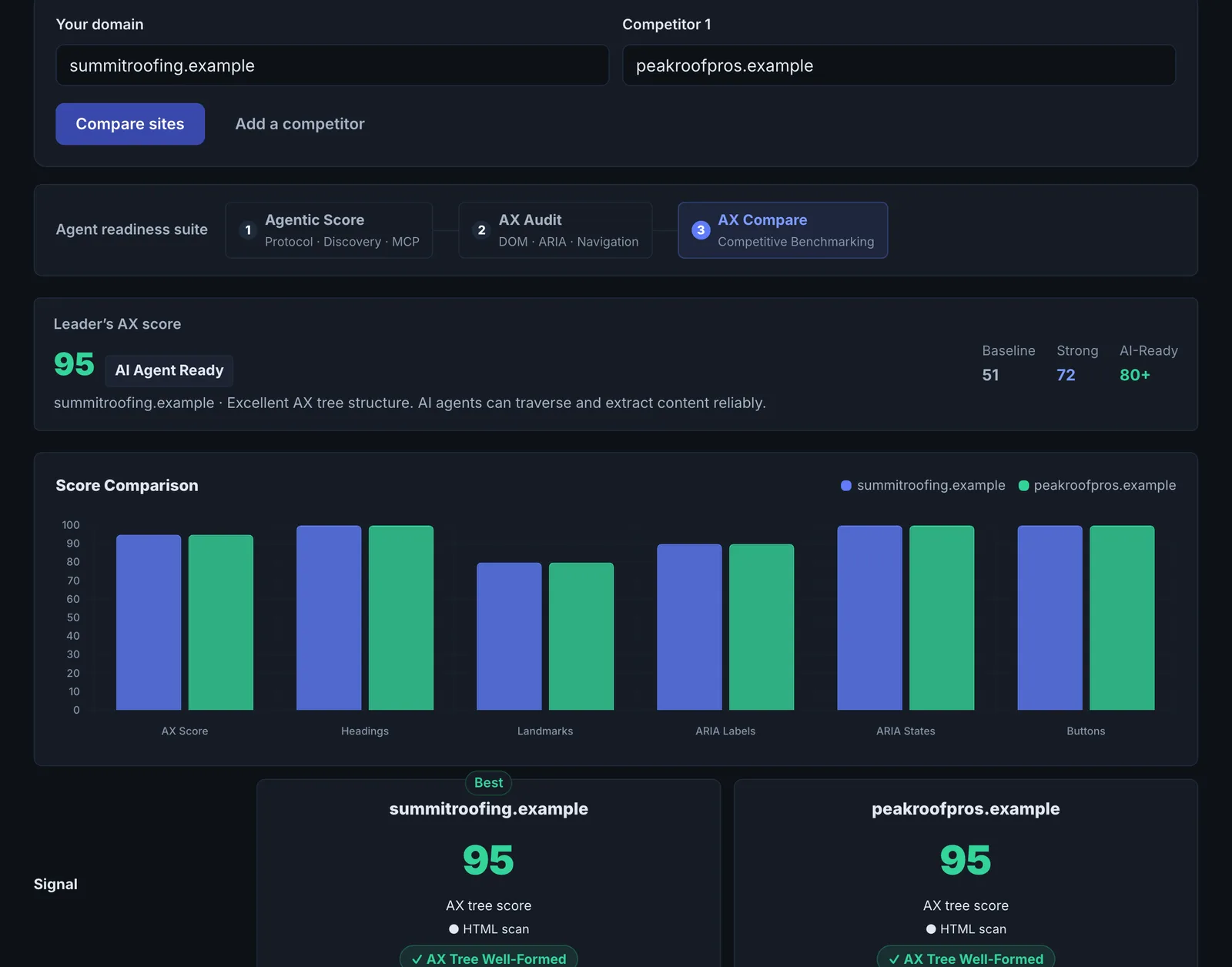
AX Tree Compare runs the accessibility-tree checks on your site and up to three competitors side by side: heading hierarchy, ARIA coverage, unlabelled controls and an estimate of how many tokens an agent wastes working out each page.
Step by step
- Open AX Tree Compare #
Find it under Agents & Commerce, Readiness, in the left sidebar.
- Enter domains #
Your domain and up to three competitors.
- Run it #
Each site is checked in parallel.
- Compare #
Read the side-by-side signals and the AI analysis.
Why it matters#
When an agent compares suppliers for a buyer, the site it can work through fastest has an advantage. This shows whether that is you.
What it checks#
Heading hierarchy, ARIA coverage (including dynamic UI states), unlabelled controls and an agent effort estimate, for each site, with an AI analysis. A raw-HTML fallback is used if a browser cannot load a site.
Reading the results#
Look for where competitors are clearly better (for example far fewer unlabelled controls). That gap is your fix list.
Implementing the fixes#
Apply the AX Agent Audit fixes to the weakest areas first.
Worked example#
An airline compares its booking start page with two competitors'.
Unlabelled controls: the airline has 18 (date pickers and passenger counters), competitors 2 and 5. Heading hierarchy: competitors use H2s for each step; the airline has none. Agent effort: the airline's page needs roughly three times the tokens of the best competitor for an agent to understand it.
The fix list comes straight from the gap: labels on every date and passenger control and an H2 per booking step. Re-compare: unlabelled controls down to 3, and agent effort close to the leader's.
Best practice#
Compare the same page type across sites (pricing to pricing, product to product).
Troubleshooting
The comparison asks for more domains #
The app saysProvide 2–4 domains in the domains array
Enter between 2 and 4 sites, including your own.
One site failed to audit #
The app saysFailed to audit
The browser could not load it and the raw HTML fallback also failed, usually a firewall. Compare with another competitor, or try again later.
The comparison is not like for like #
Compare the same kind of page on each site: product with product, booking with booking. Home pages differ too much to be useful.
Not listed here? See Common problems for limits, checks, plans and pages that cannot be read.
Questions
What is the token estimate? #
Which page should I compare? #
Does it use checks? #
Something here does not match what you see in the app? Tell us and we will fix the guide.