 Citerank
Agent Readiness: can AI agents use your site?
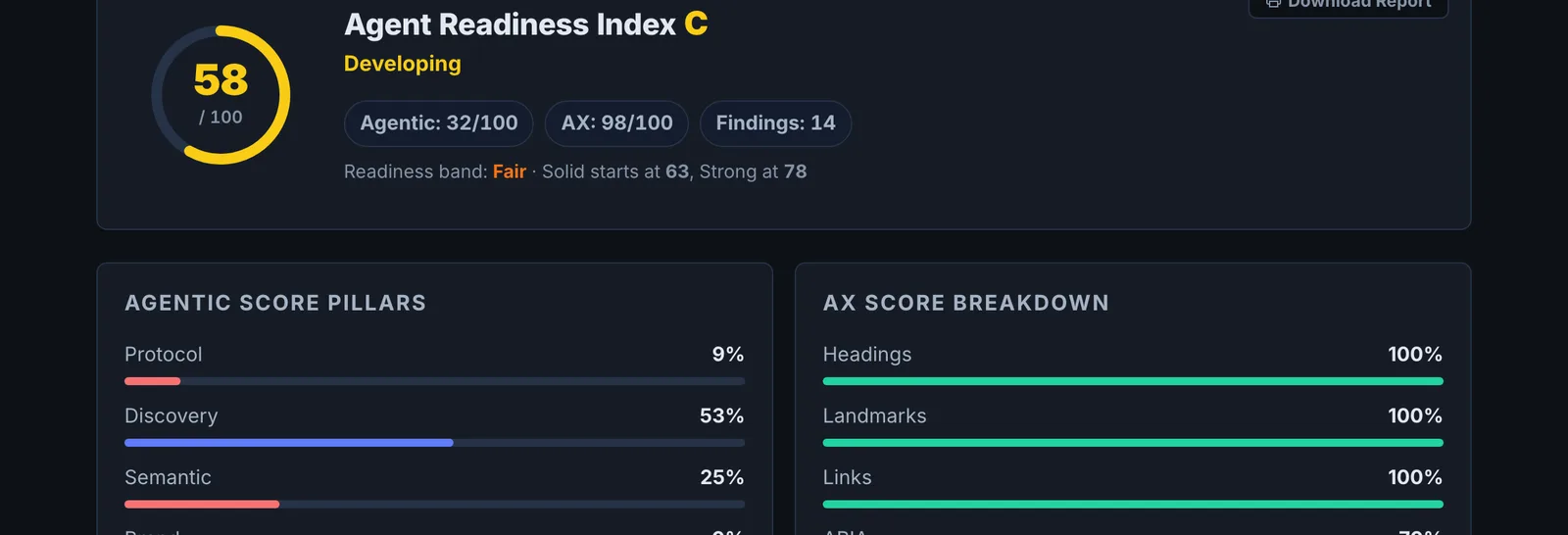
Agent Readiness combines the Agentic Auditor and the AX Agent Audit into one report: pillar scores for protocols, discovery, semantics, brand and governance, how readable your page is through the accessibility tree agents use, and a prioritised action plan.
Step by step
- Open Agent Readiness #
Find it under Agents & Commerce, Readiness, in the left sidebar.
- Enter your site #
Use the home page or the page where agents would start a task.
- Run the check #
The agentic audit and the accessibility-tree audit run and are combined.
- Read the pillars #
See each pillar score and how many points it contributes.
- Work the action plan #
Start with the priority fixes.
Why it matters#
Agents will increasingly do the shopping, booking and comparing. A site an agent cannot read or operate loses those visits to one it can, regardless of rankings. Agent Readiness is the overview: where you stand and the first things to fix.
What it checks#
- Agentic pillars (from the Agentic Auditor): protocol, discovery, semantic, brand and governance.
- AX score (from the AX Agent Audit): how much of the page is understandable through the accessibility tree.
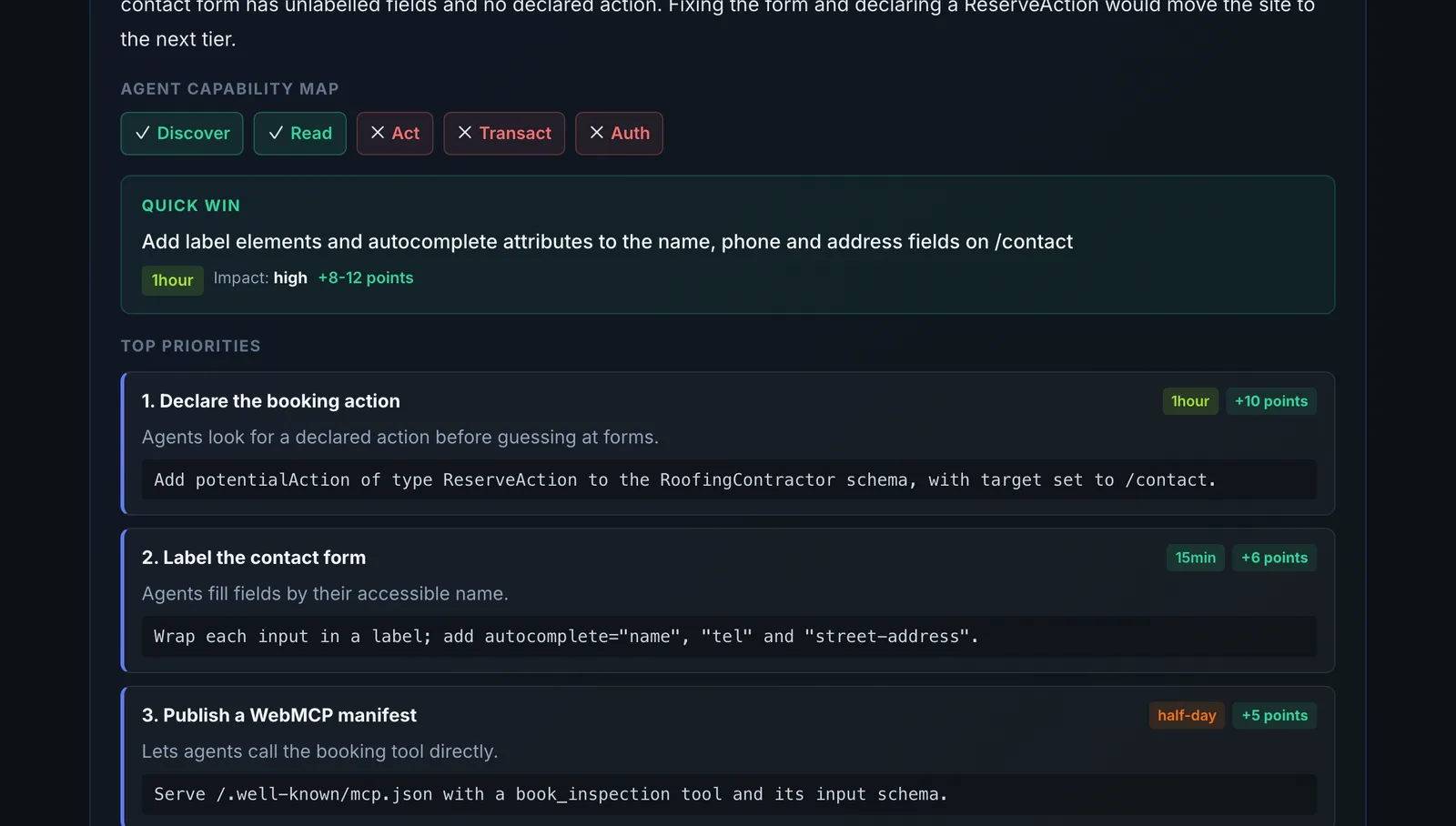
- A synthesis into priority fixes and an action plan.
Reading the results#
- Pillar scores show where points are lost; each shows its contribution.
- AX breakdown shows whether agents can find headings, labels and controls.
- Priority fixes are ordered by impact.
Implementing the fixes#
- Make controls real buttons and links with clear labels.
- Label every form field.
- Render critical content in the HTML, not only via JavaScript.
- Add potentialAction and agent discovery files with the WebMCP Generator.
- Allow the AI crawlers you want in robots.txt.
Worked example#
An online course platform runs Agent Readiness on its course catalogue page.
Pillars: Discovery strong (robots.txt allows AI bots, sitemap present), Semantic weak, Protocol weak. AX breakdown: the course filters are div elements with click handlers and no accessible names, so an agent sees "group, group, group" instead of "Filter by level". The "Enroll" buttons are icons with no label.
Priority fixes: real <button> elements with text or aria-label for every filter and enrol control, and potentialAction JSON-LD for search. Re-run: the AX score more than doubles, and an AXIS Agent Checker run asked to "find a beginner Python course and open its enrol page" now succeeds.
Best practice#
Re-run after each fix batch, then test a real task with the AXIS Agent Checker.
Troubleshooting
The AX score is capped very low #
Almost nothing on the page is exposed in the accessibility tree, usually because the content is drawn on a canvas, inside an iframe, or rendered without semantic elements. Fix that first; the other scores mean little until an agent can read the page.
The page blocked the audit #
A firewall stopped the browser. Allow CiterankBot. If real agents meet the same wall, they cannot use the site either. See Common problems.
Not listed here? See Common problems for limits, checks, plans and pages that cannot be read.
Questions
What is an AI agent here? #
How is this different from the AXIS Agent Checker? #
Which page should I audit? #
Something here does not match what you see in the app? Tell us and we will fix the guide.