 Citerank
Page Auditor: a full AI and SEO audit of any page
The Page Auditor audits one URL the way search engines and AI crawlers see it, and ends with a prioritised list of what to fix. It is free on every paid plan, so use it on every page that matters.
Step by step
- Open Page Auditor #
Find it under Site Audit in the left sidebar.
- Enter a full URL #
Paste the full address of the page, for example https://example.com/services/roof-repair. Audit pages, not just the home page.
- Read the summary first #
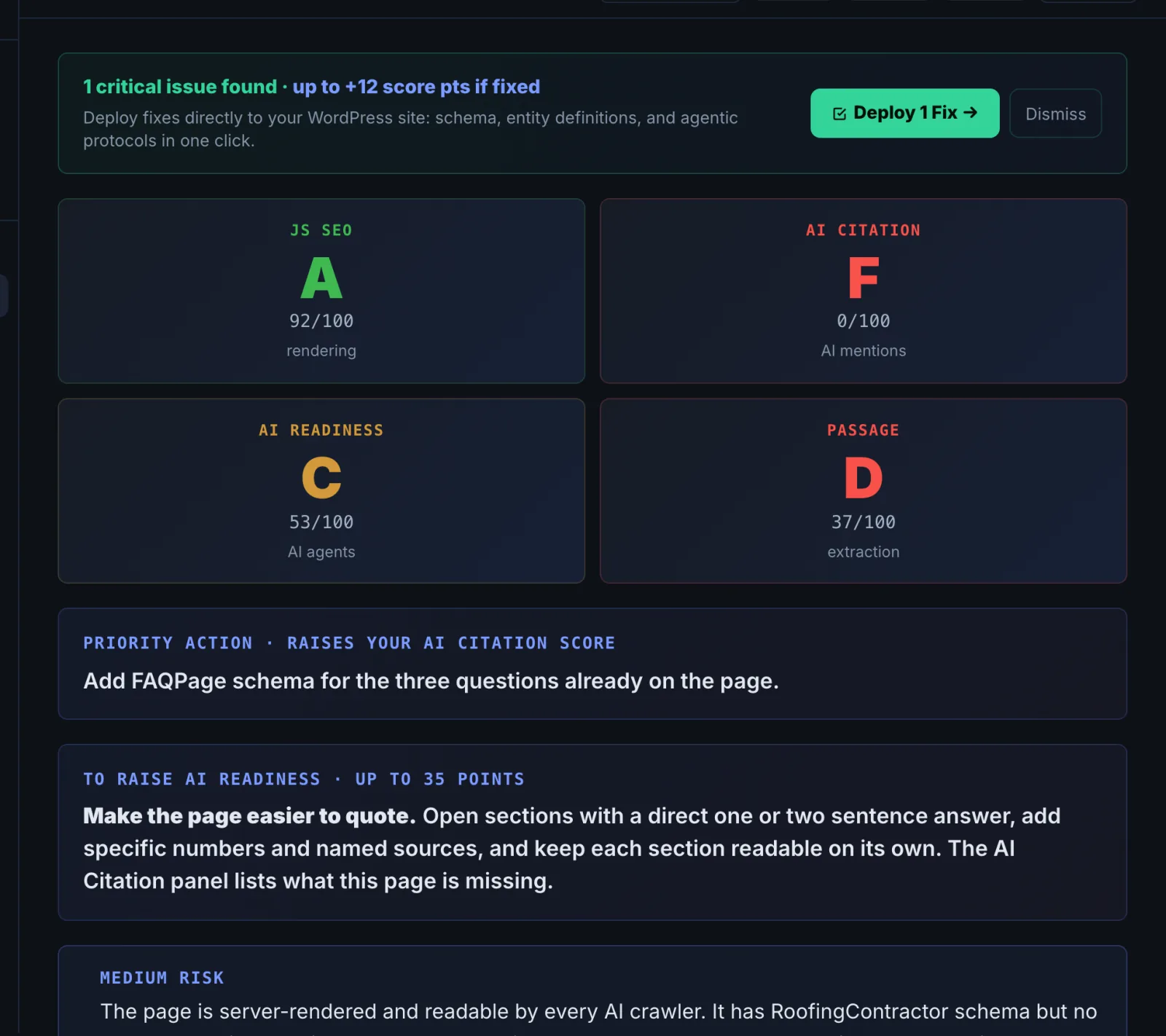
The summary gives the overall risk and the single priority action. Do that first.
- Work through the findings #
Each finding explains what is wrong and how to fix it. Start with crawling and rendering, then schema, then content.
- Use the generated fixes #
Where the audit generates schema or an llms.txt for you, copy it and use it, then re-audit to confirm.
Why it matters#
AI engines cite pages, not websites. A strong domain can still have a key service page that renders empty for crawlers, carries broken schema, or buries its answer in paragraph six. The Page Auditor finds those page-level reasons, ranks them, and in many cases writes the fix for you (schema and llms.txt). Because it is free on every paid plan, it is the tool to run on every page that earns money or answers a buyer's question.
What it checks#
| Area | What it looks at |
|---|---|
| Crawling and rendering | robots.txt rules, redirect chains, soft 404s, what Googlebot receives compared with the raw page, JavaScript rendering and cloaking risks |
| Speed | Core Web Vitals from Google PageSpeed, mobile and desktop |
| Schema | Every JSON-LD block and type on the page, completeness, whether entities are linked with @id, rich result eligibility, and whether the schema matches the visible content |
| AI readiness | An AI citation score, passage scores (how quotable each section is), entity clarity and gaps, machine-readable E-E-A-T signals and AI Overview eligibility |
| AI files | llms.txt and entities.txt checked against their specs, agent endpoints, and any signals that opt the page out of AI use |
| Page basics | Sitemap, social cards, link attributes and image SEO |
It ends with an AI-written summary: the overall risk, the key findings and one priority action.
Reading the results#
- Overall risk and priority action. Read these first. The priority action is the single change with the biggest expected effect.
- Raw vs rendered. If the content Googlebot receives is much thinner than what you see in a browser, the page depends on JavaScript. Many AI crawlers do not run JavaScript, so to them the page is close to empty.
- Schema findings. Missing types, missing required properties and disconnected entities (blocks that never reference each other with @id) are listed separately. Disconnected entities are the most common and the easiest to fix.
- Passage scores. Low scores mean the answer is buried, too long, or depends on context outside the section.
- Opt-out signals. If the page carries noai, noimageai or similar directives, engines are being told not to use it. Make sure that is intentional.
Implementing the fixes#
| Finding | Fix |
|---|---|
| Content missing from the rendered page | Render the main content server-side (SSR or static generation), or at minimum the headings, first paragraph and key facts. |
| Blocked by robots.txt | Remove the Disallow for AI crawlers you want, and allow the page path. |
| Long redirect chain | Link straight to the final URL and update the sitemap. |
| Missing or incomplete schema | Copy the generated JSON-LD from the audit or build it in the Schema Generator, then add it in the page head. |
| Disconnected entities | Give Organization, WebSite and WebPage nodes an @id and reference them from the page's main entity. |
| Weak passages | Start each section with a one or two sentence direct answer, then the detail. Keep one question per section and use the question as the heading. |
| No llms.txt | Publish the generated llms.txt at your site root. |
| Poor Core Web Vitals | Fix the largest element (usually the hero image) first, then layout shift. |
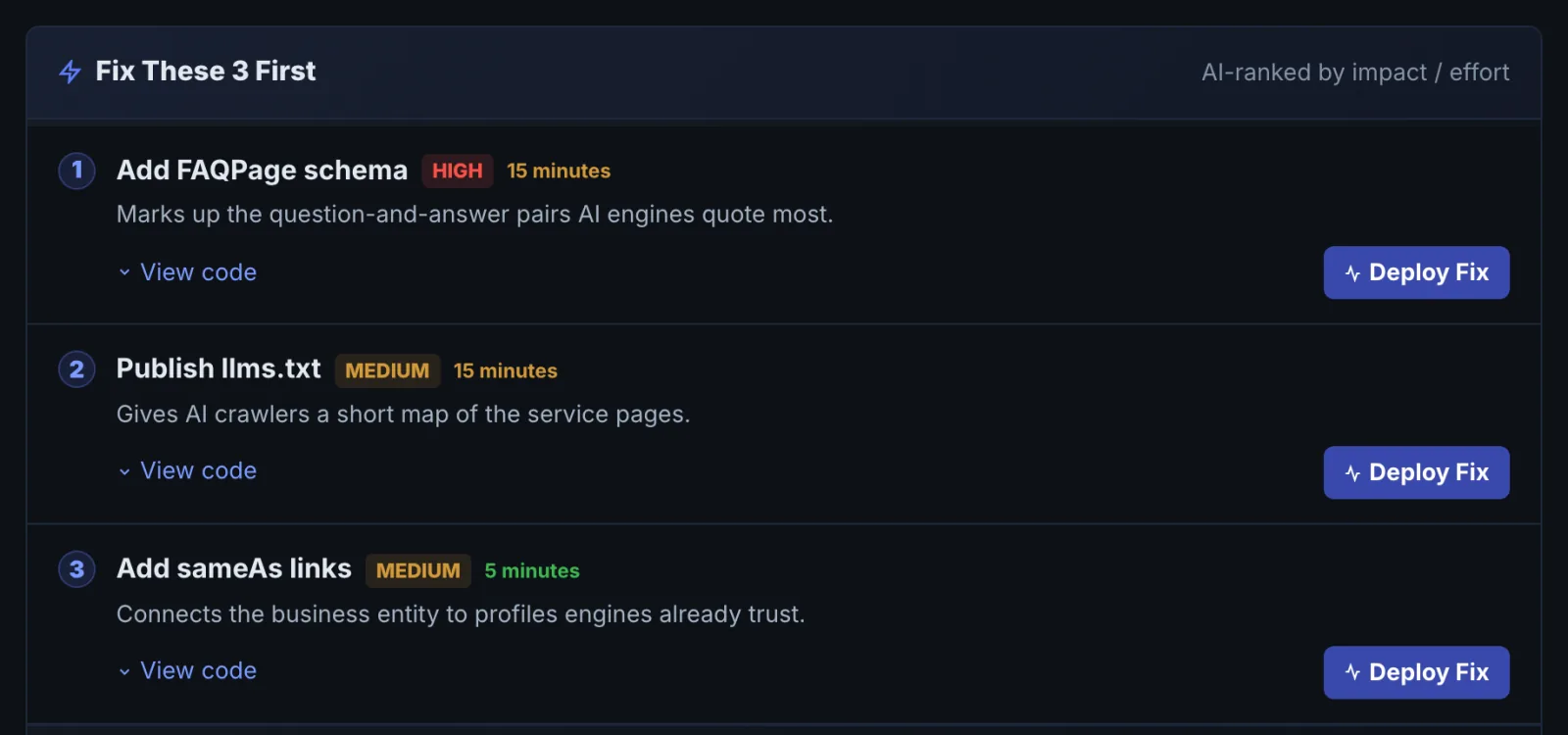
Re-audit the page after publishing to confirm each fix was read.
Worked example#
A roofing company audits https://example-roofing.com/services/roof-repair, its highest-revenue page.
- Summary: overall risk High. Priority action: the main content is missing from the page crawlers receive.
- Raw vs rendered: the browser shows 1,400 words. The raw HTML holds 60: the menu and footer. The service text is loaded by a page-builder script after the page opens, so GPTBot and ClaudeBot see an almost empty page.
- Schema: a LocalBusiness block exists on the home page only. The service page has none, so nothing says what the page offers or who offers it.
- Passages: the answer to "how much does roof repair cost" sits in paragraph six, after two paragraphs about the company's history.
The fixes, in order: switch the page section to server-rendered output in the page builder, add a Service block linked to the home page's LocalBusiness by @id (generated by the audit), and move a two-sentence cost answer to the top of the pricing section. Re-audit: raw HTML now carries the full text, the schema finding clears, and the cost passage moves from a low score to a high one. The next step is Citation Tracker on "roof repair cost" to see whether the page starts being cited.
Best practice#
- Audit before and after every change, inside a project, so the history shows what moved.
- For a whole site, use the Site Crawler, then audit the most important pages individually.
- Pair the audit with Citation Tracker to see whether a better page starts getting cited.
Troubleshooting
The audit says the page is blocked or shows a security check #
A firewall served a challenge page instead of your content, so there was nothing real to audit. Allow CiterankBot in your firewall or bot rules (see CiterankBot) and run the audit again. If AI crawlers get the same challenge, that is a finding in itself: they cannot read the page either.
The raw page is nearly empty but the page looks fine in a browser #
The content is built by JavaScript after the page loads. Many AI crawlers do not run JavaScript, so they see the empty version. Render the main content on the server. In WordPress page builders this is usually a setting on the section or widget; in React or Vue sites it means server-side rendering or static generation.
Core Web Vitals are missing from the report #
The speed figures come from Google PageSpeed, which sometimes times out or has no field data for low-traffic pages. The rest of the audit is still complete. Run the audit again later, or check the page directly in PageSpeed Insights.
A fix is live but the audit still reports it #
A page cache, CDN or optimisation plugin is serving the old version. Clear the cache for that page, confirm the change in a private browser window, then re-audit.
Not listed here? See Common problems for limits, checks, plans and pages that cannot be read.
Questions
Why does the audit show a difference between what I see and what Google sees? #
Does the Page Auditor use checks? #
Should I audit every page? #
Can I audit a page that needs a login? #
Something here does not match what you see in the app? Tell us and we will fix the guide.