 Citerank
Fan-Out Analyzer: the searches AI runs behind a question
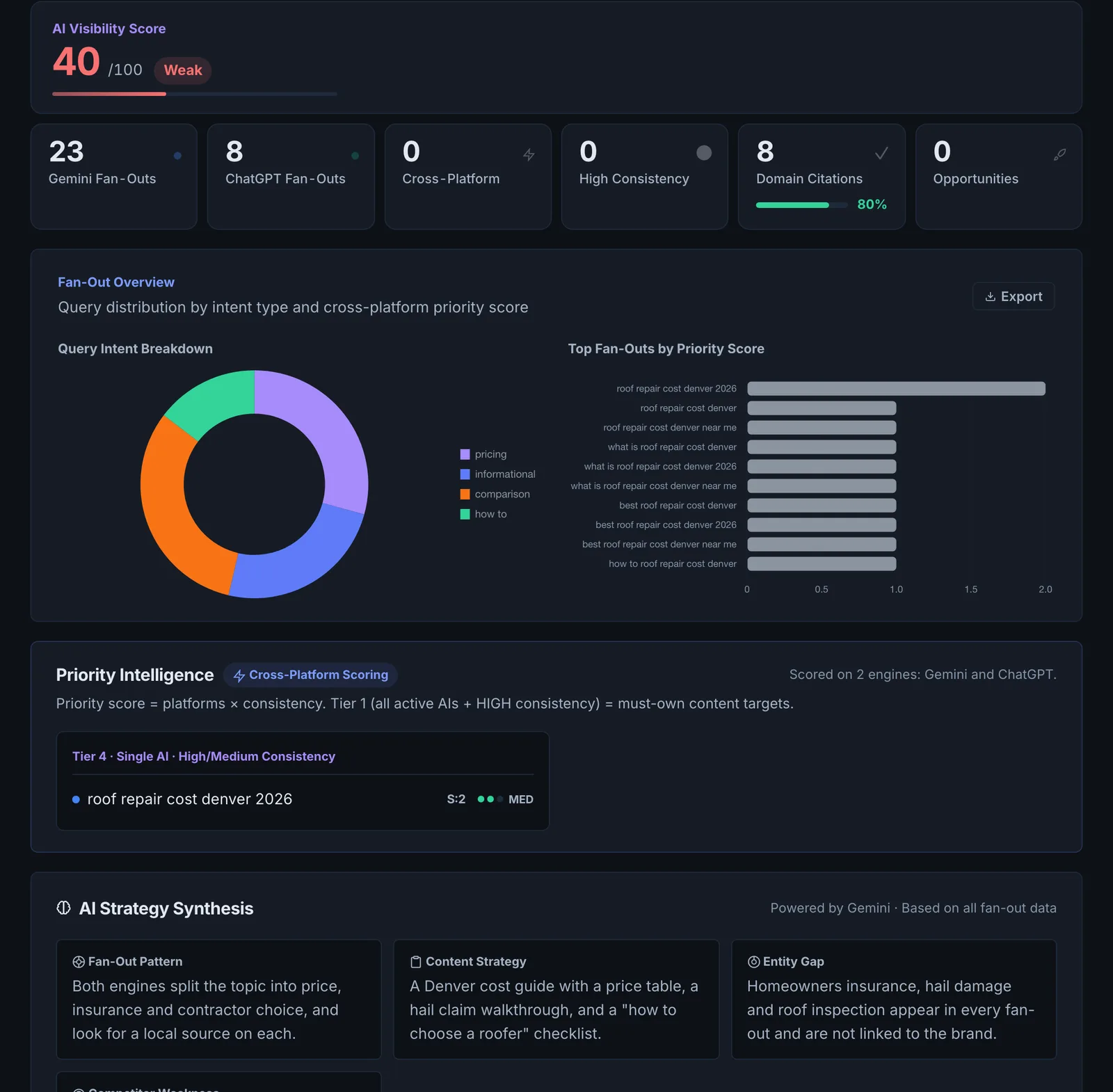
Fan-Out Analyzer asks Gemini (with Google Search) and ChatGPT about a topic in eight phrasings and collects the sub-queries they search for. Sub-queries that appear across many phrasings are reliable signals of what an answer must cover.
Step by step
- Open Fan-Out Analyzer #
Find it under Content, Research, in the left sidebar.
- Enter a topic or question #
Use the main question your page should answer.
- Optionally add your domain #
Add it to check whether you are cited for the topic.
- Run it #
The topic is asked in eight phrasings and the sub-queries collected from Gemini and ChatGPT.
- Turn it into a brief #
Use the priority sub-queries as headings, or send them to the Content Brief.
Why it matters#
AI engines break a question into several searches and build the answer from the pages that win those searches. If your page answers the headline question but not the sub-queries, a more complete page gets cited. Fan-Out Analyzer shows you those sub-queries, so you can cover the whole answer.
What it checks#
- Gemini with Google Search grounding: the searches Gemini actually ran.
- ChatGPT: the searches it would run for the same question.
- Eight seed phrasings of your topic, with each sub-query scored by how many phrasings surface it.
- Priority intelligence and an AI strategy synthesis from the combined results, plus a Perplexity view of the topic.
- Optional: whether your domain is cited.
Reading the results#
- High cross-seed frequency sub-queries are must-cover sections.
- Low frequency ones are optional depth.
- Sub-queries that are questions make natural H2s and FAQ entries.
Implementing the fixes#
- Map each high-frequency sub-query to a section of your page, and add sections for the ones you lack.
- Answer each sub-query directly in the first lines of its section.
- Where a sub-query is a whole topic, give it its own page and link to it.
- Generate a Content Brief from the results for new pages.
Worked example#
A bank runs "how to improve my credit score".
Across the eight phrasings, the sub-queries seen most often: "how long does it take to improve a credit score", "does checking my credit lower it", "what is a good credit utilisation ratio" and "how to remove late payments". Seen once or twice: "credit builder loans" and "rent reporting".
The plan: the bank's credit guide gets an H2 for each high-frequency sub-query, each with a direct answer and a figure (utilisation under 30%, late payments stay on the report for 7 years). The low-frequency ones go into the FAQ. With the domain added, Gemini cites the bank on one phrasing before, and four after the update.
Best practice#
Run it before writing any page you want cited, and again when refreshing an existing page.
Troubleshooting
One engine returned no searches #
Engines do not search for every question; some answer from memory. The other engine's sub-queries still apply. Run again, or rephrase the topic as a question someone would ask.
The analysis failed #
The app saysAnalysis failed
One of the AI services did not answer. Try again in a minute.
The sub-queries are off topic #
The topic is too short or ambiguous. Use a full question, the way a person would ask it.
Not listed here? See Common problems for limits, checks, plans and pages that cannot be read.
Questions
Why eight phrasings? #
What if an engine returns no searches? #
How is this different from Fan-Out Mapper? #
Does it use checks? #
Something here does not match what you see in the app? Tell us and we will fix the guide.