 Citerank
Playbook: prepare a store for AI shopping agents
How to make an online store visible to and usable by AI shopping agents: complete product data, presence in ChatGPT's shopping carousel, a purchase path an agent can complete, and revenue tracking to prove it.
Step by step
- Install tracking first #
Install the Agent Orders snippet so you have a before and after.
- Audit the catalogue #
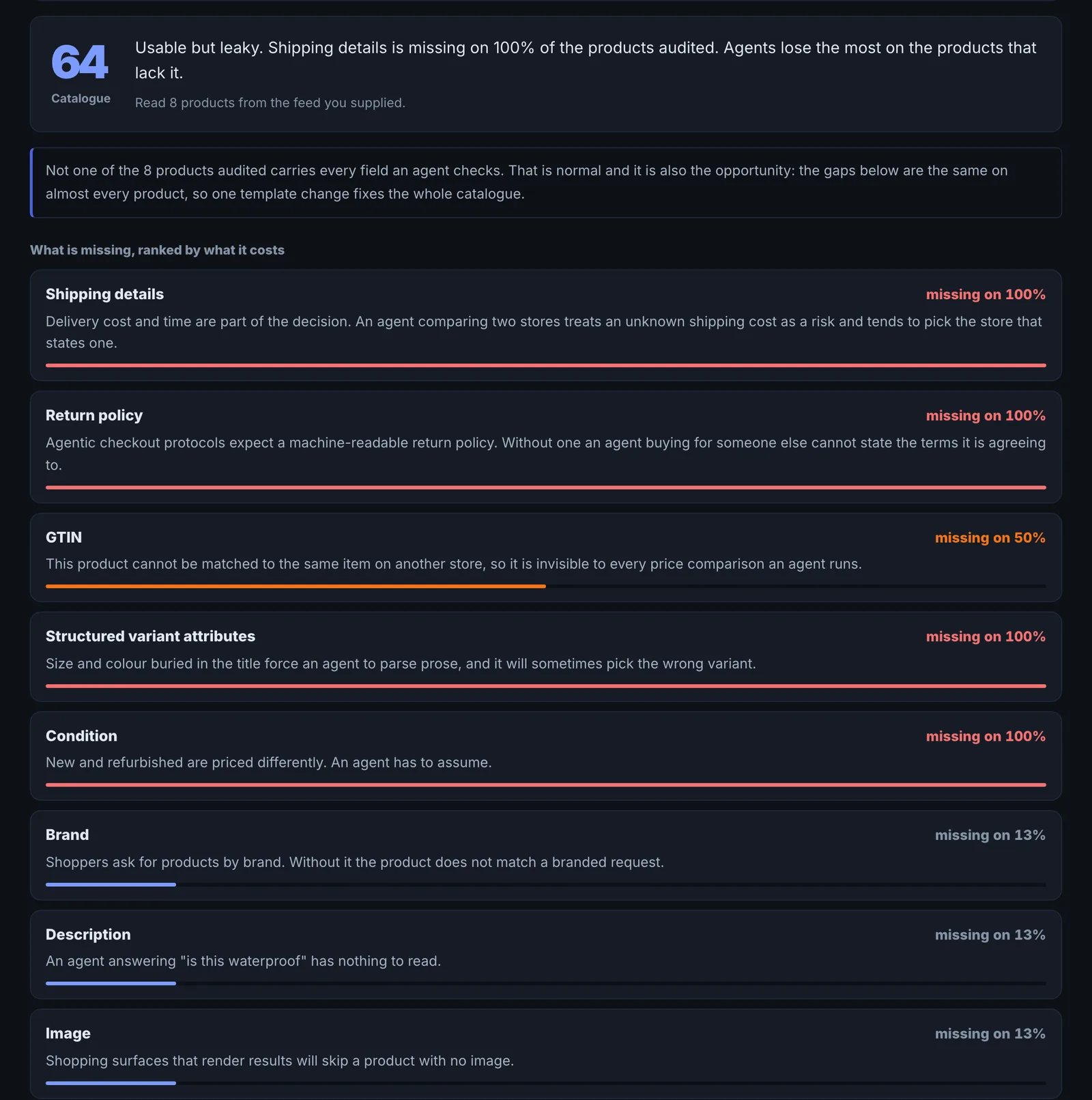
Run Product Feed Audit and fix GTIN, price, availability, shipping and returns gaps.
- Check ChatGPT Shopping #
Run ChatGPT Shopping with your buyers' questions and see who wins the carousel and how.
- Test agent checkout #
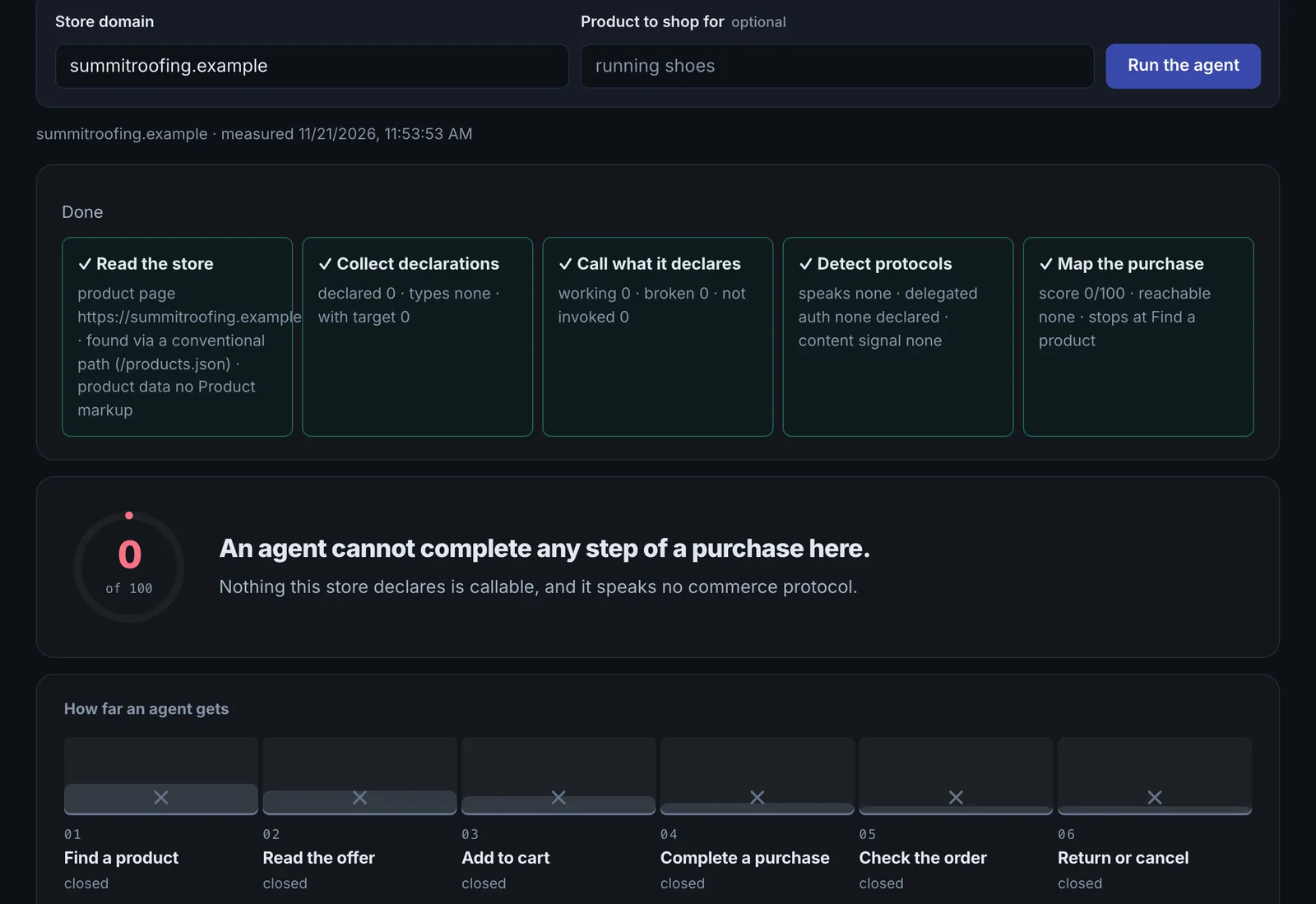
Run Agentic Commerce to see whether an agent can complete a purchase.
- Fix the purchase path #
Fix broken declared actions, accessibility and protocol gaps; test with the AXIS Agent Checker.
- Track revenue #
Watch Agent Orders for confirmed and inferred revenue by AI surface.
The goal#
Be the store an AI shopping assistant chooses and can buy from, and know how much revenue that brings.
The four layers#
- Data: agents compare facts. Product Feed Audit finds missing GTINs, shipping and return details.
- Visibility: ChatGPT Shopping shows who holds the carousel and whether they came through OpenAI's product feed or Google Shopping.
- Actionability: Agentic Commerce calls your declared actions and maps the purchase journey; the AXIS Agent Checker runs a real agent through it.
- Proof: Agent Orders reports revenue by AI surface, confirmed and inferred kept apart.
Common fixes#
- Add GTINs and full Offer, shipping and return data to Product schema and your Merchant Center feed.
- Submit your product feed where competitors come from (OpenAI or Google Merchant Center).
- Make cart and checkout work with real buttons and labelled fields, without hover-only menus or pop-ups.
Questions
Where do I start if time is short? #
Do I need all four layers? #
Something here does not match what you see in the app? Tell us and we will fix the guide.