 Citerank
Prompt Library: run your prompts across five AI engines
Prompt Library keeps a list of prompts you care about and runs each one on demand across Gemini, Perplexity, ChatGPT, Grok and Claude, recording whether your domain is cited. It shows your weakest prompts and engines and suggests new prompts for your domain.
Step by step
- Open Prompt Library #
Find it under Content, Research, in the left sidebar, and enter your domain.
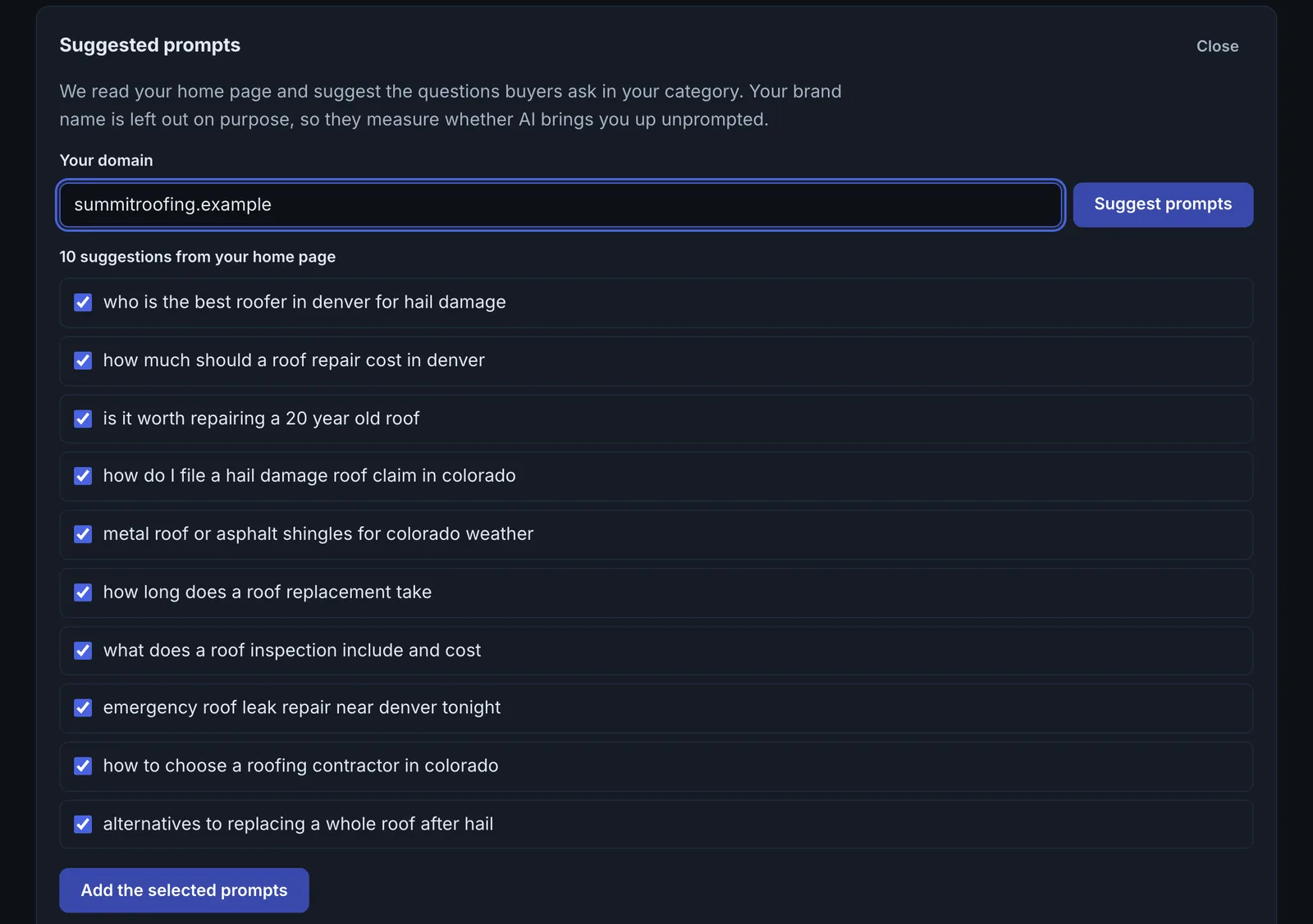
- Get suggestions #
Review Suggested prompts and save the ones that fit.
- Add your own #
Add a prompt, optionally a domain to look for, and choose the engines: Gemini, Perplexity, ChatGPT, Grok and Claude.
- Run it #
Run a prompt to ask every selected engine. Each run is one AI engine check.
- Work the weakest #
Use Weakest prompts and By engine to choose what to fix first.
Why it matters#
Before committing prompts to monthly tracking, you need to know which ones are worth tracking and where you stand. Prompt Library is the workbench: run a prompt on five engines at once, see the gaps, and build the list you then track.
What it checks#
For each run, every selected engine (Gemini, Perplexity, ChatGPT, Grok, Claude) is asked the prompt and the answer checked for a citation of your domain. Each prompt keeps a history of runs and a citation rate.
Reading the results#
- Weakest prompts: the prompts where you are cited least. Your priority list.
- By engine: your citation rate per engine across all prompts.
- Latest run: the most recent answers and whether you were cited.
Implementing the fixes#
- For a weak prompt, look at who each engine cited and compare their page with yours.
- Diagnose the most important ones with Why Not Cited?.
- Move the prompts that matter into Prompt Tracking for monthly monitoring.
Worked example#
An agency keeps 15 prompts for a dental group in the library and runs them before and after a site update.
Before: cited on 3 of 15 across five engines. Weakest prompts: "emergency dentist open Sunday near [city]" and "how much are dental implants in [city]", where no engine cites the group. By engine: Perplexity 40%, ChatGPT 7%.
The update adds weekend hours in text and schema (openingHoursSpecification), and an implants page with a price range. After: cited on 7 of 15, with ChatGPT up to 27%. The agency then moves the 5 most important prompts into Prompt Tracking for monthly checks.
Best practice#
Keep the library to prompts with buying intent and real volume of questions, and use the suggestions to find ones you had not thought of.
Troubleshooting
One engine shows an error #
That engine did not answer for this run. The others still count. Run the prompt again later to fill it in.
Runs use more checks than expected #
Each prompt run is one check, whichever engines you select. Run the library before and after changes rather than on a timer.
Not listed here? See Common problems for limits, checks, plans and pages that cannot be read.
Questions
How is this different from Prompt Tracking? #
Can I export the runs? #
Which engines can I pick? #
Something here does not match what you see in the app? Tell us and we will fix the guide.