 Citerank
Progress Report: compare two audits side by side
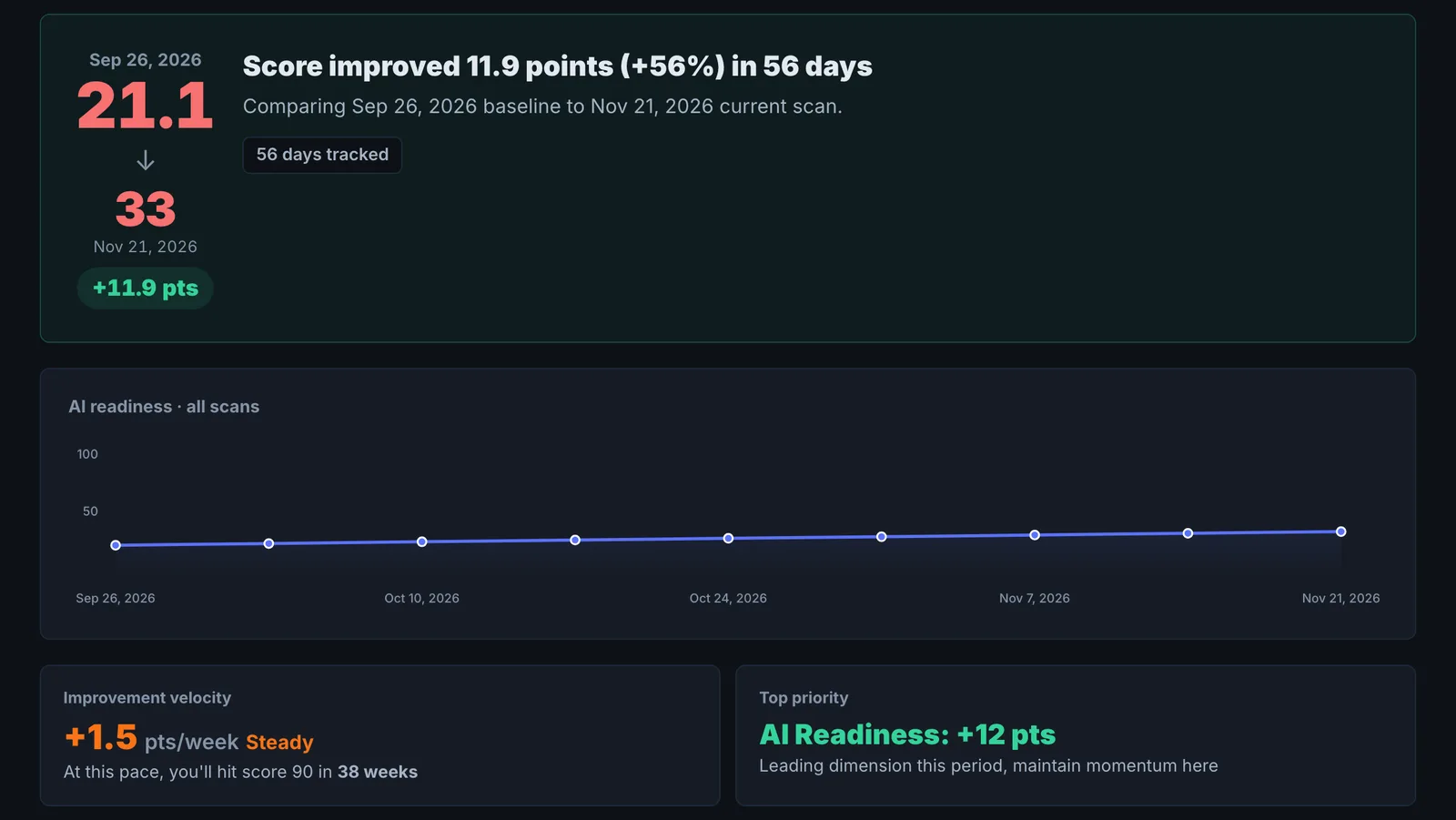
The Progress Report compares audit snapshots over time: how the score moved, what improved, what regressed, and how schema, entity coverage and issues changed between two runs.
Step by step
- Open Progress Report #
Find it under Home in the left sidebar.
- Choose the page or domain #
Pick what you have audited more than once.
- Compare #
See the score trend, wins and regressions.
- Check the detail #
Schema, entity coverage and issue changes.
Why it matters#
The Progress Report proves whether a specific round of work paid off, at the level of an audit: which scores went up, what regressed, and how fast things are improving.
What it checks#
Two audit snapshots of the same domain that you choose:
- Score changes, overall and by dimension.
- Schema changes: types added or lost.
- Resolved issues in the period.
- Improvement velocity: how quickly the score is rising.
Reading the results#
- Biggest regression: address this first to stop the score eroding.
- Leading dimension: where momentum is strongest. Keep it going.
- Crawlability and indexation issues are flagged to fix before anything else.
- All scores held steady means nothing moved between the two audits.
Implementing the fixes#
Fix the biggest regression first, then repeat what produced the gains on similar pages. Run another audit afterwards and compare again.
Worked example#
An agency compares a client's audit from 1 March with one from 1 June.
Score: 44 to 62. Schema changes: FAQPage, Service and BreadcrumbList added, nothing lost. Resolved issues: 23. Biggest regression: AI Discoverability slipped slightly, because a new security plugin started challenging ClaudeBot. Leading dimension: Schema & Entity Foundation.
The agency sends the report with the client's quarterly update and flags the plugin setting as the first fix for the next quarter.
Best practice#
Audit before and after every change you want to measure, and keep both in the same project.
Troubleshooting
No previous scan to compare #
The app saysNo previous scan found for comparison
The report compares two saved audits of the same domain. Run an audit now and another after your changes.
A scan cannot be found #
The app saysScan A not found
The scan was removed or belongs to another account. Choose two scans from the list again.
All scores held steady #
Nothing measurable changed between the two audits. Check that the changes are live (not cached) and that you compared the right dates.
Not listed here? See Common problems for limits, checks, plans and pages that cannot be read.
Questions
Why no previous scan? #
Why does it say only one scan found? #
Can I send it to a client? #
Something here does not match what you see in the app? Tell us and we will fix the guide.