 Citerank
Schema Templates: ready-made JSON-LD with entity links wired up
Schema Templates is a library of ready-made JSON-LD for the schema types that matter for AI search, with the entity links (@id references) already in place. Copy one, replace the values with your own, and publish.
Step by step
- Open Schema Templates #
Find it under Schema & Entities, Generate, in the left sidebar.
- Pick the type #
Choose the template for the page type.
- Copy it #
Copy the JSON-LD.
- Replace every value #
Swap every example value for your real details. Delete properties you cannot fill truthfully.
- Publish and validate #
Add it to the page head and check it with the Page Auditor.
Why it matters#
Hand-written schema usually fails on structure: entities that never reference each other, or the wrong type for the page. Templates give you a correct, entity-linked structure to build from, which is ideal when a developer is building schema into CMS templates.
What it checks#
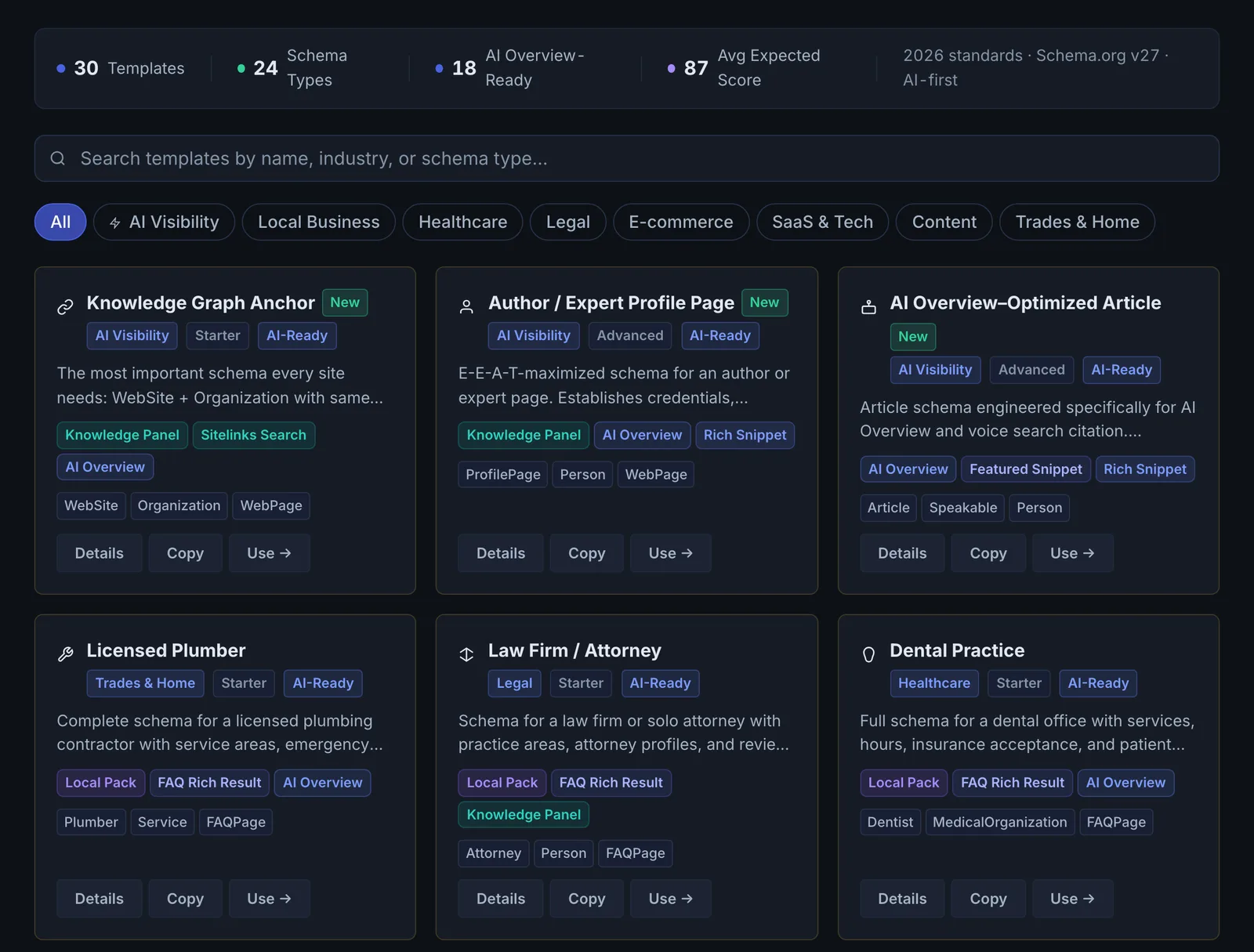
It is a searchable library, not a scan. Templates are grouped by category (Local Business, SaaS & Tech, Trades & Home, Healthcare, Legal, Content, Rich Snippet and Advanced) and each shows:
- A JSON-LD preview with the @id links between WebSite, Organization, WebPage and the main entity already in place.
- What the template achieves and whether it is AI Overview-ready.
- Links to the schema.org specification for each type.
Reading the results#
Search or filter by category, open a template and read what it achieves. The example values in a template (such as a job posting's responsibilities and requirements) are placeholders to replace.
Implementing the fixes#
- Copy the JSON-LD.
- Replace every example value with real data and delete properties you cannot fill truthfully.
- Use one Organization @id across all your pages.
- Add it to the page head, or build it into your CMS template, then validate with the Page Auditor.
Worked example#
A new physiotherapy practice without a developer opens the Healthcare category and picks the medical clinic template.
The preview has WebSite, Organization, WebPage and the clinic node already linked by @id. The practice replaces the placeholder values with its name, address, phone, hours and the services it offers, removes the fields it has no value for, and pastes the result into its website builder's header code. Google's Rich Results Test confirms the markup is valid. Later, when it has more pages, it moves to the Schema Generator, which reads each page.
Best practice#
Never publish example values. If you would rather have values filled from your page automatically, use the Schema Generator.
Troubleshooting
Google's test shows errors after pasting #
A placeholder value is still in the template, or a required field was deleted. Search the code for example values and replace every one with your real facts.
No template fits your business #
Start from the closest category and change the @type to the most specific schema.org type for your business. Or use the Schema Generator, which picks the type from your page.
The site builder strips the code #
Paste JSON-LD into a field meant for code in the page head, inside <script type="application/ld+json">. Text editors and rich text blocks often remove script tags.
Not listed here? See Common problems for limits, checks, plans and pages that cannot be read.
Questions
Templates or the Schema Generator? #
Which template should a local business start with? #
Do templates use credits? #
Something here does not match what you see in the app? Tell us and we will fix the guide.