 Citerank
Why Not Cited? Diagnose why AI engines skip your page
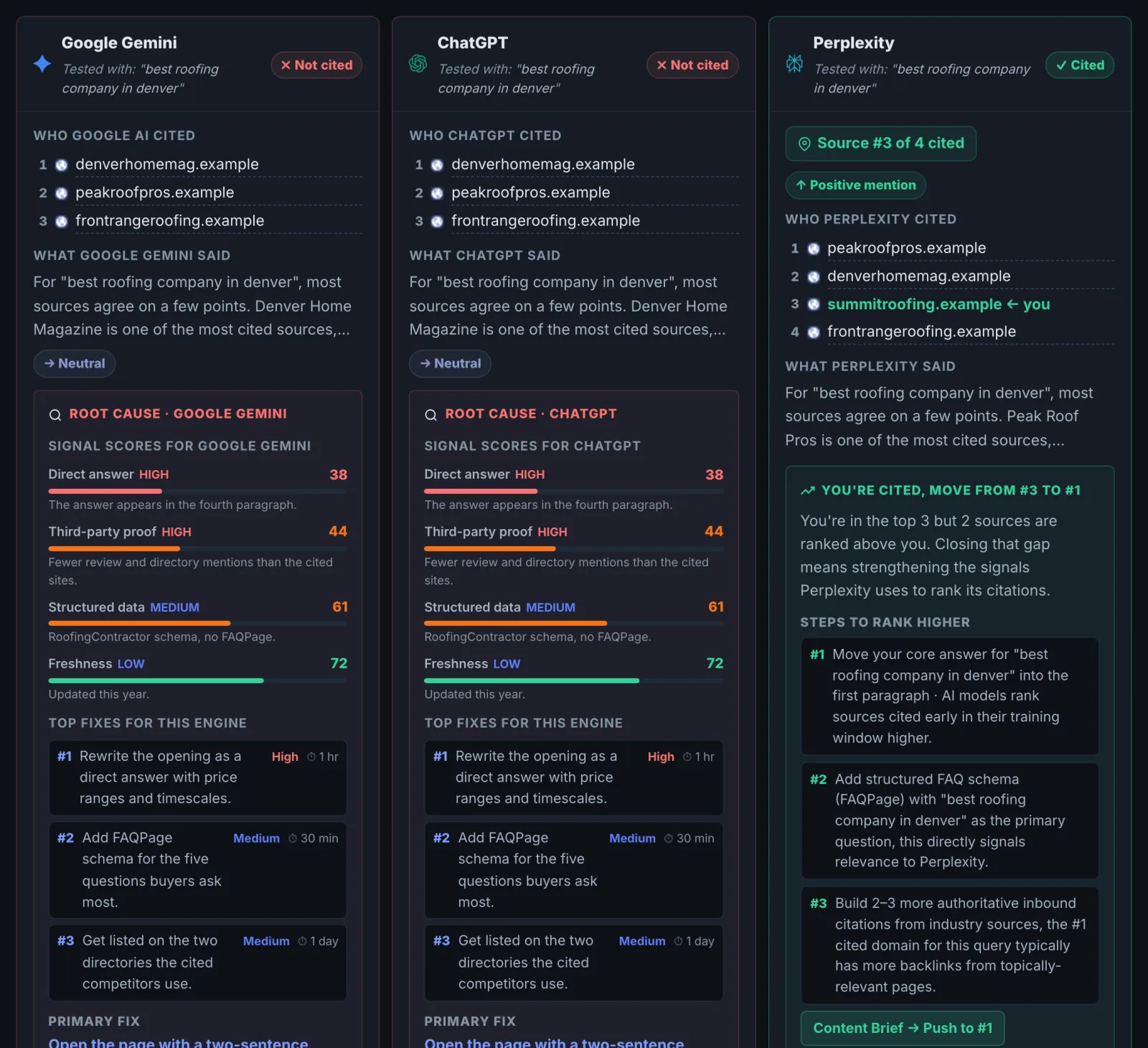
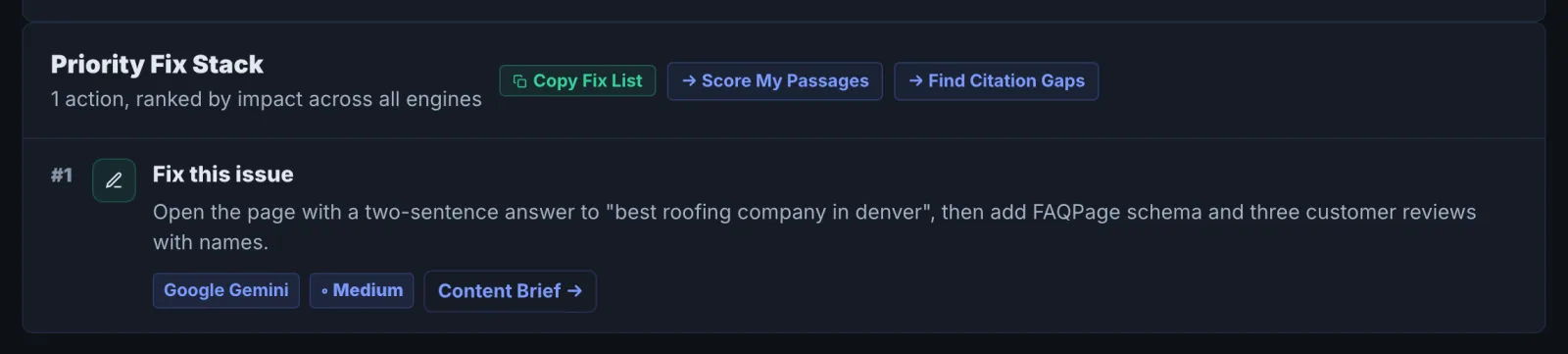
Why Not Cited? checks one query on Gemini, ChatGPT, Perplexity, Claude, Grok and Bing in parallel. For each engine that does not cite you, it explains the likely root cause and the fix, then merges everything into one prioritised fix list.
Step by step
- Open Why Not Cited? #
Find it under Content, Diagnose, in the left sidebar.
- Enter your domain and a query #
Use the exact question you expect to be cited for.
- Run the diagnosis #
Every engine is asked in parallel and its sources recorded.
- Read each engine #
See cited or not, the sources it used instead and, for each miss, the root cause.
- Work the fix stack #
Start at the top of the merged, de-duplicated fix list.
Why it matters#
Knowing you are not cited is the start. Knowing why is what gets you cited. Engines miss pages for different reasons: ChatGPT cannot reach the page, Perplexity prefers a source with fresher data, Gemini picks a page with a clearer answer. This tool gives an engine-by-engine reason and turns them into one ordered fix list, so you do not fix the wrong thing.
What it checks#
- The query on Gemini, ChatGPT (web search forced on), Perplexity, Claude, Grok and Bing in parallel, recording whether your domain is cited and which sources are.
- For every engine that does not cite you, an AI diagnosis of the most likely root cause and the top fix, based on your page and the sources the engine chose.
- A merged fix stack across engines, de-duplicated and prioritised.
- If an engine fails, the reason is shown (outage, timeout or a bad query) rather than a bare error.
Reading the results#
- Missed on every engine: a page problem (no direct answer, wrong page, not crawlable).
- Missed on one or two engines: an engine-specific problem (crawler blocked, index coverage, source preference).
- The same fix recommended by several engines goes first.
- Sources used instead tell you what the engines consider the best answer.

Implementing the fixes#
- Do the top item in the fix stack first. It is the one most engines agree on.
- For access problems, check View as AI Crawler.
- For answer-quality problems, rework the passage with the AI Content Editor or Passage Citations.
- Re-run the diagnosis after the page is recrawled.
Worked example#
A meal delivery company asks why it is not cited for "best meal delivery for diabetics".
- Missed on every engine except Bing, where it ranks 8th.
- Diagnosis, repeated by 4 engines: the page is a product listing with no text explaining which meals suit diabetics, the carbohydrate counts are in images, and there is no medical review.
- Sources used instead: a diabetes charity's guide and two review sites with comparison tables.
The merged fix stack: a section explaining how meals are built for diabetics, with carbohydrate counts in text and a table, reviewed and signed by a registered dietitian, plus outreach to the two review sites. Re-run after six weeks: cited by Perplexity and Gemini.
Best practice#
Diagnose your most valuable uncited queries one at a time and fix them fully before moving on. A run costs more credits than most tools, so pick queries that matter.
Troubleshooting
The run needs more credits than you have #
A diagnosis runs on six engines with an AI review for each miss, so it uses about 40 monthly credits. Buy a pack or wait for the reset. See Common problems.
An engine shows a failure reason #
That engine had an outage, timed out or rejected the query. The others still give a diagnosis. Run again later for the missing engine.
The diagnosis points at the wrong page #
Enter the exact page that should be cited for the query, not the home page, so the diagnosis compares the right content with the sources chosen.
Not listed here? See Common problems for limits, checks, plans and pages that cannot be read.
Questions
Why use this instead of Citation Tracker? #
Is the root cause certain? #
Does it use checks? #
Something here does not match what you see in the app? Tell us and we will fix the guide.