 Citerank
 Deploy: push fixes to your site and verify them
Citerank Deploy fixes your site instead of only scoring it. Connect WordPress with the plugin, or any site with a Cloudflare Worker, then deploy schema, llms.txt, robots.txt rules, the A2A Agent Card and the WebMCP catalog, with every change logged, verified on the live site and revertable.
Step by step
- Open Citerank Deploy #
Find it under Plan & Deploy, Deploy, in the left sidebar.
- Connect your site #
WordPress: install the Citerank plugin, copy its Plugin API Key from WP Admin, Settings, Citerank AI, and enter it with your site URL. Other sites: set up the Cloudflare Worker, which comes with your key already in it.
- Deploy schema to pages #
In Pages & Schema, pick pages and deploy generated or template schema.
- Deploy AI files #
In AI Files, deploy llms.txt; in Agentic Protocol, deploy the A2A Agent Card and WebMCP catalog.
- Verify and keep a log #
Check each endpoint is live and see every change in the Deploy Log.
Why it matters#
Most audits end with a ticket in someone else's backlog. Deploy closes the gap: the fix goes live from Citerank and is checked on the live site, so "we recommended it" becomes "it is live and verified".
What it checks#
| Tab | What you can do |
|---|---|
| Connect | Link WordPress (plugin) or a Cloudflare Worker |
| Pages & Schema | See which pages have schema and deploy JSON-LD to them |
| Templates | Reuse schema templates across pages |
| AI Files | Deploy llms.txt |
| Agentic Protocol | Deploy the A2A Agent Card and WebMCP catalog |
| Entity Map / Knowledge Graph | Entity data for the site |
| Deploy Log | Every change, when and by whom, with revert |
Live verification checks that each deployed endpoint is reachable by AI crawlers.
Reading the results#
- has schema / no schema per page shows coverage.
- Verify results show whether each file is actually live (a cache can delay it).
- The log is your audit trail.
Implementing the fixes#
- Connect the site.
- Deploy Organization schema site-wide and page schema to key pages first.
- Deploy llms.txt and agent files.
- Verify, then re-run the Page Auditor on a few pages.
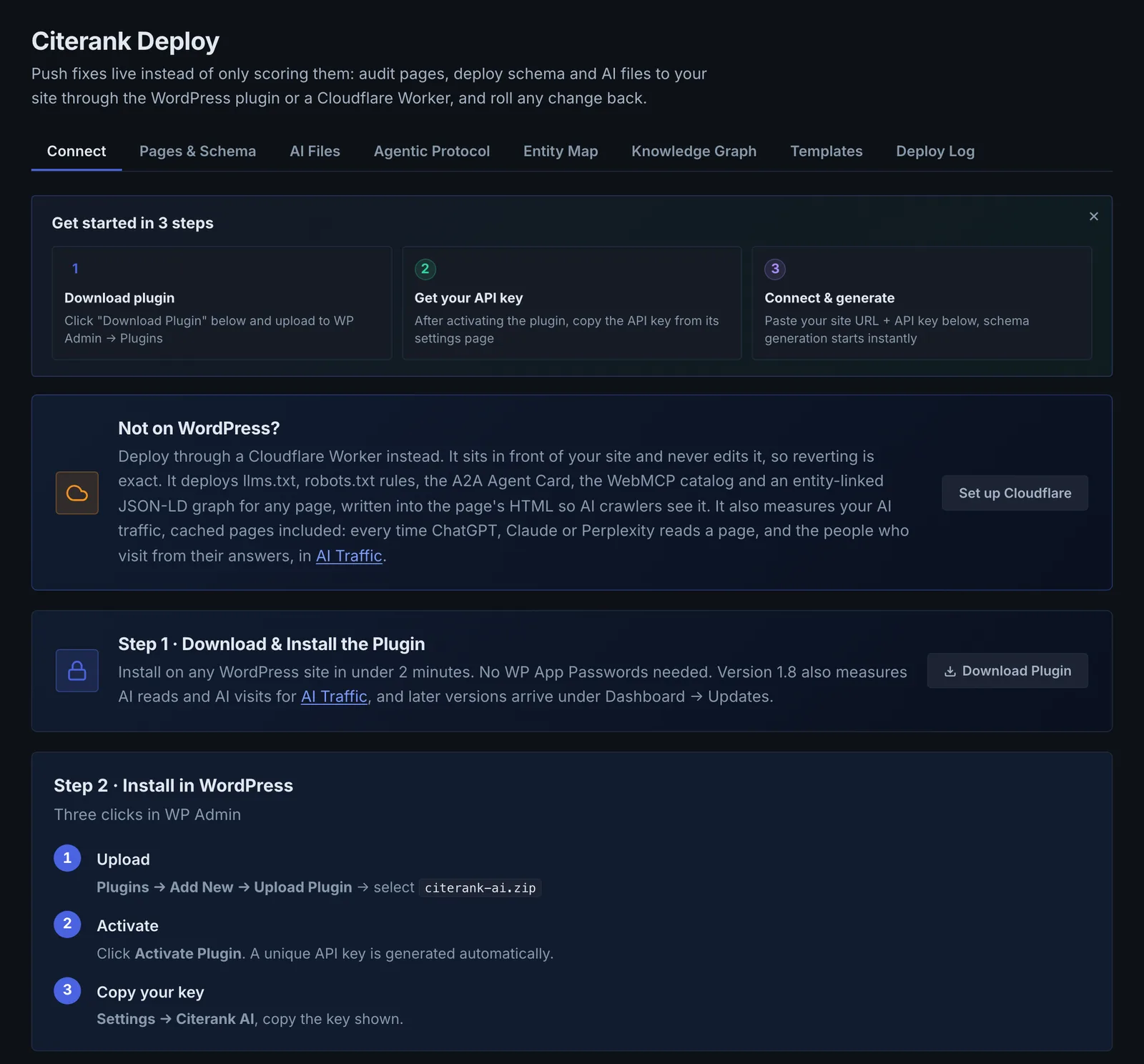
Worked example#
An agency connects a client's WordPress site.
It installs the Citerank plugin, copies the Plugin API Key from WP Admin, Settings, Citerank AI, and pastes it in Connect. Pages & Schema shows 31 of 48 pages with no schema. The agency generates schema for the 10 service pages and deploys each. Verify shows 9 live and 1 pending: the page is cached by the host. After clearing the cache it shows live.
A week later the client's developer asks what changed on the contact page. The Deploy Log shows the schema deploy, the date and who made it; the agency reverts it while the developer's form change is tested, then deploys it again.
Best practice#
On sites behind Cloudflare, prefer the Worker: nothing on the site is edited, reverting is exact, and you get AI traffic measurement too.
Troubleshooting
The API key is refused #
The app saysInvalid API key format, must start with crk_
Use the Plugin API Key from WP Admin, Settings, Citerank AI. It starts with crk_. A Developer API key from your Citerank account will not work here.
The plugin cannot be reached #
The app saysPlugin unreachable, check that the plugin is active on
Make sure the plugin is installed and active, and that a security plugin or firewall is not blocking requests to the WordPress REST API. Then connect again.
A deploy shows pending #
The change was written, but a page cache or CDN is still serving the old page. Clear the cache for that page, then select Verify.
A page outside the connected site is refused #
The app sayspage_url must be on
Each connection writes only to its own site. Connect the other site separately.
Your platform is not WordPress #
The app saysCloudflare Workers is the only one so far.
For non-WordPress sites behind Cloudflare, use the Cloudflare Worker client. Otherwise copy the generated files and schema into your site by hand.
Not listed here? See Common problems for limits, checks, plans and pages that cannot be read.
Questions
Which key do I use for WordPress? #
How does the Cloudflare Worker work? #
Can I undo a deploy? #
Something here does not match what you see in the app? Tell us and we will fix the guide.